AC Ziel
Hochwertiges Eye Target Skript für FiveM zu attraktiven Preisen, vollständig ESX-kompatibel.
AC Target - Fortgeschrittenes Third-Eye-Zielsystem für FiveM
AC Target liefert ein umfassendes Third-Eye-Zielsystem für FiveM-Server, das intuitive Punkt- und Interaktionsspielmechaniken bietet und traditionelle Befehlsbasierte Interaktionen ersetzt. Dieses leistungsstarke Zielrahmenwerk ermöglicht es Spielern, durch einfaches Anvisieren von Entitäten, Fahrzeugen, NPCs und Objekten zu interagieren und kontextbezogene Optionen aus einem Radialmenü auszuwählen. Ideal für Server, die moderne, immersive Interaktionsmechaniken wünschen, die sich natürlich anfühlen und das Erinnern an Dutzende von Slash-Befehlen reduzieren.
Enthalten
Dieses vollständige Zielsystem enthält Entitätserkennung für Spieler, Fahrzeuge, Objekte und NPCs mit anpassbaren Interaktionszonen. Das Framework bietet vordefinierte Optionen für gängige Interaktionen (Türen öffnen, Kofferraumzugang, NPCs überfallen) und bietet umfangreiche Anpassungsmöglichkeiten für serverpezifische Funktionen. Sie erhalten Kreiszonen, Boxzonen und Polygonzonen für genaue Interaktionsbereiche, Target-Bone-Unterstützung für spezifische Fahrzeug- oder NPC-Teile und globale Optionen, die auf alle Entitäten eines Typs angewendet werden. Das System integriert sich nahtlos in beliebte Frameworks und enthält Exporte für eine einfache Implementierung in benutzerdefinierten Skripten.
Schlüsselfunktionen
- Third-Eye-Interaktion - Zeigen und klicken, um mit jeder Entität zu interagieren
- Kontextbezogene Optionen - Das Menü zeigt nur relevante Aktionen für die gezielte Entität an
- Mehrere Zonentypen - Kreis-, Box- und Polygonzonen für flexible Bereichsdefinitionen
- Target-Bones - Interagieren Sie mit spezifischen Fahrzeug- oder NPC-Teilbereichen
- Globale Optionen - Setzen Sie Standardinteraktionen für alle Peds, Fahrzeuge oder Objekte
- Entfernungskontrolle - Konfigurierbare Maximalinteraktionsreichweite (Standard: 7,0)
- Toggle/Hold-Modi - Wählen Sie zwischen Toggle-Auge oder Halten Sie die Taste, um zu aktivieren
- Visuelles Feedback - Kreisindikator zeigt an, wenn die Entität angezielt werden kann
- Fahrzeugintegration - Option, um das Zielsystem im Fahrzeug zu deaktivieren
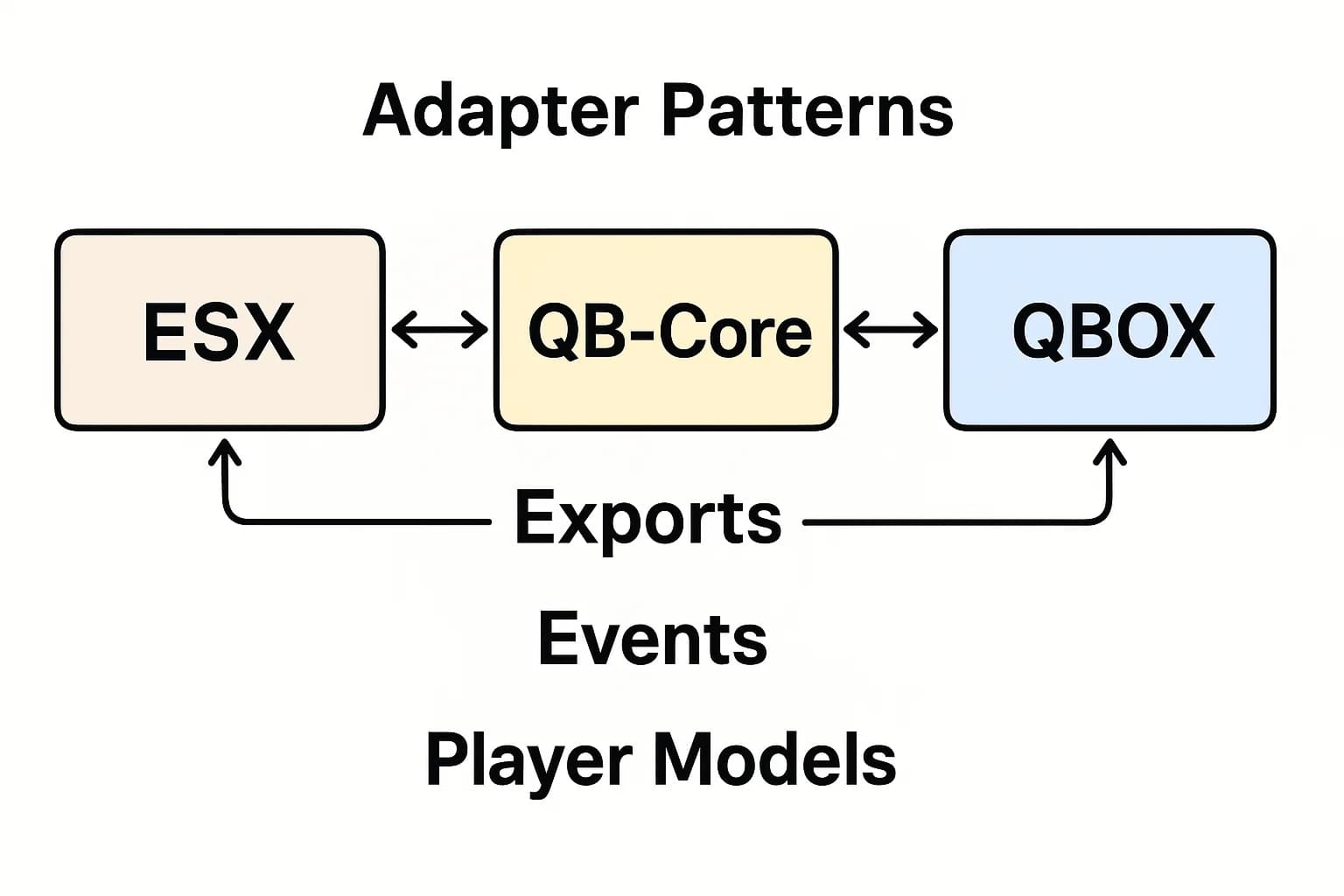
- Framework-kompatibel - Funktioniert mit ESX, QBCore und Standalone-Skripten
Ideal für
- Roleplay-Server, die intuitive Interaktionsmechaniken wünschen
- Server, die Befehlsüberladung durch visuelle Interaktionen reduzieren möchten
- Job-Systeme, die kontextbezogene Spieleraktionen erfordern
- Heist-Skripte mit komplexen, mehrschrittigen Interaktionen
- Jeder Server, der benutzerfreundliches Gameplay priorisiert
Interaktionszonentypen
- Kreiszonen - Einfache radiusbasierte Interaktionsbereiche (Verkäufer, Geldautomaten, Türen)
- Boxzonen - Rechteckige Interaktionsbereiche (Garagen, Lager, Arbeitsbänke)
- Polygonzonen - Komplexe Polygonformen für unregelmäßige Bereiche (Läden, Gebäude)
- Entitätszielung - Direkte Zielung von Spielern, Fahrzeugen oder Objekten
- Bone-Zielung - Spezifische Fahrzeugteile (Türen, Kofferraum, Motorhaube, Räder)
- Modellzielung - Spezifische Prop- oder Fahrzeugmodelle
Installationsanleitung
- Extrahieren Sie AC Target in den Ressourcenordner Ihres Servers
- Sehen Sie sich die umfassende config.lua-Datei an, die enthalten ist
- Konfigurieren Sie die Toggle-Taste (Standard: Links Alt) und Interaktionseinstellungen
- Setzen Sie globale Standardoptionen für Peds, Fahrzeuge und Objekte
- Definieren Sie benutzerdefinierte Zonen, Target-Bones und modellspezifische Optionen
- Integrieren Sie es in Ihre existing Skripte unter Verwendung der bereitgestellten Exporte
- Fügen Sie die Ressource der server.cfg hinzu (laden Sie früh vor abhängigen Skripten)
- Starten Sie den Server neu und testen Sie das Zielen an verschiedenen Entitätstypen
Konfigurationsübersicht
Die in den Produktdetails gezeigte config-Datei bietet umfangreiche Anpassungsmöglichkeiten. Die MaxDistance-Einstellung steuert, wie weit Spieler mit Zielen interagieren können. Der Toggle-Modus bestimmt, ob das Zielauge aktiv bleibt oder die Taste gehalten werden muss. EnableDefaultOptions enthält vordefinierte Interaktionen für gängige Aktionen. DisableInVehicle verhindert das Zielen im Fahrzeug. OpenKey setzt die Aktivierungstaste (Standard: LMENU/Links Alt). DrawCircle aktiviert den visuellen Indikator, der zielbare Entitäten anzeigt.
Framework-Kompatibilität
- ✅ ESX - Vollständige Integration mit ESX-Jobs, -Items und -Events
- ✅ QBCore - Kompatibel mit QB-Jobs, -Items und -Zielsytem
- ✅ QBOX - Funktioniert mit QBOX-Framework-Funktionen
- ✅ Standalone - Funktioniert unabhängig für benutzerdefinierte Frameworks
Was macht es einzigartig
AC Target priorisiert Leistung und einfache Implementierung. Im Gegensatz zu einigen Zielsystemen, die FPS-Abfälle oder einen komplexen Setup erfordern, ist dieses System für Effizienz optimiert und hat minimalen Leerlauf-Ressourcenverbrauch. Das Export-System ist entwicklerfreundlich und ermöglicht es, Zielinteraktionen in existing Skripte hinzuzufügen, ohne gesamte Systeme neu zu schreiben. Die Konfigurationsstruktur ist logisch und gut dokumentiert, so dass Serverbesitzer komplexe Interaktionsnetze ohne Verwirrung einrichten können. Das visuelle Feedback ist subtil, aber klar und erhöht die Immersion, ohne den Bildschirm zu überladen.
Export-System
- AddCircleZone - Erstellen Sie radiusbasierte Interaktionsbereiche
- AddBoxZone - Definieren Sie rechteckige Interaktionszonen
- AddPolyZone - Erstellen Sie komplexe Polygon-Interaktionsbereiche
- AddTargetBone - Fügen Sie Interaktionen zu Fahrzeug- oder NPC-Knochen hinzu
- AddTargetModel - Zielen Sie auf spezifische Prop- oder Fahrzeugmodelle
- AddGlobalPed - Setzen Sie Standardoptionen für alle NPCs
- AddGlobalVehicle - Setzen Sie Standardoptionen für alle Fahrzeuge
- AddGlobalObject - Setzen Sie Standardoptionen für alle Objekte
- AddGlobalPlayer - Setzen Sie Standardoptionen für alle Spieler
Verwendung von Beispielen
- Job-Aktionen - Mechaniker reparieren Motoren durch Zielen auf die Motorhaube
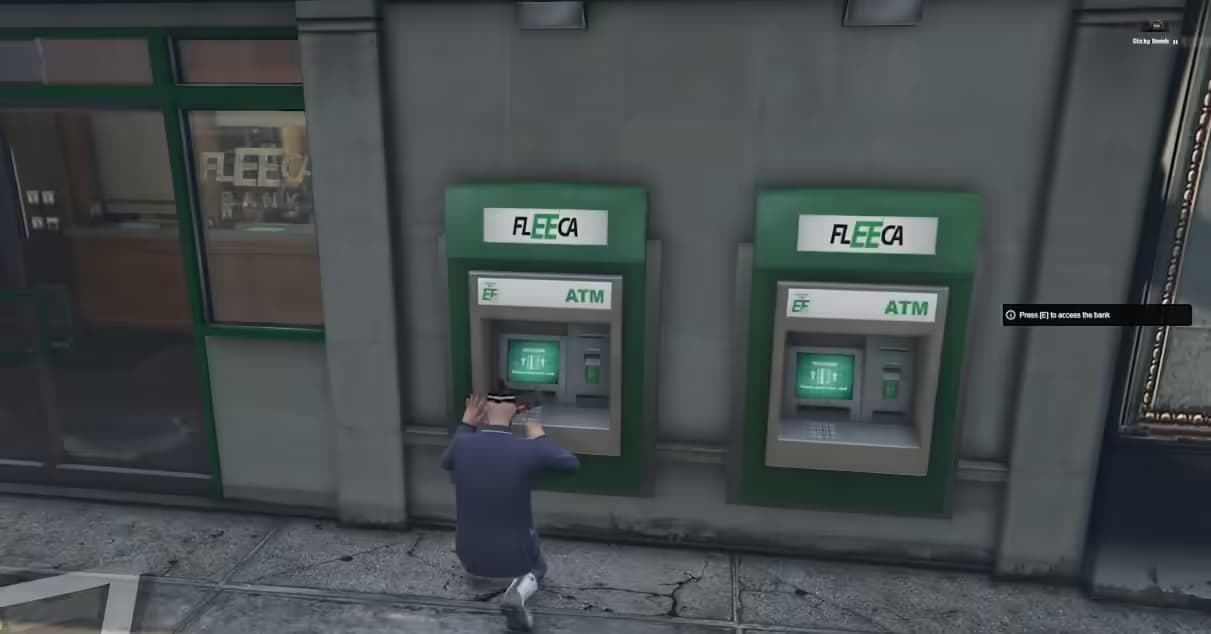
- Heist-Mechaniken - Hacken von Geldautomaten, Bohren von Safes, Aufschließen von Türen über das Zielen
- Inventarzugang - Öffnen von Kofferräumen, Handschuhfächern, Verstecken durch Zielen
- NPC-Interaktionen - Überfallen, sprechen oder handeln Sie mit NPCs durch Zielen
- Spieleraktionen - Handschellen anlegen, durchsuchen oder Gegenstände an andere Spieler geben
- Gebäudeinteraktionen - Betreten von Gebäuden, Zugang zu Aufzügen über Zonen-Zielung
Technische Spezifikationen
- Leistung: Optimiertes Raycast-System, ~0,01 ms Leerlaufnutzung
- Rendering: Effiziente Draw-Calls für Kreisindikatoren
- Kompatibilität: Funktioniert mit allen wichtigen zieldependenten Skripten
- Exporte: Umfassende Exportbibliothek für Entwickler
- Aktualisierungen: Regelmäßige Aktualisierungen für Kompatibilität und Funktionen
Anpassungsoptionen
- Konfigurieren Sie die Aktivierungstaste und das Toggle- vs. Hold-Verhalten
- Setzen Sie die maximale Interaktionsentfernung global oder pro Zone
- Passen Sie das Erscheinungsbild und die Farben des Kreisindikators an
- Deaktivieren Sie das Zielen im Fahrzeug
- Definieren Sie Standardinteraktionen für Entitätstypen
- Erstellen Sie benutzerdefinierte Menüicons und -bezeichnungen
- Setzen Sie Job- oder Item-Anforderungen für spezifische Interaktionen
Globales Optionssystem
Globale Optionen ermöglichen es Ihnen, Standardinteraktionen zu definieren, die auf alle Entitäten eines spezifischen Typs angewendet werden. Zum Beispiel können Sie globale Ped-Optionen festlegen, um jeden NPC zu überfallen, oder globale Fahrzeugoptionen festlegen, um den Verriegelungsstatus zu überprüfen. Diese können bei Bedarf mit spezifischen Zieldefinitionen überschrieben werden und bieten somit beides: Bequemlichkeit und Flexibilität.
Zonendefinitionsbeispiele
- Kreiszone - Geldautomatzugang (3 m Radius um das Geldautomat-Prop)
- Boxzone - Garagenzugang (reparektkularer Bereich am Garageneingang)
- Polygonzone - Ladentheke (komplexe Form, die der Ladenthekenlayout folgt)
- Bone-Zielung - Fahrzeugmotorhaube (Zielmotorhaubenbone für Mechanikerarbeiten)
- Modellzielung - spezifisches Safemodell (nur bestimmte Safes können geknackt werden)
Integration in beliebte Skripte
- Job-Skripte (Mechaniker, Polizei, EMS-Werkzeuge und -Interaktionen)
- Inventarsysteme (Kofferraum, Handschuhfach, Versteckzugang)
- Heist-Skripte (Hacken, Bohren, Aufschließen)
- Wohnungsskripte (Türinteraktionen, Möbelplatzierung)
- Fahrzeugskripte (Schlüssel, Verriegelungen, Modifikationen)
- NPC-Skripte (Verkäufer, Missionsgeber, Überfälle)
Entwicklerressourcen
AC Target enthält umfangreiche Dokumentation und Beispiele für Entwickler. Die Exportfunktionen sind gut kommentiert mit Parameterbeschreibungen und Verwendungsbeispielen. Serverbesitzer mit grundlegenden Lua-Kenntnissen können einfache Interaktionen hinzufügen, während fortgeschrittene Entwickler komplexe, bedingte Zielsysteme erstellen können, die tief in ihre benutzerdefinierten Skripte integriert sind.
https://www.youtube.com/watch?v=4l4OxE12ybEConfig-Datei
Config = {
MaxDistance = 7.0, -- Don't touch this if you don't know what you're doing
Toggle = false,
EnableDefaultOptions = true,
DisableInVehicle = false,
OpenKey = 'LMENU', -- Left Alt
DrawCircle = true,
MenuControlKey = 237,

CircleZones = {},

BoxZones = {},

PolyZones = {},

TargetBones = {},

TargetModels = {},

GlobalPedOptions = {},

GlobalVehicleOptions = {},

GlobalObjectOptions = {},

GlobalPlayerOptions = {},

Peds = {}
}