QBCore to QBOX Migration Guide: Complete Step-by-Step Process
QBOX is the next evolution of QBCore, offering better performance, cleaner code, and native OX ecosystem integration. If you're running a QBCore server and considering the upgrade, this guide walks you through everything: what changes, what stays the same, and how to migrate with minimal downtime.
Why Migrate from QBCore to QBOX?
QBOX isn't just a fork of QBCore -- it's a ground-up modernization. The key improvements:
- Performance: QBOX benchmarks consistently faster than QBCore, especially at higher player counts (64+). Server tick rate stays stable where QBCore would start dropping.
- Native OX integration: ox_lib, ox_inventory, and ox_target work natively without bridge layers. No compatibility shims, no translation overhead.
- Cleaner codebase: Better type safety, improved function signatures, reduced technical debt. Easier to debug and extend.
- Future-proofing: Active development with a growing community. New scripts increasingly target QBOX natively.
For a full technical comparison, see ESX vs QBCore vs QBOX.
What Changes Between QBCore and QBOX
Core Differences
| Aspect | QBCore | QBOX |
|---|---|---|
| Core resource | qb-core | qbx_core |
| Inventory | qb-inventory (default) | ox_inventory (native) |
| Target system | qb-target | ox_target (native) |
| UI library | qb-menu / qb-input | ox_lib (native) |
| Door locks | qb-doorlock | ox_doorlock |
| Player data | QBCore.Functions.GetPlayerData() | exports.qbx_core:GetPlayerData() |
| Bridge support | N/A | QBCore API compatibility layer included |
What Stays the Same
QBOX includes a QBCore bridge layer, which means:
- Most QBCore exports still work (QBCore.Functions.*, events, etc.)
- Scripts using standard QBCore APIs run without modification in most cases
- Database structure is largely compatible
- Job system concepts are the same (grades, permissions, on-duty)
- Gang system works similarly
Migration Strategy
Phase 1: Preparation (1-2 days)
- Full backup: Database, all resources, server.cfg, everything. No exceptions.
- Audit your scripts: List every resource and check QBOX compatibility. Categorize as: native QBOX version available, works via bridge, or needs replacement.
- Set up a test server: Never migrate production directly. Clone your server and test migration there first.
- Read QBOX documentation: Understand the core changes before starting.
Phase 2: Core Migration (1 day)
- Install qbx_core: Replace qb-core with qbx_core. The bridge layer activates automatically.
- Install OX ecosystem: Add ox_lib, ox_inventory, ox_target, ox_doorlock if not already present.
- Update server.cfg: Change resource ensure order. qbx_core and ox resources must load first.
- Database migration: Run QBOX's migration scripts to convert player data format.
- Remove replaced resources: Remove qb-target, qb-menu, qb-input, qb-doorlock (now handled by OX equivalents).
Phase 3: Script Compatibility (2-5 days)
This is where most of the work happens. Test every resource:
Scripts that usually work immediately via bridge:
- Scripts using standard QBCore player functions
- Scripts using qb-target exports (bridges to ox_target)
- Scripts using qb-menu (bridges to ox_lib)
- Most NUI-based scripts
- Job scripts that use QBCore.Functions.GetPlayerData()
Scripts that may need changes:
- Scripts with hardcoded qb-inventory calls (need ox_inventory equivalents)
- Scripts that directly access QBCore internal tables or methods
- Scripts using deprecated QBCore APIs
- Very old scripts (pre-2024) with outdated patterns
Scripts that need replacement:
- qb-inventory → ox_inventory (data migration needed)
- qb-target → ox_target (API differences)
- qb-menu / qb-input → ox_lib (different UI system)
- qb-doorlock → ox_doorlock
Phase 4: Testing (2-3 days)
- Test every job (police, EMS, mechanic, etc.)
- Test all inventory interactions (shops, stashes, trunks)
- Test housing (enter, exit, stash, keys)
- Test vehicle operations (garage, shop, fuel)
- Test criminal activities (drugs, robberies)
- Test phone and communication
- Test admin commands and tools
- Load test with multiple players to verify performance
Phase 5: Go Live
- Schedule maintenance window (2-4 hours)
- Announce to players with specific downtime window
- Final backup of production
- Deploy migrated configuration
- Run database migrations on production
- Verify core systems work
- Open server with staff monitoring
- Keep old backup available for 2 weeks in case of rollback
Common Migration Issues
Inventory data format
qb-inventory and ox_inventory store items differently. QBOX provides migration scripts, but verify all player inventories transferred correctly. Spot-check 10-20 players' inventories after migration.
Event name conflicts
Some scripts register events with names that conflict between QBCore and QBOX. If you get "event already registered" errors, check for duplicate event handlers.
Permission/ACE issues
QBOX may handle permissions differently for some features. Verify admin, police, and job permissions work correctly after migration.
Phone scripts
Phone scripts (lb-phone, qs-smartphone) often need specific QBOX compatibility patches. Check with the phone script developer for QBOX-specific instructions.
After Migration: What to Optimize
Once stable on QBOX, take advantage of native features:
- Replace bridged scripts: Gradually swap QBCore scripts running via bridge with native QBOX versions for better performance.
- Use ox_lib UI everywhere: Standardize on ox_lib's context menus, notifications, and dialogs for consistent UX.
- Enable QBOX-specific features: Character creation improvements, better multicharacter support, enhanced player data management.
- Monitor performance: Use resmon to compare pre and post-migration resource usage. You should see improvements.
FAQ
How long does migration take?
For a typical server with 50-100 resources: 1-2 weeks including testing. Simple servers with mostly standard scripts can migrate faster. Heavily customized servers may take longer.
Can I run QBOX alongside QBCore temporarily?
No. They're mutually exclusive frameworks. You run one or the other. The bridge layer in QBOX handles backward compatibility.
Will my players lose their data?
Not if you migrate correctly. Player data (money, jobs, inventory, vehicles, housing) should all transfer. The key is proper database migration and thorough testing before go-live.
Is it worth the effort?
For most servers, yes. The performance improvements alone justify the migration effort, and the growing QBOX ecosystem means better script support going forward. If your QBCore server is struggling with performance at higher player counts, migration is strongly recommended.
Can I hire someone to do the migration?
Yes. FiveM development communities have experienced developers who specialize in framework migrations. Budget varies based on server complexity, typically ranging from a few hundred to over a thousand dollars for complex setups.
Database Migration: SQL Examples
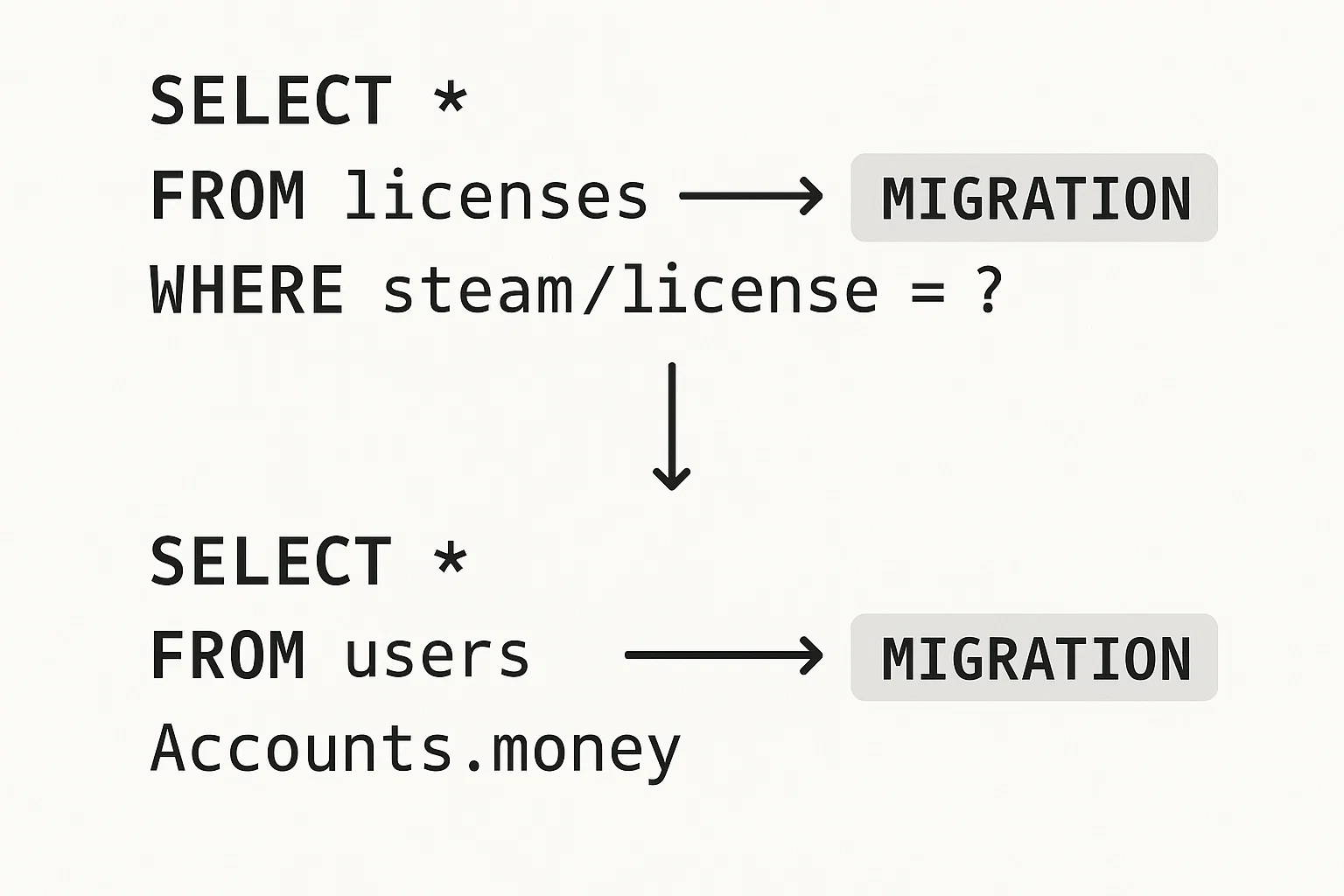
The most technically involved part of migrating from QBCore to QBOX is the database. While QBOX ships migration scripts, understanding what they do helps you verify correctness and handle edge cases.
Player Data Tables
QBCore stores player data in players with a JSON column for metadata. QBOX (via ox_core) uses a similar structure but normalizes some data. The core migration:
-- Step 1: Backup everything first (ALWAYS)
CREATE TABLE players_backup_pre_qbox AS SELECT * FROM players;
CREATE TABLE player_vehicles_backup AS SELECT * FROM player_vehicles;

-- Step 2: Verify player count before migration
SELECT COUNT(*) as total_players FROM players;

-- Step 3: Check for any null/invalid citizenids that would cause issues
SELECT citizenid, name FROM players
WHERE citizenid IS NULL OR citizenid = '';

-- Step 4: After running QBOX migration script, verify counts match
SELECT COUNT(*) as migrated FROM characters; -- QBOX target table
-- Should match total_players count
Inventory Migration (qb-inventory → ox_inventory)
This is the most data-sensitive migration. ox_inventory uses a different storage format:
-- QBCore inventory format (stored as JSON in players.inventory)
-- {"items": [{"name": "water", "amount": 3, "slot": 1, "metadata": {}}]}

-- ox_inventory format (separate oxInventory table, indexed by identifier)
-- SELECT * FROM oxInventory WHERE owner = 'char1:citizenid';

-- Verify all player inventories were migrated
SELECT
    p.citizenid,
    p.name,
    CASE WHEN oi.data IS NOT NULL THEN 'migrated' ELSE 'missing' END as status
FROM players p
LEFT JOIN oxInventory oi ON oi.owner = CONCAT('char1:', p.citizenid)
WHERE oi.owner IS NULL
LIMIT 50;
-- If this returns rows, those players' inventories need manual check
Vehicle Data Migration
-- QBCore stores vehicles in player_vehicles table
-- Verify vehicle ownership transferred correctly
SELECT
    pv.citizenid,
    pv.vehicle,
    pv.plate,
    pv.garage,
    pv.state
FROM player_vehicles pv
WHERE pv.citizenid NOT IN (SELECT citizenid FROM players)
LIMIT 20;
-- Returns orphaned vehicles (owner no longer exists) - safe to delete or keep

-- Check for duplicate plates (would cause issues)
SELECT plate, COUNT(*) as count
FROM player_vehicles
GROUP BY plate
HAVING count > 1;
Rollback Procedure
If something goes wrong after go-live, having a rollback plan is essential. Keep your backups for at least two weeks.
-- Emergency rollback: restore from backup
-- Run this only if migration has failed catastrophically

-- 1. Stop the QBOX server
-- 2. Connect to database directly

-- Restore player data
DROP TABLE IF EXISTS players;
CREATE TABLE players AS SELECT * FROM players_backup_pre_qbox;

-- Restore vehicle data
DROP TABLE IF EXISTS player_vehicles;
CREATE TABLE player_vehicles AS SELECT * FROM player_vehicles_backup;

-- Restore inventory (if using backed-up qb-inventory data)
-- This step depends on how you backed up qb-inventory's storage

-- 3. Re-enable qb-core in server.cfg, disable qbx_core
-- 4. Start server and verify
Write these rollback steps in a runbook document before starting. During an emergency at 2am with angry players you will not remember the exact steps — having it written down is critical.
Detailed Script Compatibility List
Based on community experience, here's a more detailed compatibility breakdown for common scripts:
Scripts with Full Native QBOX Support
| Script | Developer | Notes |
|---|---|---|
| jg-advancedgarages | JG Scripts | Native QBOX version available |
| jg-mechanic | JG Scripts | Native QBOX version available |
| jg-dealership | JG Scripts | Native QBOX version available |
| ox_inventory | Overextended | Core dependency, fully native |
| ox_target | Overextended | Core dependency, fully native |
| ox_doorlock | Overextended | Replaces qb-doorlock natively |
| ox_mdt | Overextended | Police MDT, native |
| lation-fuel | Lation Scripts | QBOX support in recent versions |
| wasabi_police | Wasabi Scripts | Has QBOX bridge |
Scripts That Work Via Bridge (Usually)
| Script | Bridge Type | Known Issues |
|---|---|---|
| qs-vehicleshop | QBCore bridge | Test drive zones may need coordinate update |
| qs-smartphone | QBCore bridge | Some notification hooks need manual fix |
| lb-phone | QBCore bridge | Check lb-phone QBOX docs for specific config |
| ps-dispatch | QBCore bridge | Alert system works, some job checks may fail |
| esx_* scripts | Not supported | ESX scripts do not work on QBOX |
Scripts That Need Replacement
| QBCore Script | QBOX Replacement | Data Migration |
|---|---|---|
| qb-inventory | ox_inventory | Yes — run QBOX migration script |
| qb-target | ox_target | No (config-based, rewrite targets) |
| qb-menu | ox_lib context menus | No (rewrite menu definitions) |
| qb-input | ox_lib input dialogs | No (rewrite input calls) |
| qb-doorlock | ox_doorlock | Yes (export door config) |
| qb-phone (old) | lb-phone or qs-smartphone | Partial (contacts, messages) |
Troubleshooting Common Migration Issues
These are the error messages and problems developers most commonly encounter during QBCore to QBOX migration, with specific fixes for each.
"attempt to index a nil value (global 'QBCore')"
Cause: A script is trying to use QBCore as a global variable, but in QBOX it's accessed differently via the bridge.
Fix:
-- OLD QBCore pattern (broken on QBOX without bridge fix)
QBCore = exports['qb-core']:GetCoreObject()

-- QBOX bridge: add this to the script's client.lua or server.lua
-- The bridge makes QBCore available as a global
QBCore = exports['qbx_core']:GetCoreObject()
-- OR if using the bridge resource:
-- ensure qbx_bridge before your script
"Resource 'qb-target' not found"
Cause: Script depends on qb-target which you removed. QBOX uses ox_target instead.
Fix: Update the script's fxmanifest.lua dependency and replace exports['qb-target'] calls with exports.ox_target equivalents:
-- OLD: qb-target AddBoxZone
exports['qb-target']:AddBoxZone('mechanic_bench', coords, 1.5, 1.5, {
    name = 'mechanic_bench',
    heading = 0,
    debugPoly = false,
    minZ = coords.z - 1,
    maxZ = coords.z + 1,
}, {
    options = {{ label = "Use Workbench", action = function() end }}
})

-- NEW: ox_target addBoxZone
exports.ox_target:addBoxZone({
    coords = coords,
    size = vec3(1.5, 1.5, 2.0),
    rotation = 0,
    debug = false,
    options = {
        {
            label = 'Use Workbench',
            onSelect = function() end
        }
    }
})
"inventory slot mismatch" or items appearing in wrong slots
Cause: qb-inventory and ox_inventory count slots differently. If player had a full 40-slot inventory in QBCore and ox_inventory is configured for 35 slots, items get truncated.
Fix: Before migration, check your ox_inventory slot configuration in ox_inventory/data/vehicles.lua and the player inventory settings. Set slot counts to match or exceed your QBCore configuration. Run a post-migration check:
-- Count players who have more items than expected slot count
SELECT owner, JSON_LENGTH(data) as item_count
FROM oxInventory
WHERE owner LIKE 'char1:%'
AND JSON_LENGTH(data) > 40  -- your configured max slots
ORDER BY item_count DESC;
Jobs not working after migration
Cause: Job grades in QBOX use a slightly different data structure. Scripts that access PlayerData.job.grade.level (QBCore) instead of PlayerData.job.grade (number in QBOX) will fail.
Fix:
-- QBCore pattern
local gradeLevel = PlayerData.job.grade.level

-- QBOX pattern
local gradeLevel = PlayerData.job.grade  -- just a number now

-- Safe cross-compatible check
local gradeLevel = type(PlayerData.job.grade) == 'table'
    and PlayerData.job.grade.level
    or PlayerData.job.grade
Player money not displaying correctly
Cause: QBOX moved money management to ox_inventory as items rather than QBCore's native money system.
Fix: Check that your scripts use exports.ox_inventory:GetItem for money checks rather than QBCore.Functions.GetPlayerData().money.cash. The QBOX bridge handles most of this automatically, but custom money scripts may need updating.
For more detailed help, the QBOX GitHub wiki has migration-specific documentation covering edge cases beyond this guide.
Once migrated, see our ox_lib complete guide to make full use of the UI and utility library that comes with QBOX, our inventory scripts guide for ox_inventory configuration, and our housing scripts guide and garage scripts guide for rebuilding your server's property and vehicle systems on QBOX.
Ready to explore QBOX? See our best QBOX scripts guide for what to install after migration, or browse the marketplace for QBOX-compatible resources.
Bleib auf dem Laufenden
Erhalte die neuesten FiveM-Tutorials, Mod-Releases und exklusive Updates direkt in dein Postfach.
Kein Spam. Jederzeit abbestellbar.