Video Vorschau
https://www.youtube.com/watch?v=4uhVWs1E3wg
Technische Kompatibilität
-
OneSync Infinity Ready — skaliert mit großen Spielerzahlen.
-
Kompatibel mit allen Karten & MLOs — Spawn- und Positionsanpassung möglich.
-
Bearbeitbare Dateien: config.lua, language.lua, HTML/CSS für UI-Styling.
-
Exports & Hooks: Konzipiert für Aufrufe von anderen Ressourcen (Pässe, Admin-Tools, Telemetrie).
-
Schutz: Escrow-System aktiv für Kern Code; Einstellungen und UI verbleiben bearbeitbar für Serverbesitzer.
Schneller Installationsleitfaden (3 Schritte)
-
Füge die Ressource in deinen resources/[dein-ordner] ein und füge sie der server.cfg hinzu.
-
Konfiguriere config.lua (Preise, Pass-Verschiebungen, Slide-Positionen) und language.lua.
-
Starte die Ressource, verifiziere die Spawn-Punkte auf deiner Karte/MLO und genieße.
Support & Anpassung
-
Support eingeschlossen — Installationshilfe und grundlegende Fehlersuche.
-
Anpassungsdienstleistungen verfügbar auf Anfrage (Modelle, Animationen, Pass-Mechaniken).
-
Empfohlen: Passe Slide-Spawn-Punkte und Zielmarkierungen pro MLO an, um Clipping zu vermeiden.
Installationsanweisungen (Standalone):
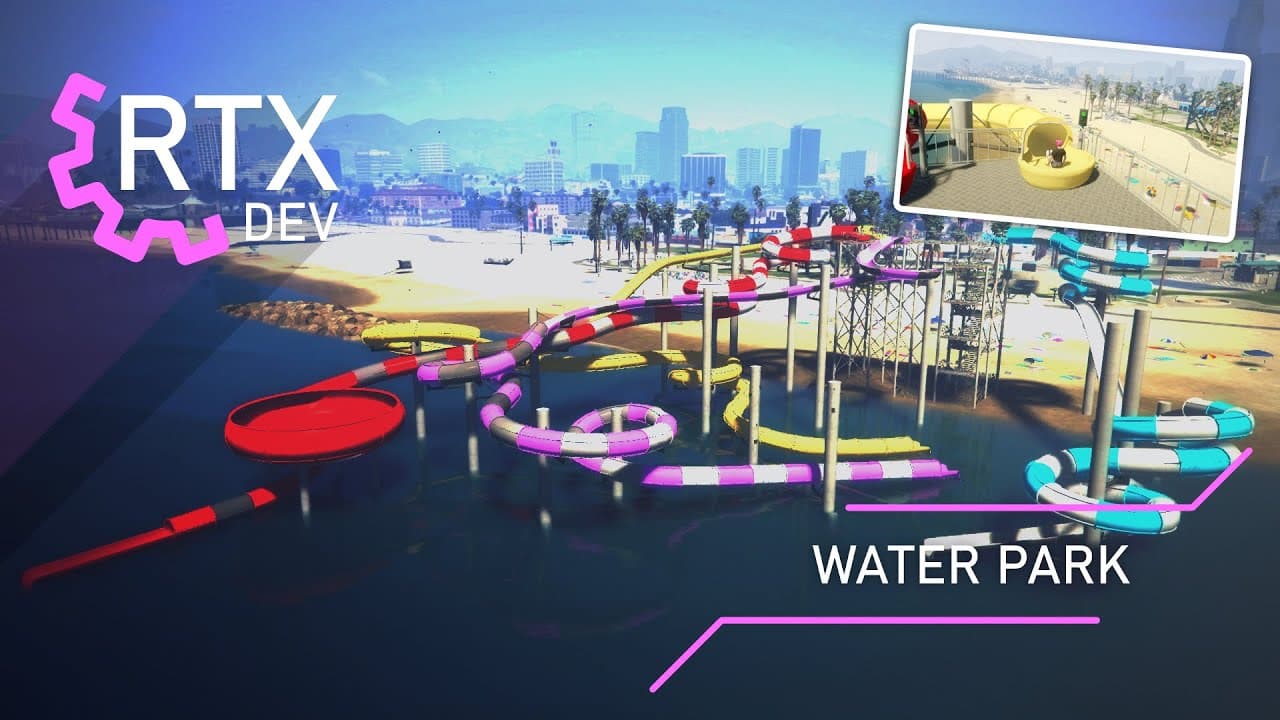
1. Platziere den Ordner rtx_waterpark in deinem resources-Ordner
2. Öffne die Datei config.lua
3. Konfiguriere deine config.lua nach deinen Präferenzen (Konfiguriere die Benachrichtigungszeile am Ende der config.lua, falls du unser Benachrichtigungssystem verwenden möchtest, oder ändere die Benachrichtigungszeile in dein System)
4. Füge rtx_waterpark zu deiner
server.cfg hinzu
Installationsanweisungen (QBCore):
1. Platziere den Ordner rtx_waterpark in deinem resources-Ordner
2. Öffne die Datei config.lua
3. Konfiguriere deine config.lua nach deinen Präferenzen (Konfiguriere die Benachrichtigungszeile am Ende der config.lua, falls du unser Benachrichtigungssystem verwenden möchtest, oder ändere die Benachrichtigungszeile in dein System)
4. Füge rtx_waterpark zu deiner server.cfg hinzu
5. Wenn du das Wasserpass-System verwenden möchtest, füge neue Elemente zu qb-core/shared/items.lua hinzu - Elementnamen: waterpass, waterpassunlimited
Beispiel-Elementzeile für items.lua:
['waterpass'] = {['name'] = 'waterpass', ['label'] = 'Water Pass', ['weight'] = 1000, ['type'] = 'item', ['image'] = 'waterpass.png', ['unique'] = false, ['useable'] = true, ['shouldClose'] = true, ['combinable'] = nil, ['description'] = 'Water Pass'},
['waterpassunlimited'] = {['name'] = 'waterpassunlimited', ['label'] = 'Water Pass Unlimited', ['weight'] = 1000, ['type'] = 'item', ['image'] = 'waterpassunlimited.png', ['unique'] = false, ['useable'] = false, ['shouldClose'] = true, ['combinable'] = nil, ['description'] = 'Water Pass Unlimited'},
Installationsanweisungen (ESX):
1. Platziere den Ordner rtx_waterpark in deinem resources-Ordner
2. Öffne die Datei config.lua
3. Konfiguriere deine config.lua nach deinen Präferenzen (Konfiguriere die Benachrichtigungszeile am Ende der config.lua, falls du unser Benachrichtigungssystem verwenden möchtest, oder ändere die Benachrichtigungszeile in dein System)
4. Füge rtx_waterpark zu deiner server.cfg hinzu
5. Wenn du das Wasserpass-System verwenden möchtest, lade die SQL-Datei sql_ESX.sql in deine MySQL-Datenbank hoch
Allgemeine Probleme:
-----------------------------
Wenn du ein Anti-Cheat-Tool verwendest, füge ein Objekt namens prop_cs_box_clothes in die Whitelist ein
Lizenzvereinbarung / Nutzungsbedingungen
1. Jeder Kauf ist nicht erstattungsfähig.
2. Jedes Produkt soll auf einem einzelnen Server verwendet werden, mit Ausnahme eines Testservers.
3. Jede Form der Weitergabe unseres Inhalts gilt als Urheberrechtsverletzung.
4. Wenn einer dieser Regeln verletzt wird, können rechtliche Schritte eingeleitet werden.
© 2025 RTX Development, alle Rechte vorbehalten.
Verwandte Standalone-Scripts