rcore Erweiterte Berichte
rcore Erweiterte Berichte - Übernehmen Sie die Kontrolle über Serverberichte mit einem modernen, schnellen Admin-System.
Video-Vorschau
Click to load video from YouTube. By watching, you agree to their privacy policy.
rcore Advanced Reports - Professionelles Ticket- & Admin-Unterstützungssystem für FiveM
Verwandeln Sie die Admin-Unterstützung Ihres Servers in einen professionellen Betrieb mit rcore Advanced Reports – dem fortschrittlichsten Ticket-Management-System für FiveM. Diese leistungsstarke Ressource verwandelt chaotische Spielerberichte in organisierte, effiziente Arbeitsabläufe mit HTML-Protokollen, interaktiven Zeitachsen, automatischen Screenshots und umfassenden Statistiken. Built für ernsthafte Server, die professionelle Support-Tools verlangen.
Warum Ihr Server das braucht
Das Verwalten von Spielerberichten mit grundlegenden Chat-Befehlen oder Discord-Tickets schafft Chaos, verzögert die Reaktionszeiten und frustriert sowohl Spieler als auch das Personal. rcore Advanced Reports löst dieses Problem vollständig, indem es ein In-Game-Support-System bereitstellt, das den Kontext erfasst, die Kommunikation organisiert und den Admins alle Werkzeuge zur Verfügung stellt, die sie benötigen, um Probleme schnell und professionell zu lösen.
Kerngeschäftsfunktionen
- Einfaches Spielerreporting - Spieler erstellen Tickets mit einem einzigen Befehl: /report. Ein sauberes, intuitives Interface führt sie durch die Beschreibung ihres Problems, ohne komplizierte Formulare oder externe Websites.
- Erzeugung von HTML-Protokollen - Jedes Ticket generiert automatisch ein vollständiges HTML-Protokoll des gesamten Gesprächs. Perfekt zum Dokumentieren von Banngründen, Überprüfen von Staff-Aktionen oder zur Aufrechterhaltung von Compliance-Aufzeichnungen.
- Interaktive Zeitachse - Die visuelle Zeitachse zeigt alle auf einem Ticket vorgenommenen Aktionen an: Wer geantwortet hat, wann der Admin es beansprucht hat, die Auflösungszeit und die Nachrichtenhistorie. Macht die Ticketüberprüfung statt des Durchscrollens von Protokollen sofort.
- Automatische Screenshot-Aufnahme - Wenn ein Spieler einen Bericht erstellt, nimmt das System automatisch einen Screenshot seiner Umgebung mit Spieler-IDs auf, die auf nahegelegene Charaktere gelegt werden. Eliminiert "er hat gesagt, sie hat gesagt" Situationen mit visuellen Beweisen.
- Klickbare Screenshot-Elemente - Der Admin kann auf Spieler im Screenshot klicken, um mit ihnen zu interagieren, Discord-IDs sofort zu kopieren, sich an den Ort zu teleportieren oder Moderationsaktionen durchzuführen. Kontextbezogene Tools erscheinen basierend darauf, worauf Sie klicken.
- Online/Offline-Staff-Umschalter - Das Personal kann sich als aktiv oder beschäftigt kennzeichnen. Nur online befindliche Admins erhalten Benachrichtigungen für neue Tickets, um Spam zu verhindern, wenn Sie abwesend sind oder andere Aufgaben bearbeiten.
- Pro-Admin-Chat-Farben - Jedes Staff-Mitglied bekommt eine einzigartige Chat-Farbe in Tickets. Spieler erkennen sofort, mit wem sie sprechen, und Admins können schnell die Antworten in aktiven Tickets unterscheiden.
- Visuelles Benachrichtigungssystem - Ticket-Icons in der Seitenleiste werden grün, wenn neue Nachrichten eintreffen. Admins verpassen keine Spielerantworten, reduzieren Frustration und verbessern die Auflösungszeiten.
- Versteckte Admin-Nachrichten - Staff kann Nachrichten senden, die nur für andere Admins sichtbar sind. Perfekt zum Koordinieren von Antworten, Diskutieren von Aktionen oder Notieren von Details, ohne dass der Reporter es sieht.
- Discord-Integration - Kopieren Sie Discord-IDs von Screenshots mit einem Klick. Nützlich zum Querverweisen von Ban-Appeals, Überprüfen der Spielerhistorie oder zum Kontaktieren von Benutzern außerhalb des Spiels.
Perfekt für
- Rollenspielserver mit hoher Spielerzahl, die täglich 50+ Berichte bearbeiten
- Gemeinschaften, die professionelle Dokumentation für Ban-Appeals benötigen
- Server mit großen Staff-Teams, die Koordinationswerkzeuge benötigen
- Admins, die visuelle Beweise anstelle von textbasierten Berichten wünschen
- Organisationen, die Leistungsmetriken und Rechenschaftspflicht benötigen
Erweiterte Statistiken & Verwaltung
- Vollständige Ticket-Geschichte - Zugreifen Sie auf jedes Ticket, das jemals erstellt wurde, mit Such- und Filterfunktionen. Überprüfen Sie vergangene Entscheidungen, suchen Sie nach wiederkehrenden Vergehen oder auditieren Sie Staff-Aktionen.
- Leistungsverfolgung - Sehen Sie, wer welches Ticket aufgelöst hat, wie lange die Auflösung gedauert hat und welche Staff-Mitglieder am aktivsten sind. Identifizieren Sie Top-Performer und solche, die Unterstützung benötigen.
- Tätigkeitsberichte - Detailierte Statistiken zeigen Tickets, die pro Admin bearbeitet wurden, die durchschnittliche Auflösungszeit, die geschäftigsten Tageszeiten und die häufigsten Berichts-Kategorien. Treffen Sie datengetriebene Staffing-Entscheidungen.
- Qualitätskontrolle - Superadmins können geschlossene Tickets überprüfen, um die Qualität der Antworten, die Einhaltung der richtigen Verfahren und die konsistente Durchsetzung der Serverregeln sicherzustellen.
- Export-Funktionen - Exportieren Sie Ticket-Protokolle, Statistiken oder spezifische Fälle für die externe Überprüfung, Dokumentation oder Ban-Appeal-Verfahren.
Staff-Workflow
- Spieler sendet /report, um sein Problem zu beschreiben
- Das System nimmt automatisch einen Screenshot mit Spieler-IDs auf
- Das Ticket erscheint in der Seitenleiste des online befindlichen Admins mit einer Benachrichtigung
- Der Admin beansprucht das Ticket (verhindert, dass mehrere Staff-Mitglieder auf dasselbe Problem antworten)
- Das Gespräch findet im Spiel mit farbcodierten Nachrichten statt
- Der Admin verwendet Screenshot-Werkzeuge, um beteiligte Spieler zu identifizieren
- Die vorgenommenen Aktionen werden automatisch in der Zeitachse aufgezeichnet
- Der Admin markiert das Ticket als aufgelöst mit der Auflösungs-Kategorie
- Das HTML-Protokoll wird generiert und für die zukünftige Referenz archiviert
Screenshot-Intelligenz
Der automatische Screenshot ist nicht nur ein Bild – es ist ein interaktives Werkzeug. Spieler-IDs werden auf Charaktere gelegt, wodurch die Identifizierung sofort möglich ist. Klicken Sie auf einen Spieler, um Optionen anzuzeigen: Profil anzeigen, Discord-ID kopieren, Zuschauer werden, teleportieren, kicken, bannen oder Details notieren. Klicken Sie mit der rechten Maustaste auf Bereiche, um Standorte zu markieren oder Koordinaten zu erfassen. Dies verwandelt Screenshots von Beweisen in handlungsfähige Intelligenz.
Admin-Seitenleisten-Funktionen
- Ticket-Warteschlange - Alle offenen Tickets werden mit Prioritätsindikatoren angezeigt
- Beanspruchungssystem - Klicken Sie, um ein Ticket zu beanspruchen und eine doppelte Antwort zu verhindern
- Grüne Leuchten-Benachrichtigungen - Icons leuchten auf, wenn Spieler antworten
- Schnelle Aktionen - Schließen, übertragen oder eskalieren Sie Tickets mit einem Klick
- Filter-Optionen - Zeigen Sie nur Ihre Tickets, unbeanspruchte Tickets oder alle aktiven an
- Suchfunktion - Suchen Sie spezifische Tickets nach Spieler-Name, Keyword oder Datum
Framework-Kompatibilität
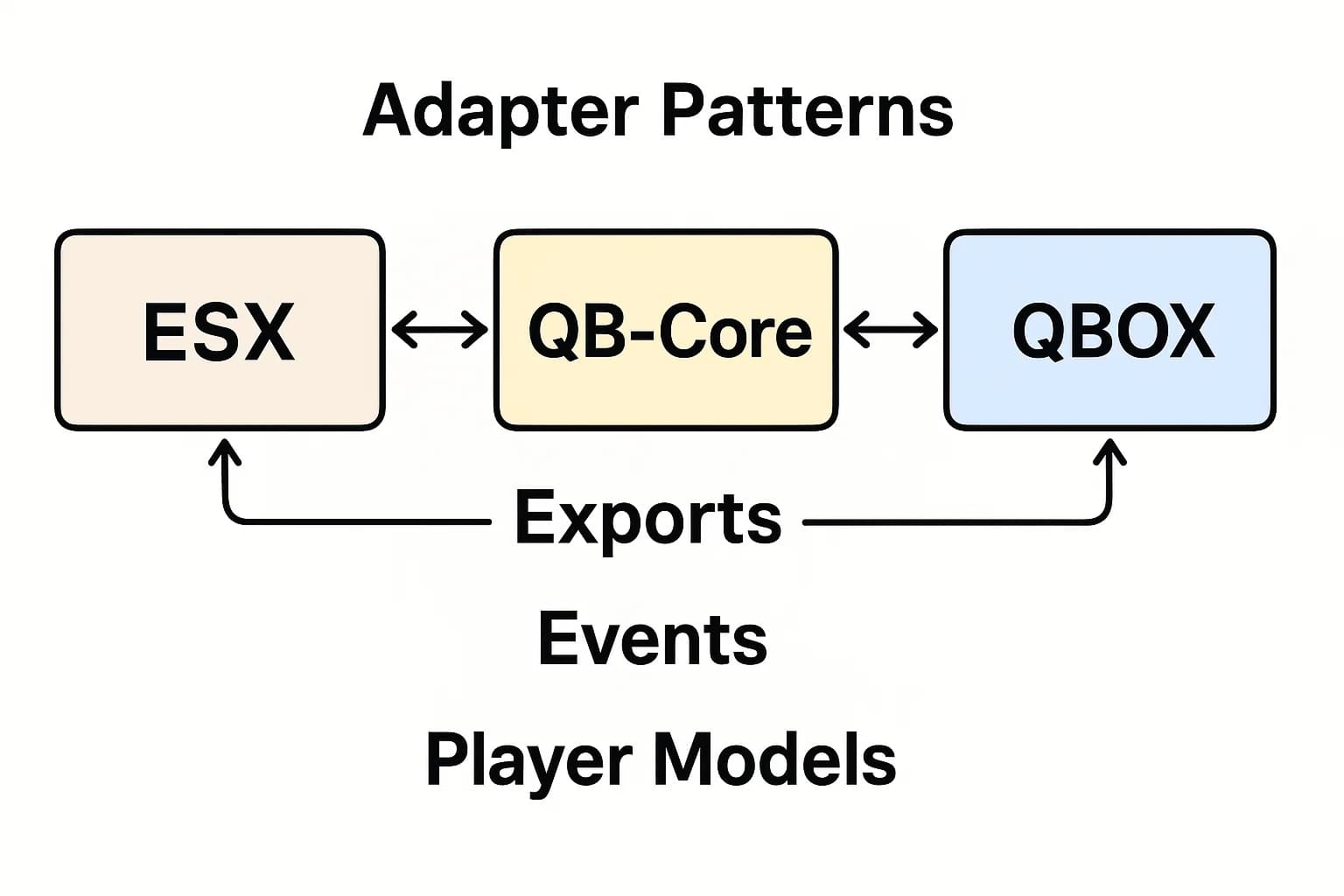
- ✅ ESX - Vollständige Integration mit ESX-Berechtigungen und Spieler-Daten
- ✅ QBCore - Native QBCore-Unterstützung mit job-basierten Berechtigungen
- ✅ Standalone - Funktioniert unabhängig ohne Framework-Anforderung
Konfigurationsoptionen
- Definieren Sie, welche Jobs/Gruppen Admin-Zugang zu Tickets haben
- Setzen Sie Berechtigungsstufen (Hilfsarbeiter, Moderator, Admin, Superadmin)
- Passen Sie die Chat-Farben pro Admin-Rang oder individuell an
- Konfigurieren Sie die automatische Ticket-Schließung nach einer Inaktivitätsperiode
- Setzen Sie Auflösungs-Kategorien für die statistische Verfolgung
- Aktivieren/Deaktivieren Sie die Screenshot-Aufnahme basierend auf Datenschutzrichtlinien
- Passen Sie die UI-Positionierung, -Farben und -Benachrichtigungstöne an
Leistung & Optimierung
- Minimaler Einfluss - 0,01-0,02 ms im Leerlauf, 0,03-0,05 ms aktiv
- Effizienter Datenbank - Intelligentes Caching reduziert Datenbankabfragen
- Skalierbar - Behandelt Hunderte von Tickets ohne Leistungsverlust
- Zuverlässig - Erstellt von rcore, bekannt für professionelle FiveM-Ressourcen
Installation & Setup
- Download und extrahieren Sie in Ihren Ressourcenordner
- Importieren Sie die SQL-Datei, um Datenbanktabellen zu erstellen
- Konfigurieren Sie den Framework-Typ (ESX/QBCore/Standalone)
- Setzen Sie Admin-Berechtigungen in config.lua
- Passen Sie Chat-Farben und UI-Präferenzen an
- Konfigurieren Sie den Discord-Webhook (optional) für die externe Protokollierung
- Starten Sie die Ressource und testen Sie mit dem /report-Befehl
Verwendungsfälle
- Regelverletzungen - Spieler melden RDM, VDM oder fehlendes RP mit visuellen Beweisen
- Technische Probleme - Bugs, Glitches oder festgesetzte Spieler erhalten schnelle Admin-Unterstützung
- Belästigungsberichte - Dokumentieren Sie toxisches Verhalten mit Protokolltranskripten
- Eigentumsstreitigkeiten - Screenshot-Standorte und lösen Sie Eigentumsstreitigkeiten
- Fehlende Gegenstände - Verfolgen Sie Verlustansprüche mit Zeitachsen-Dokumentation
- Staff-Koordination - Mehrere Admins arbeiten an komplexen Situationen zusammen
Was Sie erhalten
- Vollständiges rcore Advanced Reports-System
- In-Game-Ticket-Management mit /report-Befehl
- Automatische Screenshot-Aufnahme mit Spieler-ID-Überlagerung
- Interaktive Screenshot-Werkzeuge für Admin-Aktionen
- Erzeugung von HTML-Protokollen für alle Tickets
- Visuelle Zeitachse der Ticket-Aktivität
- Admin-Seitenleiste mit Benachrichtigungssystem
- Pro-Admin-Chat-Farben
- Versteckte Admin-Kommunikationskanäle
- Umfassende Statistik-Dashboard
- Ticket-Historie-Archiv mit Suchfunktion
- Discord-Integrationswerkzeuge
- Lebenslange Updates von rcore
- Installationsanleitung und Konfigurationsdokumentation
Erhöhen Sie die Support-Qualität Ihres Servers mit rcore Advanced Reports – professionelle Tools für professionelle Server.