Izzy Spawn-Auswahl
Verwandelt den Spielstart mit einer modernen, professionellen Benutzeroberfläche.
Izzy Spawn Selector - Modernes Charakter-Spawn-Auswahlsystem für FiveM
Der Izzy Spawn Selector verwandelt die ersten Momente des Spielerlebnisses deiner Spieler mit einer eleganten, modernen Benutzeroberfläche, die den Ton für professionelles Rollenspiel setzt. Statt an zufälligen Orten zu spawnen oder mit klobigen Menüs zu kämpfen, erhalten deine Spieler ein poliertes Spawn-Auswahlsystem, das alle verfügbaren Standorte mit Echtzeit-Serverinformationen und Charakterkontext anzeigt. Dies ist kein gewöhnliches Spawn-Menü - es ist der erste Eindruck, der den Spielern zeigt, dass sie einem hochwertigen Server beitreten.
Entwickelt für sowohl neue Serverstarts als auch etablierte Communities, die ihr Spielerlebnis verbessern möchten, vereint dieser Spawn-Selector visuelle Anziehungskraft mit praktischer Funktionalität. Spieler sehen Wetterbedingungen, ihren Charakternamen und schön präsentierte Spawn-Standorte, alles in einer cohesive Benutzeroberfläche, die sofort geladen wird und reibungslos mit sowohl ESX als auch QBCore Frameworks funktioniert.
Was enthalten ist
Du erhältst ein complete Spawn-Auswahlsystem mit einem modernen UI-Design, das den Contemporary FiveM-Standards entspricht. Das Skript enthält vorkonfigurierte Spawn-Standorte, die du anpassen kannst, Wetteranzeigeintegration, Charakterinformationsanzeige und Framework-Erkennung, die automatisch an deine Serverkonfiguration angepasst wird. Das gesamte System ist in optimiertem Code enthalten, der keine merkliche Leistungsbeeinträchtigung verursacht, während er ein Premium-Erlebnis für den ersten Eindruck liefert.
Schlüsselmerkmale
- Modernes UI-Design - Sauberes, zeitgemäßes Interface mit smooth Animationen und intuitivem Layout, das auf allen Bildschirmauflösungen funktioniert
- Echtzeit-Wetteranzeige - Zeigt die aktuellen Serverwetterbedingungen an, damit Spieler ihren Spawn-Standort entsprechend auswählen können
- Charakternamenintegration - Zeigt den Namen des aktiven Charakters für Multicharactersetups an, um die Rollenspielimmersion zu verstärken
- Anpassbare Spawn-Standorte - Einfache Config-Datei, mit der du unbegrenzte Spawn-Punkte mit individuellen Namen, Beschreibungen und Koordinaten hinzufügen kannst
- Letzte-Position-Speicherung - Optional können Spieler an ihrer letzten Auslog-Position spawnen, um Kontinuität zu gewährleisten
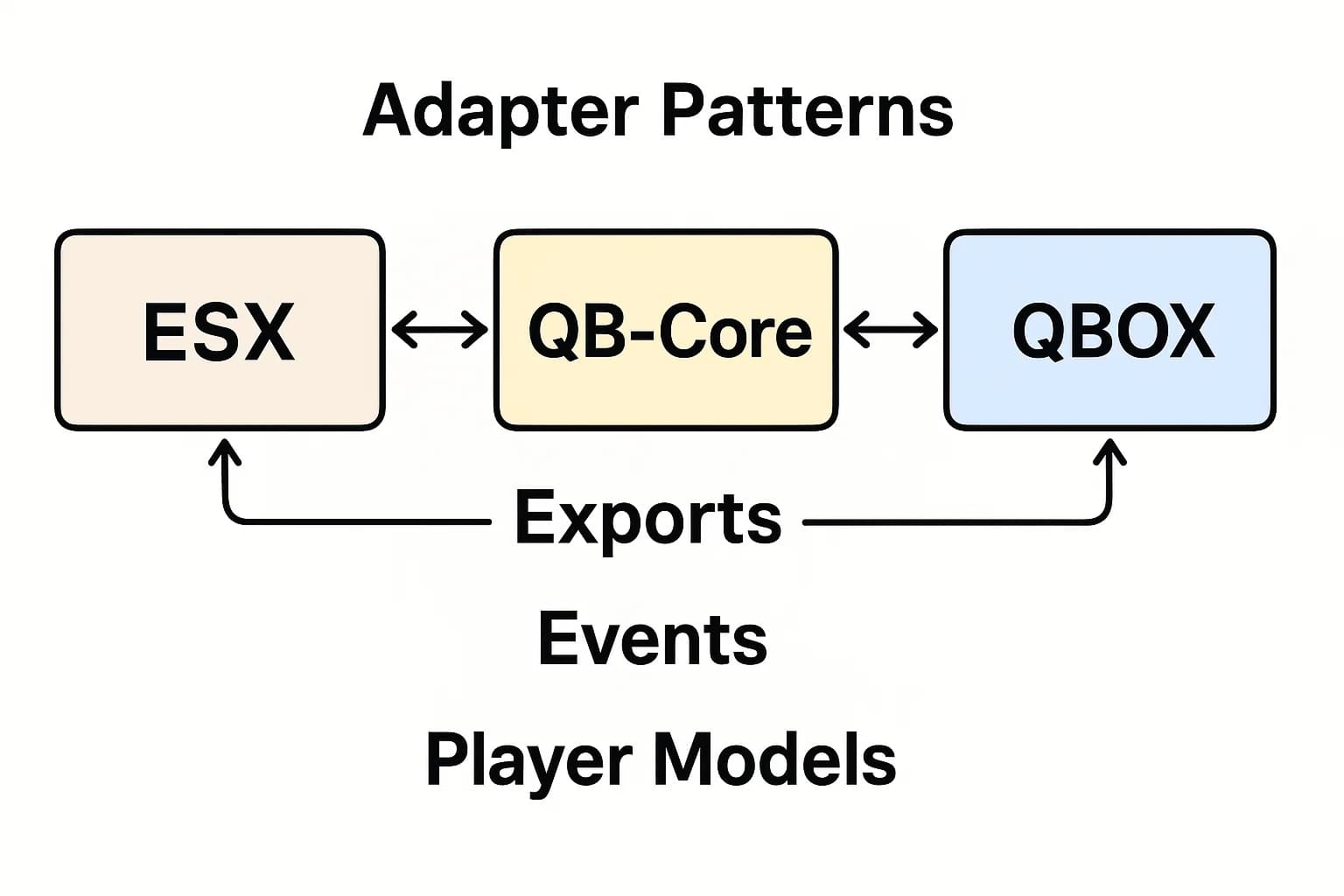
- Framework-Flexibilität - Funktioniert nahtlos mit ESX Legacy, ESX 1.9.x, QBCore und QBOX ohne Modifikationen
- Ansprechendes Design - Voll funktionsfähig auf Desktop- und Ultrawide-Monitoren mit automatischer Skalierung
- Keine Leistungsbeeinträchtigung - Leichter Code, der sofort geladen wird und sauber schließt, nachdem die Auswahl getroffen wurde
Ideal für
- Rollenspielserver, die einen professionellen ersten Eindruck für neue Spieler möchten
- Communities mit mehreren Spawn-Zonen (Stadtbezirke, Unternehmen, Immobilien)
- Server, die Multicharactersysteme betreiben, bei denen der Spawn-Kontext wichtig ist
- Whitelisted-Server, die eine elegante Spawn-Standortauswahl benötigen
- Öffentliche Server, die Admin-Tickets bezüglich des Spawn-Orts reduzieren möchten
Wie es funktioniert
Wenn ein Spieler sich verbindet und seinen Charakter auswählt (oder beim ersten Spawn), öffnet sich automatisch das Izzy Spawn Selector-Interface. Sie sehen ein schönes Menü, das alle konfigurierten Spawn-Standorte mit Vorschaulinformationen, aktuelle Serverwetterbedingungen und ihren Charakternamen oben anzeigt. Spieler klicken einfach auf ihren bevorzugten Standort, und das Menü schließt sich, während sie smooth in die Welt an ihren gewählten Koordinaten spawnen. Der gesamte Vorgang dauert nur Sekunden, hinterlässt aber einen bleibenden Eindruck der Serverqualität.
Das Skript handelt intelligent mit Randfällen um: Wenn ein Spieler in einem Fahrzeug war, als sie sich ausloggten, kann es optional den letzten Standort überschreiben. Wenn Spawn-Standorte ungültig werden (Innenraum-Updates, Kartendarstellungen), fällt das System elegant auf die Standardkoordinaten zurück. Für Server mit Job-basierten Spawns können Sie die Sichtbarkeit der Standorte basierend auf Spielerjobs oder Berechtigungen konfigurieren.
Installation
- Extrahiere den
izzy-spawn-selector-Ordner in dasresources-Verzeichnis deines Servers - Öffne
config.luaund konfigur