Eyes Ladebildschirm
Gestalten Sie den ersten Eindruck Ihres Servers mit einem ansprechenden Ladebildschirm. Ein professionelles Design, das den Ton für Ihre Community setzt.
Video-Vorschau
Click to load video from YouTube. By watching, you agree to their privacy policy.
Eyes Loading Screen - Professioneller Custom FiveM Loading Screen
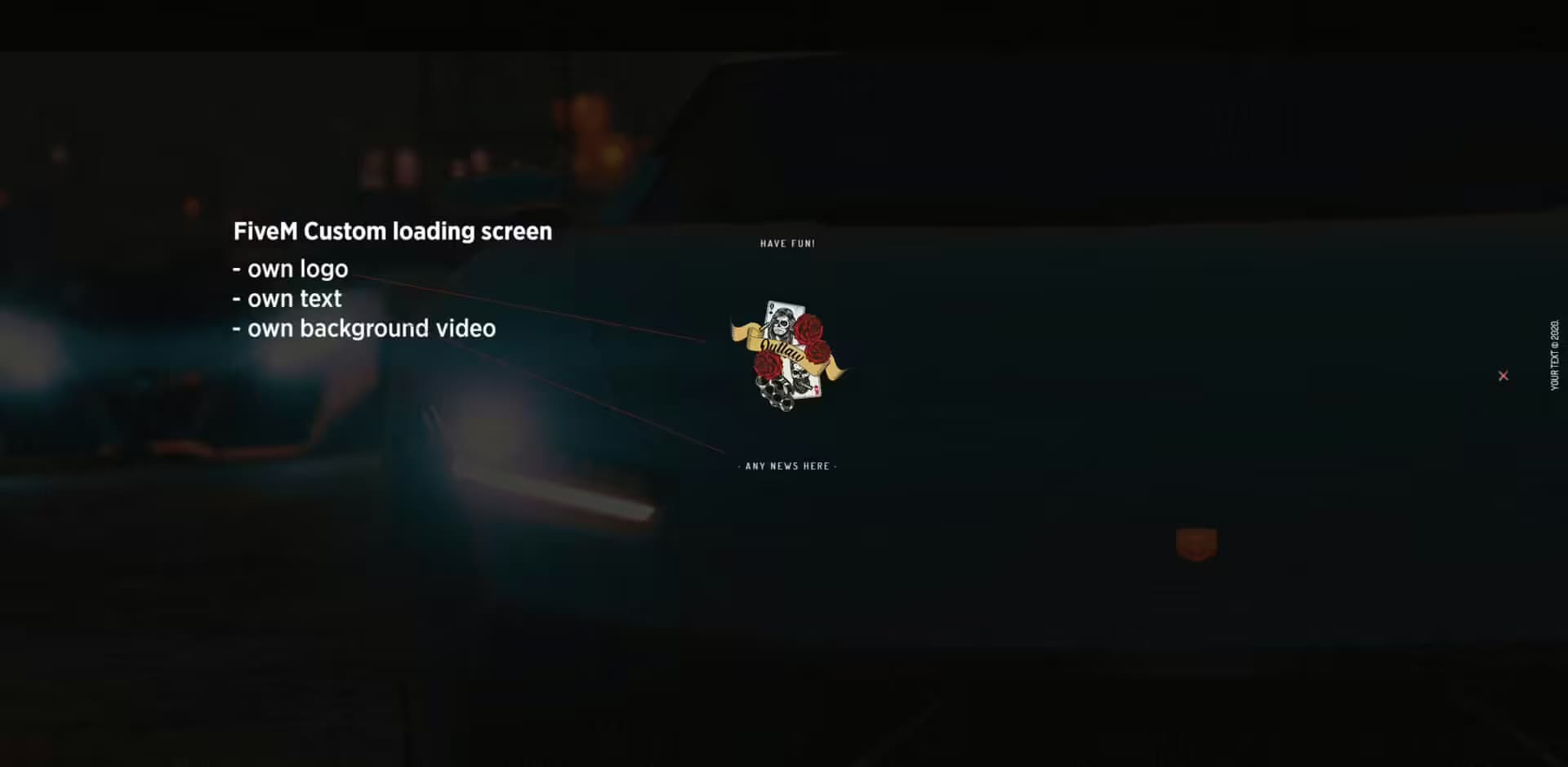
Sorge für einen bleibenden ersten Eindruck deines Servers mit diesem eleganten, professionellen Loading Screen, der mit einem auffälligen Design den Ton für deine Community angibt. Dein Loading Screen ist das Erste, was jeder Spieler sieht, wenn er deinem Server beitritt – er sollte poliert aussehen, schnell laden und die Identität deines Servers kommunizieren. Dies ist nicht nur ein statisches Bild; es ist ein vollständig anpassbarer HTML/CSS Loading Screen mit moderner Ästhetik und flüssigen Animationen.
Was ist enthalten?
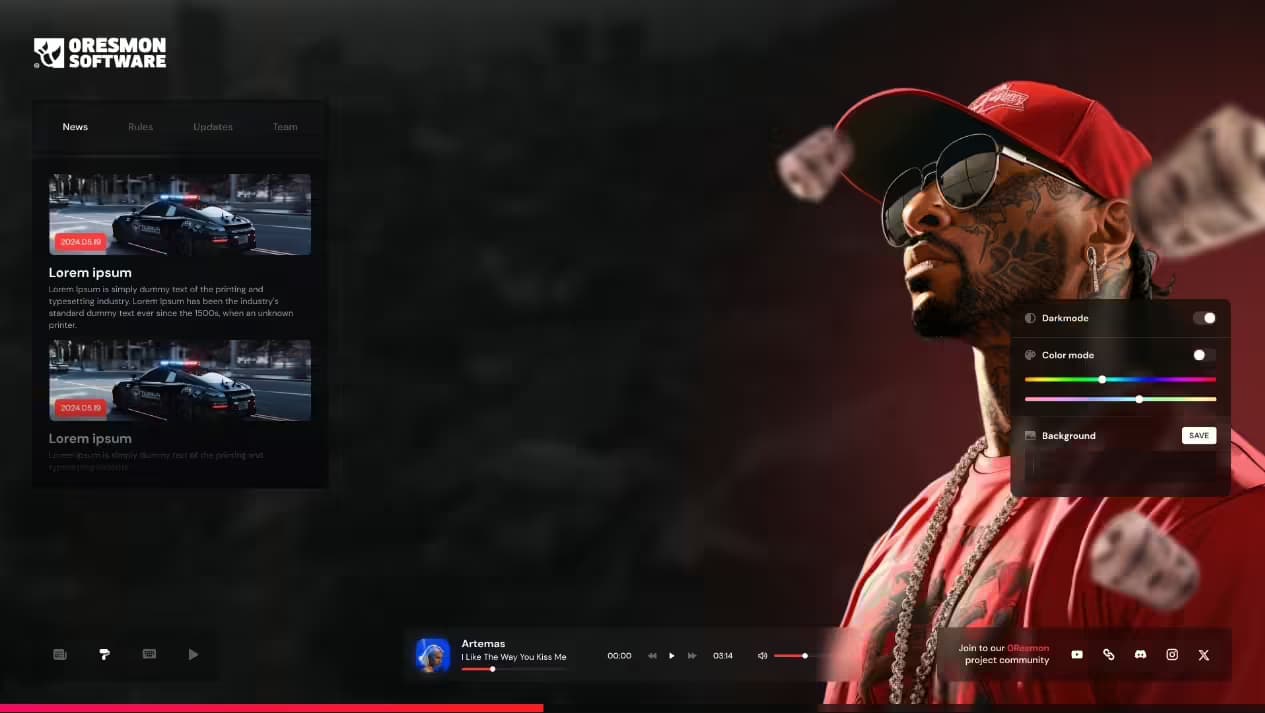
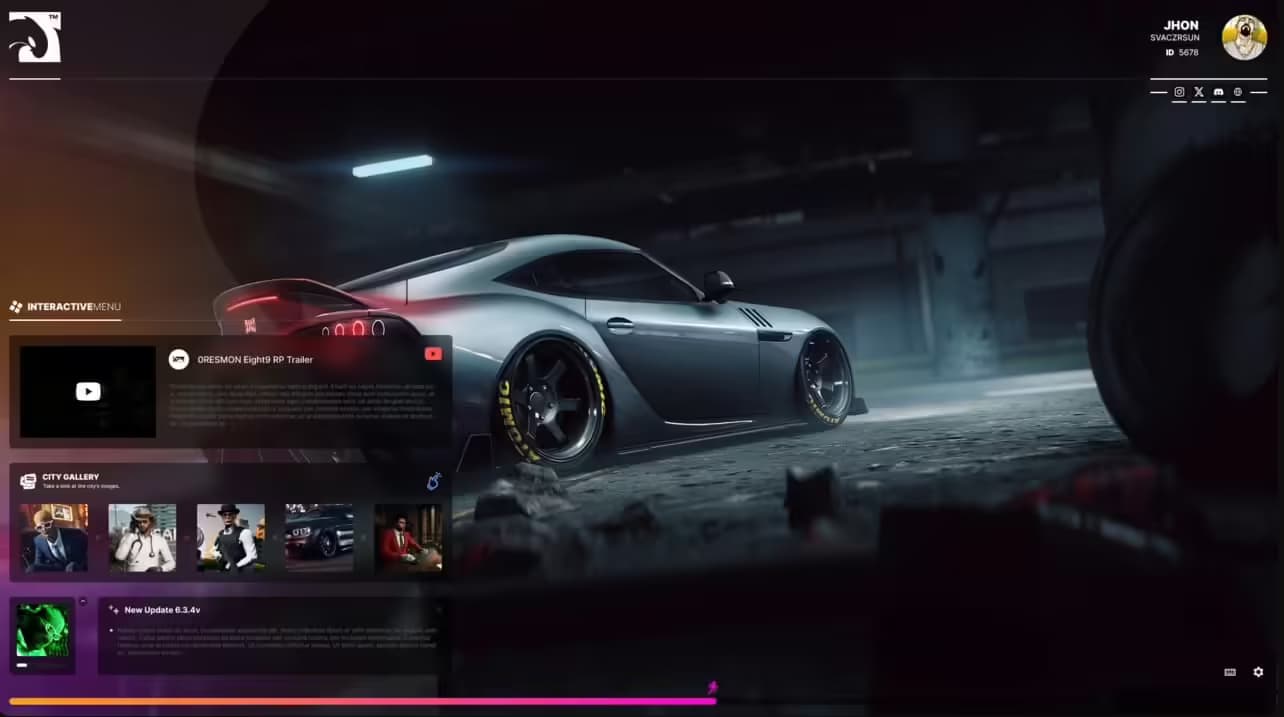
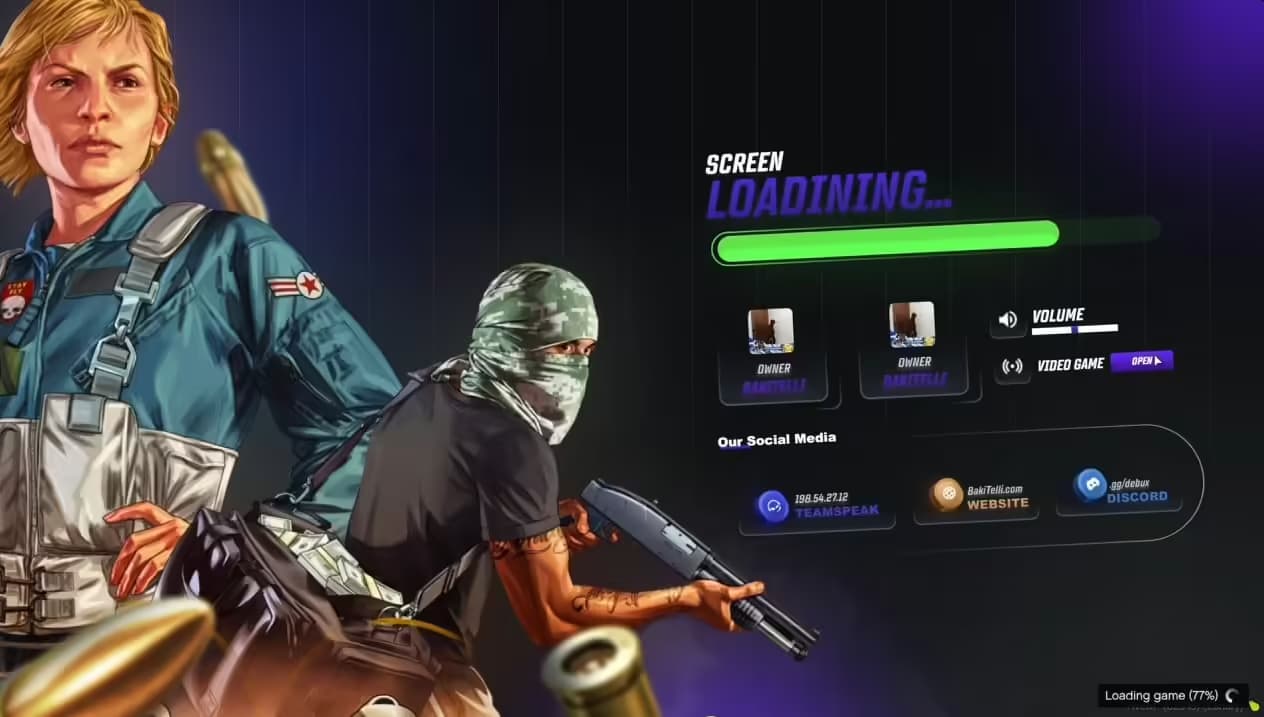
Dieses komplette Loading Screen-Paket bietet einen professionell gestalteten HTML/CSS/JavaScript Loading Screen mit visuellen Elementen zum Thema Auge, eine animierte Ladeleiste, die den Verbindungsfortschritt anzeigt, anpassbare Textfelder für Servernamen und -nachrichten, Musikintegrationsfunktion (optionales Hintergrundaudio), einen Regelanzeigebereich für Serverrichtlinien, Discord- und Social-Media-Link-Integration, eine Fortschrittsprozentsatzanzeige und ein responsives Design, das auf allen Bildschirmgrößen funktioniert. Das gesamte Paket ist installationsbereit und lässt sich einfach über einfache Konfigurationsdateien anpassen.
Hauptmerkmale
- Auffälliges Design - Moderne Ästhetik mit Grafiken zum Thema Auge, professionelle Typografie und Layout, sanfte Farbverlaufs-Hintergründe, animierte visuelle Elemente, filmreife Präsentationsqualität
- Fortschrittsanzeigen - Animierte Ladeleiste, die den Verbindungsstatus anzeigt, Prozentanzeige (0-100%), Ladephasen-Nachrichten (Verbinden, Ressourcen herunterladen, Spawnen), geschätzte verbleibende Zeit, sanfte Übergänge zwischen den Phasen
- Anpassungsoptionen - Einfach zu bearbeitender Servername und Slogan, anpassbare Hintergrundbilder oder -videos, anpassbares Farbschema (passend zu deinem Server-Branding), bearbeitbarer Regel- und Informationstext, Social-Media-Links (Discord, Website, Foren), Hintergrundmusik-Umschalter
- Informationsanzeige - Serverregeln prominent angezeigt, Schnellstartanleitung für neue Spieler, Kontaktinformationen des Teams, Discord-Einladungsbutton, Community-Richtlinien, wichtige Ankündigungen, Trailer/Promo-Video (optional)
- Performance Optimiert - Schnelles Laden ohne zusätzliche Verbindungsverzögerungen, geringe Dateigröße, minimaler Ressourcenverbrauch, zwischengespeicherte Assets für wiederkehrende Spieler, kein Lag oder Stottern während des Ladens
- Moderne Web-Technologien - Responsives HTML5/CSS3-Design, flüssige JavaScript-Animationen, Cross-Browser-Kompatibilität, Mobile-freundlich (für Spieler auf Tablets), professionelle Code-Struktur
Perfekt für
- Neue Server, die einen professionellen ersten Eindruck hinterlassen wollen
- Etablierte Communities, die generische Loading Screens ersetzen
- Server mit spezifischem Branding und ästhetischen Themen
- Communities, die Regeln während der Verbindung kommunizieren wollen
- Projekte, bei denen jedes Detail für die Wahrnehmung der Serverqualität wichtig ist
- Server, die Augen-/Vision-Themen in ihrem Branding verwenden
Warum Loading Screens wichtig sind
Dein Loading Screen ist buchstäblich das Erste, was jeder Spieler sieht – vor dem Gameplay, vor dem Kennenlernen des Teams, vor dem Erleben deines Servers. Ein generischer oder hässlicher Loading Screen signalisiert geringen Aufwand und lässt Spieler die Serverqualität in Frage stellen, bevor sie überhaupt spawnen. Ein professioneller, polierter Loading Screen kommuniziert, dass du dich um Details kümmerst und positive Erwartungen weckt. Es ist auch deine Chance, Regeln, Discord-Links und Serverinformationen anzuzeigen, während die Spieler warten, wodurch häufige Fragen reduziert und das Onboarding verbessert wird.
Anpassungsoptionen
Visuelle Anpassung
Ändere einfach Hintergrundbilder oder -videos, um sie an dein Thema anzupassen (lade deine eigenen hoch), passe Farbschemata mit Hex-Farbcodes an, modifiziere Farbverlaufs-Overlays und Deckkraft, lade dein Serverlogo hoch, ändere Schriftarten und -größen und passe Animationsgeschwindigkeiten und -effekte an. Alle Anpassungen erfolgen über einfache config-Dateien – keine Programmierung erforderlich.
Text & Inhalt
Bearbeite Servernamen und Slogan, schreibe benutzerdefinierte Willkommensnachrichten, liste Serverregeln auf (automatisches Scrollen bei längeren Texten), füge Kontaktinformationen des Teams hinzu, aktualisiere Discord-Einladungslinks, füge Website-/Forum-URLs hinzu, zeige die aktuelle Spieleranzahl an, zeige die Serverversion/Wipe-Daten an und füge spezielle Ankündigungen oder Events hinzu.
Audio-Optionen
Füge Hintergrundmusik während des Ladens hinzu (MP3-Datei), lege Lautstärkepegel fest, aktiviere den Player-Umschalter (Stummschalttaste), verwende thematische Musik, die zu deiner Server-Atmosphäre passt, oder deaktiviere Audio vollständig, wenn du es bevorzugst. Audio trägt zur Atmosphäre bei, bleibt aber optional, um Spieler nicht zu verärgern.
Installation
- Lade die Loading Screen-Ressource herunter
- Entpacke die Dateien in deinen Server-Ressourcenordner
- Passe config.json mit deinen Serverdetails an (Name, Discord, Regeln)
- Ersetze Hintergrundbilder/Videos durch deine eigenen (optional)
- Passe die Farben in style.css an dein Branding an (optional)
- Füge die Loading Screen-Ressource zu server.cfg hinzu
- Lege sie als Loading Screen in server.cfg fest: loadscreen __resource.html
- Starte den Server neu und teste ihn, indem du dich verbindest
Framework-Kompatibilität
- ✅ Universal - Funktioniert mit jedem FiveM Server, unabhängig vom Framework
- ✅ ESX - Kompatibel mit allen ESX Versionen
- ✅ QBCore - Kompatibel mit allen QBCore Versionen
- ✅ QBOX - Funktioniert mit QBOX und benutzerdefinierten Frameworks
- ✅ Standalone - Keine Abhängigkeiten, reines HTML/CSS/JS
Technische Spezifikationen
- Dateigröße: ~2-5MB (abhängig von hinzugefügten benutzerdefinierten Bildern/Videos)
- Auswirkung auf die Ladezeit: Vernachlässigbar (wird nach dem ersten Laden zwischengespeichert)
- Technologien: HTML5, CSS3, JavaScript (Vanilla, keine Frameworks erforderlich)
- Responsive: Passt sich allen Bildschirmauflösungen an (1920x1080, 2K, 4K, Ultrawide)
- Audioformat: MP3 für Hintergrundmusik (optional)
- Bildformate: JPG, PNG, GIF für Hintergründe
- Videoformate: MP4 für Hintergrundvideos (falls verwendet)
Was es auszeichnet
Generische Loading Screens oder Standard FiveM Load Screens lassen deinen Server amateurhaft aussehen. Dieses professionelle Design mit Augen-Thema erzeugt visuelles Interesse, ohne überwältigend oder ablenkend zu sein. Die saubere, moderne Ästhetik funktioniert für jeden Servertyp (Serious RP, Gangs, PvP, Casual), während die Anpassungsoptionen es dir ermöglichen, ihn einzigartig zu gestalten. Spieler werden den Unterschied bemerken – es signalisiert, dass dein Server in hochwertige Erlebnisse investiert, nicht nur in zusammengewürfelte kostenlose Ressourcen.
Loading Screen Best Practices
Halte die Regeln prägnant und übersichtlich (Aufzählungspunkte, keine Absätze), füge wichtige Links hinzu (Discord hat Priorität #1), vermeide nervige Musikschleifen (dezentes Hintergrundaudio oder keins), stelle sicher, dass der Text lesbar ist (hoher Kontrast, gute Schriftgröße), teste auf mehreren Auflösungen (1080p, 1440p, 4K), halte die Dateigrößen angemessen (unter 10 MB insgesamt für schnelle Downloads) und aktualisiere Ankündigungen regelmäßig (veraltete Informationen wirken vernachlässigt).
Regelanzeige-Strategien
Verwende den Loading Screen, um Kernregeln zu kommunizieren, die Spieler UNBEDINGT kennen müssen: kein RDM/VDM, Respektiere das Team, kein Exploiting, Altersanforderungen und Discord obligatorisch. Dies stellt sicher, dass jeder Spieler die Regeln vor dem Spawnen sieht, wodurch Ich wusste es nicht-Ausreden reduziert werden. Füge eine Mit dem Beitritt stimmen Sie den Regeln zu-Erklärung mit Link zum vollständigen Regelwerk auf deiner Website oder Discord hinzu.
Branding-Integration
Loading Screens sind leistungsstarke Branding-Tools. Verwende die Farben deines Servers einheitlich, platziere dein Logo prominent, passe die Ästhetik an dein Serverthema an (Serious RP = professionelles, sauberes Design, Gang Server = düstere Straßenästhetik, Casual = freundliche, helle Farben) und stelle sicher, dass der Loading Screen zu deinem Discord, deiner Website und der In-Game UI für ein stimmiges Branding passt.
Häufige Anpassungen
Die meisten Server passen den Hintergrund an das Thema an (Stadtbild für Urban RP, Wildnis für Jagd/Überleben, Luxusautos für Rennserver, Ganggebiete für Gangserver), passen die Farben an die Serverpalette an (lila/gold für Premium, rot/schwarz für Gangs, blau/weiß für Polizei RP), fügen ein Server-Trailer-Video hinzu, das im Hintergrund abgespielt wird, fügen Fotos/Avatare von Teammitgliedern hinzu, zeigen Spendenziele oder VIP-Vorteile an und präsentieren Serverstatistiken (Spieleranzahl, Uptime, Version).
Preview Video
Sieh dir den kompletten Loading Screen in Aktion mit Animationen und allen Funktionen an:
https://www.youtube.com/watch?v=w8lQNsmAJ28Performance-Überlegungen
Obwohl Loading Screens keine signifikante Verzögerung verursachen sollten, ist Optimierung wichtig. Dieser Screen verwendet leichtgewichtigen Code, komprimierte Bilder (empfohlen unter 2 MB pro Bild), zwischengespeicherte Assets für wiederkehrende Spieler und effiziente Animationen (CSS-basiert, kein schweres JavaScript). Spieler mit langsameren Verbindungen werden im Vergleich zu einfachen Screens keine längeren Ladezeiten erleiden.
Update-Frequenz
Aktualisiere deinen Loading Screen regelmäßig, um den Inhalt frisch zu halten: Ändere Ankündigungen für Events, aktualisiere Regeln, wenn sich Richtlinien ändern, aktualisiere Hintergrundbilder saisonal, aktualisiere Discord-Links, wenn der Server umzieht, füge neue Teammitglieder-Informationen hinzu und bewirb spezielle Events oder Inhaltsaktualisierungen. Veraltete Loading Screens mit veralteten Informationen lassen Server inaktiv aussehen.
Support & Dateien
Der Download enthält alle HTML-, CSS- und JavaScript-Dateien, eine Beispielkonfigurationsdatei mit Kommentaren, Beispielhintergrundbilder, Installationsanweisungen, eine Anpassungsanleitung mit Beispielen und Tipps zur Fehlerbehebung bei häufigen Problemen. Die saubere Codestruktur macht es jedem mit grundlegenden HTML-Kenntnissen leicht, weitere Anpassungen vorzunehmen.