CodeM Radio
Professionelles Radioskript für ESX-Server mit individuellen Funktionen und optimierter Performance.
Video-Vorschau
Click to load video from Streamable. By watching, you agree to their privacy policy.
CodeM Radio - Fortschrittliches Fahrzeugradio-System für FiveM
Verwandle Fahrzeugfahrten von stillen Pendelfahrten in immersive Erlebnisse mit diesem umfassenden Radio-Script, das Spielern echte Musikkontrolle während der Fahrt gibt. CodeM Radio ist kein einfacher GTA Radio-Ersatz - es ist ein funktionsreiches Streaming-System, mit dem Spieler YouTube-Inhalte, benutzerdefinierte Radiosender und synchronisierte Musikwiedergabe in deiner gesamten Server-Community genießen können.
Dieses Radio-System wurde für die nahtlose Zusammenarbeit mit ESX, QBCore und Standalone-Konfigurationen entwickelt und bewältigt die technische Komplexität des Audio-Streamings in FiveM unter Beibehaltung von Leistung und Synchronisation. Die Spieler erhalten intuitive Bedienelemente zum Abspielen, Anhalten und Wechseln von Inhalten, während Administratoren Tools zum Verwalten von Senderlisten und zum Moderieren der serverweiten Wiedergabe erhalten. Das Ergebnis ist eine authentische Fahrzeugatmosphäre, die die Roleplay-Immersion in den ruhigen Momenten zwischen den Zielen verbessert.
https://streamable.com/3qv3plWarum Fahrzeugradio für Immersion wichtig ist
Stille Fahrzeuge zerstören die Immersion bei längeren Fahrten. Spieler reisen schnell oder eilen zu Zielen, weil sich ruhige Pendelfahrten leer und langweilig anfühlen. Ein richtig implementiertes Radio-System verwandelt die Reisezeit in angenehme Erlebnisse, bei denen sich die Spieler tatsächlich darauf freuen, auf der Karte herumzufahren. Dieses organische Engagement verbessert die Bindung - Spieler verbringen mehr Zeit in der Welt, wenn sich die Umgebung lebendig anfühlt.
Auch der soziale Aspekt ist wichtig. Wenn sich mehrere Spieler in einem Fahrzeug befinden, schafft gemeinsame Musik verbindende Momente. Freunde diskutieren über Songauswahl, entdecken gemeinsam neue Musik und kreieren unvergessliche Szenarien rund um den Soundtrack. Polizei-Verfolgungsjagden gewinnen an filmischer Qualität, wenn die passende Musik läuft. Späte Nachtfahrten mit Crewmitgliedern entwickeln eine Atmosphäre, die reine Gameplay-Mechaniken nicht bieten können. Diese subtilen Verbesserungen des Spielerlebnisses unterscheiden großartige Server von funktionellen.
Kernfunktionen des Radios
- YouTube Streaming - Spiele jeden YouTube-Link direkt in Fahrzeugen mit dem URL-Eingabesystem ab
- Benutzerdefinierte Radiosender - Vorkonfigurierte Senderliste mit bearbeitbaren Streams und Metadaten
- Synchronisierte Wiedergabe - Alle Fahrzeuginsassen hören das gleiche Audio zum gleichen Zeitstempel
- Lautstärkeregler - Unabhängige Lautstärkeanpassung, ohne die Soundeffekte des Spiels zu beeinträchtigen
- Wiedergabeverwaltung - Wiedergabe-, Pausen-, Überspringen- und Stopp-Steuerung über intuitive UI
- Musikkontinuität - Optionale Einstellung, um die Musik beim Verlassen von Fahrzeugen fortzusetzen
- Anzeige von Sender-Metadaten - Zeige Sendernamen, Songtitel und Kanalinformationen an
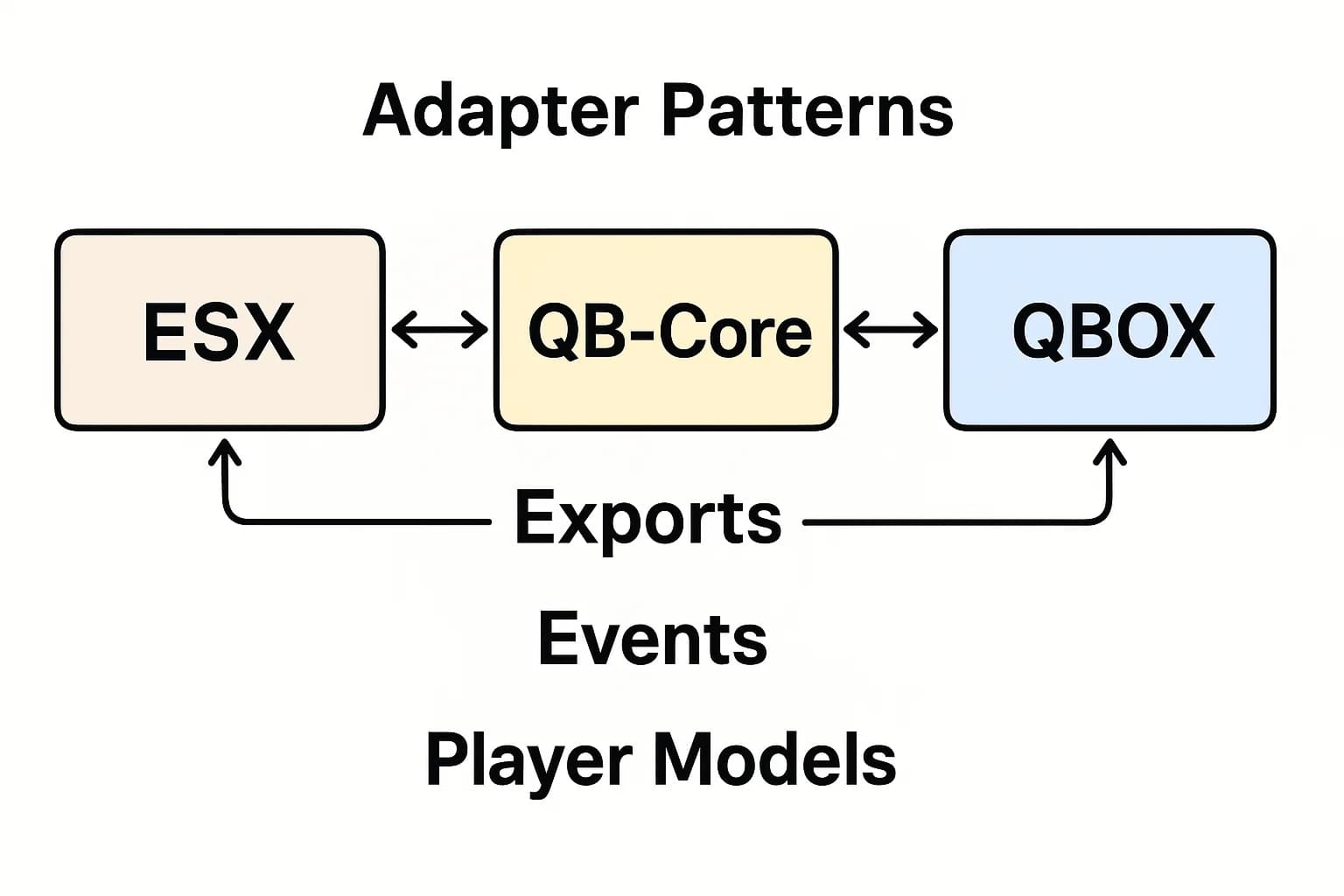
- Multi-Framework-Unterstützung - Funktioniert mit ESX, QBCore, QBOX und Standalone-Servern
- Leistungsoptimiert - Minimale FPS-Auswirkungen, selbst wenn mehrere Fahrzeuge gleichzeitig streamen
Wie es in der Praxis funktioniert
Ein Spieler steigt in sein Fahrzeug und öffnet die Radio-Oberfläche (normalerweise mit einer Tastenbelegung wie Page Up). Er sieht die Liste der vorkonfigurierten Sender, die dein Server anbietet - vielleicht einen Hip-Hop-Kanal, einen Rock-Sender, einen Lo-Fi-Stream und Nachrichtenradio. Wähle einen beliebigen Sender aus und die Musik beginnt sofort zu spielen, synchronisiert für alle Insassen, wenn andere dem Fahrzeug beitreten.
Alternativ können Spieler benutzerdefinierte YouTube-URLs eingeben, um bestimmte Songs oder Playlists abzuspielen. Das System streamt das Audio direkt von YouTube und übernimmt automatisch das Puffern und die Wiedergabe. Andere Passagiere hören den gleichen Inhalt im gleichen Moment, wodurch gemeinsame Erlebnisse entstehen. Wenn der Fahrer die Lautstärke für einen Lieblingssong aufdreht, rocken alle während der Fahrt zusammen.
Wenn konfiguriert, kann die Musik fortgesetzt werden, wenn Spieler Fahrzeuge kurzzeitig verlassen - perfekt für realistische Szenarien, wie z.B. das Anfahren einer Tankstelle und das Anlassen des Radios während des Tankens. Oder deaktiviere die Kontinuität für einen strengeren Realismus, bei dem das Verlassen die Wiedergabe sofort stoppt. Mit diesen Konfigurationsoptionen kannst du das System an die Roleplay-Standards deines Servers anpassen.
Perfekt für diese Szenarien
- Lange Fahrten zwischen Städten oder über große Karten
- Soziales Cruisen mit Freunden oder Gangmitgliedern
- Polizeistreifen, die in ruhigen Nächten für Atmosphäre sorgen
- Taxi/Uber Roleplay mit Hintergrundmusik für Fahrgäste
- Rennveranstaltungen mit Playlist-Hype während der Vorbereitungsphase
- Trucking/Lieferjobs, die lange Strecken angenehmer machen
- Roleplay-Events wie Parade-Wagen oder Werbefahrzeuge
- Späte landschaftlich reizvolle Fahrten, die von einem Soundtrack profitieren
Senderkonfiguration und -verwaltung
Server-Administratoren konfigurieren Radiosender über einfache JSON- oder Lua-Konfigurationsdateien. Jeder Sendereintrag enthält die Stream-URL, den Anzeigenamen, ein optionales Logo/Symbol und Metadaten wie Genre oder Beschreibung. Diese Einrichtung dauert nur wenige Minuten und unterstützt unbegrenzt viele Sender - erstelle so viele thematische Kanäle, wie deine Community möchte.
Stream-URLs können auf tatsächliche Internetradiosender für lizenzierte Musik, YouTube-Livestreams für bestimmte Playlists oder jede andere kompatible Audioquelle verweisen. Einige Server erstellen Roleplay-spezifische Sender - ein Los Santos News Radio mit Podcast-Inhalten oder Gang Radio mit Musik, die zu bestimmten Fraktionsthemen passt. Diese Anpassung trägt dazu bei, die Serveridentität über das generische Musikstreaming hinaus zu etablieren.
Details zur YouTube-Integration
Die YouTube-Integration ist das herausragende Merkmal, das CodeM Radio von einfachen GTA Radio-Ersatzlösungen unterscheidet. Spieler können jede YouTube-Video-URL einfügen und das System extrahiert und streamt das Audio. Diese Flexibilität bedeutet, dass dein Server keine Audiodateien hosten oder eine permanente Streaming-Infrastruktur unterhalten muss - YouTube übernimmt die Bandbreite und die Inhaltsbereitstellung.
Das System unterstützt auch YouTube-Playlists, sodass Spieler mehrere Songs für längere Fahrten in die Warteschlange stellen können. Die Wiedergabesteuerung funktioniert wie erwartet - Pause, Fortsetzen, zum nächsten Titel springen. Die Synchronisation stellt sicher, dass alle Fahrzeuginsassen synchron bleiben, auch wenn jemand mitten im Song einsteigt. Diese technische Zuverlässigkeit ist entscheidend, da desynchronisiertes Audio (bei dem Passagiere unterschiedliche Zeitstempel hören) die Immersion sofort zerstört.
Technische Anforderungen
- Framework - ESX, QBCore, QBOX oder Standalone (kein Framework erforderlich)
- FiveM Version - Aktuelle Artifacts-Version für korrekte NUI-Audio-Unterstützung
- Abhängigkeiten - Keine über das Framework hinaus (falls ESX/QB/QBOX verwendet wird)
- Internetverbindung - Server und Clients benötigen eine stabile Verbindung zum Streamen
- YouTube-Zugriff - Spieler benötigen die Möglichkeit, auf YouTube für benutzerdefinierte URLs zuzugreifen
Leistungsspezifikationen
- Leerlaufleistung - 0.00ms wenn Radio geschlossen/inaktiv
- Aktives Streaming - 0.01-0.03ms pro aktivem Radio (minimale FPS-Auswirkungen)
- Netzwerkauslastung - Audio wird direkt von der Quelle zum Client gestreamt (Server leitet nicht weiter)
- Speicherbedarf - 2-4 MB typisch
- UI-Reaktionsfähigkeit - Sofortiges Öffnen/Schließen, reibungslose Lautstärkeanpassung
Installation und Konfiguration
- Lade die CodeM Radio-Ressource herunter und entpacke sie in dein Serververzeichnis
- Konfiguriere den Framework-Modus (ESX/QBCore/QBOX/Standalone) in der config.lua Datei
- Passe die Radiosenderliste mit Streams, Namen und Metadaten an
- Lege eine Tastenbelegung zum Öffnen der Radio-Oberfläche fest (Standard ist oft Page Up)
- Konfiguriere Lautstärkebegrenzungen und Standardpegel
- Aktiviere/deaktiviere die Musikkontinuität außerhalb von Fahrzeugen
- Passe die UI-Farben und das Styling an das Server-Theme an
- Füge ensure codem_radio zu server.cfg hinzu und starte neu
- Teste das Streaming mit verschiedenen Fahrzeugen und Passagierzahlen
Framework-Kompatibilität
- ✅ ESX Legacy - Volle Unterstützung für alle ESX-Versionen
- ✅ QBCore - Kompatibel mit QB Framework und Varianten
- ✅ QBOX - Funktioniert mit QBOX Framework Fork
- ✅ Standalone - Kann ohne Framework-Abhängigkeit ausgeführt werden
- ✅ Alle Fahrzeugtypen - Autos, LKWs, Motorräder, Boote, Hubschrauber
- ✅ Die meisten Fahrzeug-Scripts - Kompatibel mit benutzerdefinierten Fahrzeugsystemen
UI-Anpassungsoptionen
Die Radio-Oberfläche basiert auf HTML/CSS/JavaScript (NUI), was die visuelle Anpassung für Webentwickler einfach macht. Ändere die Farben, um sie an dein Server-Branding anzupassen, passe das Layout für verschiedene Bildschirmgrößen an, ändere die Schriftarten für die Lesbarkeit oder gestalte die gesamte Oberfläche neu, während die Backend-Funktionalität intakt bleibt.
Einige Server integrieren das Radio-UI-Styling in ihr gesamtes HUD-Theme, um eine zusammenhängende Darstellung zu erzielen. Andere erstellen minimalistische Oberflächen, die das Gameplay nicht behindern. Der flexible NUI-Ansatz bedeutet, dass du nicht an eine bestimmte Ästhetik gebunden bist - passe die Oberfläche an die Vorlieben deiner Community an, während du die Kernfunktionen des Radios beibehältst.
Warum sich 41+ Verkäufe für CodeM Radio entscheiden
Serverbesitzer wählen CodeM Radio immer wieder, wenn sie Fahrzeugmusiksysteme hinzufügen, weil es Funktionen mit Zuverlässigkeit in Einklang bringt. Die YouTube-Integration bietet nahezu unbegrenzte Inhalte ohne Server-Hosting-Anforderungen. Die Synchronisation funktioniert einwandfrei ohne Desync-Probleme, die billigere Alternativen plagen. Die Multi-Framework-Unterstützung bedeutet, dass es unabhängig von deiner Basisarchitektur funktioniert.
Das positive Feedback kommt von Spielern, die die Funktion während des regulären Gameplays aktiv nutzen, nicht nur testen und dann vergessen. Wenn Spieler bestimmte Radiosender anfordern oder Musikwünsche in Discord diskutieren, signalisiert dies, dass das System ihr Erlebnis wirklich verbessert. Diese organische Akzeptanz bestätigt die Investition in eine hochwertige Radiofunktionalität.
Realismus vs. Komfort ausbalancieren
Berücksichtige die Roleplay-Standards deines Servers bei der Konfiguration des Radioverhaltens. Strenge Realismus-Server deaktivieren möglicherweise die Musikkontinuität außerhalb von Fahrzeugen und begrenzen die Lautstärke auf realistische Werte. Lässigere Communities erlauben möglicherweise laute Musik, Kontinuitätsfunktionen und eine freizügigere Inhaltsrichtlinie. Die Konfigurationsflexibilität ermöglicht es dir, das System an die spezifischen Erwartungen deiner Community anzupassen.
Einige Server beschränken die Verwendung von YouTube-URLs, um unangemessene Inhalte zu verhindern, und zwingen die Spieler, kuratierte Senderlisten zu verwenden. Andere setzen auf die Freiheit der Spieler und moderieren durch Meldungen. Keiner der beiden Ansätze ist falsch - es hängt von deiner Community-Kultur und Moderationskapazität ab. Das Script unterstützt beide Philosophien durch Konfiguration.
Überlegungen zur Inhaltsmoderation
Wenn du benutzerdefinierte YouTube-URLs zulässt, lege klare Inhaltsrichtlinien fest. Verbiete beleidigende Musik, unangemessen verwendetes urheberrechtlich geschütztes Material oder Inhalte, die gegen deine Serverregeln verstoßen. Implementiere Meldesysteme, damit Spieler unangemessene Radionutzung melden können. Einige Server protokollieren alle URL-Wiedergaben in Discord zur Überprüfung durch Administratoren. Diese Moderationstools verhindern, dass Radiofreiheit zu einer Belastung wird.
Für Server, die eine strengere Kontrolle wünschen, deaktiviere benutzerdefinierte URLs vollständig und stelle nur kuratierte Senderlisten bereit. Dies verhindert Moderationsprobleme und bietet dennoch hochwertige Musikoptionen. Spieler passen sich schnell an senderbasierte Systeme an, insbesondere wenn du eine vielfältige Genreabdeckung bietest. Der Kompromiss ist weniger Spielerfreiheit für mehr Admin-Kontrolle über die Inhaltsqualität.
Best Practices für die Senderauswahl
Wenn du Radiosender konfigurierst, strebe eine Genrevielfalt an, die deine Spieler-Demografie abdeckt. Füge beliebte Mainstream-Kanäle hinzu, bediene aber auch Nischengeschmäcker - Metal, Country, Electronic, Klassik, Jazz. Füge Talkradio- oder Nachrichtensender für Roleplay-Vielfalt hinzu. Erwäge das Hinzufügen von sprachspezifischen Sendern für internationale Communities.
Beschrifte Sender klar, damit die Spieler verstehen, was sie auswählen. Hip-Hop Hits ist besser als Sender 1. Füge Sender-Metadaten wie Genre, Sprache und Inhaltsbewertung hinzu. Diese Organisation hilft Spielern, schnell Musik zu finden, die zu ihrer Stimmung passt, anstatt alles zu durchlaufen, um die richtige Stimmung zu finden.
Was CodeM auszeichnet
Der Markt bietet Dutzende von Autoradio-Scripts, aber CodeM zeichnet sich durch Zuverlässigkeit und Funktionsumfang aus. Die YouTube-Integration ist nicht fehlerhaft oder desynchronisiert wie billigere Alternativen. Die UI ist poliert und nicht nur von Platzhalterqualität. Die Multi-Framework-Unterstützung bedeutet, dass du keine verschiedenen Scripts für ESX- vs. QB-Server benötigst. Diese produktionsreife Qualität ist der Grund, warum Communities für CodeM bezahlen, anstatt nach kostenlosen Alternativen zu suchen.
Auch die laufende Entwicklungsunterstützung ist wichtig. Da FiveM Updates erhält und YouTube APIs ändert, wird CodeM aktualisiert, um die Kompatibilität zu erhalten. Kostenlose Scripts von zufälligen GitHub-Repos funktionieren möglicherweise heute, gehen aber nach FiveM-Updates kaputt, ohne dass sie jemand wartet. Kommerzielle Scripts von etablierten Entwicklern bieten Zuverlässigkeit und Langlebigkeit, die die Kosten rechtfertigen.
Integration mit anderen Scripts
CodeM Radio lässt sich reibungslos in die meisten fahrzeugbezogenen Scripts integrieren. Es funktioniert zusammen mit vMenu zum Spawnen von Admin-Fahrzeugen, existiert neben benutzerdefinierten Autohäusern und funktioniert ordnungsgemäß mit Fahrzeugbesitzsystemen. Wenn dein Server vehiclekeys oder erweiterte Autosperr-Scripts verwendet, bleibt die Radiofunktionalität unbeeinträchtigt.
Das Script berücksichtigt auch die Akustik des Fahrzeuginnenraums/Außenbereichs, wenn dein Server immersive Audio-Scripts verwendet. Musik wird im Fahrzeuginneren lauter abgespielt als außerhalb, wodurch der Realismus erhalten bleibt. Wenn Spieler Fahrzeuge mit eingeschaltetem Radio verlassen, passt sich die Lautstärke entsprechend der Entfernung an. Diese Details zeigen, dass der Entwickler über reale Integrationsszenarien nachgedacht hat.
Anleitung für Spieler nach der Installation
Nach der Installation von CodeM Radio solltest du deine Community darüber aufklären, wie sie es effektiv nutzen kann. Erstelle ein kurzes Tutorial-Video oder eine schriftliche Anleitung, die Tastenbelegungen, Senderauswahl, YouTube-URL-Nutzung und Lautstärkeregler behandelt. Hefte dies in deinem Discord an, damit neue Spieler es leicht finden können. Klare Anweisungen verhindern Frustration und erhöhen die Akzeptanz der Funktion.
Erwäge, eine Radio-Nacht-Veranstaltung zu veranstalten, bei der die Spieler zusammen cruisen, Sender entdecken und Musik teilen. Diese Community-Bildung rund um die Funktion erhöht das Engagement und demonstriert den sozialen Wert von gemeinsamem Fahrzeug-Audio. Wenn Spieler sehen, dass andere das Radio-System genießen, ist es wahrscheinlicher, dass sie es auch während des regulären Gameplays nutzen.
Ähnliche Produkte, die dir gefallen könnten
- Car Radio Everywhere - Beliebtes Radio-Script mit 160+ Downloads für alle Frameworks
- FiveM DJ Script - Interaktives DJ-System für Unterhaltungs-Roleplay
- Super ESX Server - Komplettes ESX-Serverpaket, dem 306+ Server vertrauen
- QBCore Framework Server - Vollständige QBCore v4 Serverbasis für modernes Roleplay