CD Einsatzzentrale
CD Dispatch bietet eine professionelle Einsatzzentrale mit maßgeschneiderten Funktionen und optimierter Leistung für ESX-basierte FiveM-Server.
Video-Vorschau
Click to load video from YouTube. By watching, you agree to their privacy policy.
CD Dispatch - Professionelles Polizei Dispatch-System für ESX & QBCore
CD Dispatch (Codesign Dispatch) ist ein umfassendes Polizei-Dispatch-System, das die realistische Koordination von Notfällen auf Ihren FiveM-Server bringt. Es wurde für beide ESX- und QBCore-Frameworks entwickelt und ist mehr als nur ein Alarm-Script - es ist ein vollständiges Dispatch-Zentrum, das die Arbeitsweise der Polizei auf Ihrem Server revolutioniert. Officer erhalten Echtzeit-Alarme mit detaillierten Informationen, interaktive Karten und professionelle UI-Optionen, die denen echter Dispatch-Software entsprechen.
Inhalt
Sie erhalten zwei vollständige UI-Optionen: ein kleines HUD-Overlay für Officer im Patrouillendienst, die schnell zugängliche Informationen benötigen, und eine große Dispatcher-Schnittstelle für dedizierte Dispatcher, die mehrere Einheiten verwalten. Das System enthält automatische Alarmgenerierung für Verbrechen wie Raubüberfälle, Schießereien, Autodiebstahl und mehr. Jeder Alarm enthält Standortdaten, Verdächtigenbeschreibungen, Fahrzeuginformationen und Prioritätsstufen.
Das Paket enthält Blip-Verwaltung für Officer-Standorte, anpassbare Tastenzuordnungen für schnelle Antworten, Radiokanalintegration, Dienstsystemunterstützung, Rufzeichenvergabe und Job-spezifische Befehlssysteme. Alles ist modular - aktivieren Sie nur die Funktionen, die Ihr Server benötigt.
Schlüsselfunktionen
- Duales UI-System - Kleines Head-up-Display für Patrouillen-Offiziere (U-Taste) und große Dispatcher-Schnittstelle für Dispatcher (L-Taste), beide vollständig anpassbar im Aussehen und in der Positionierung
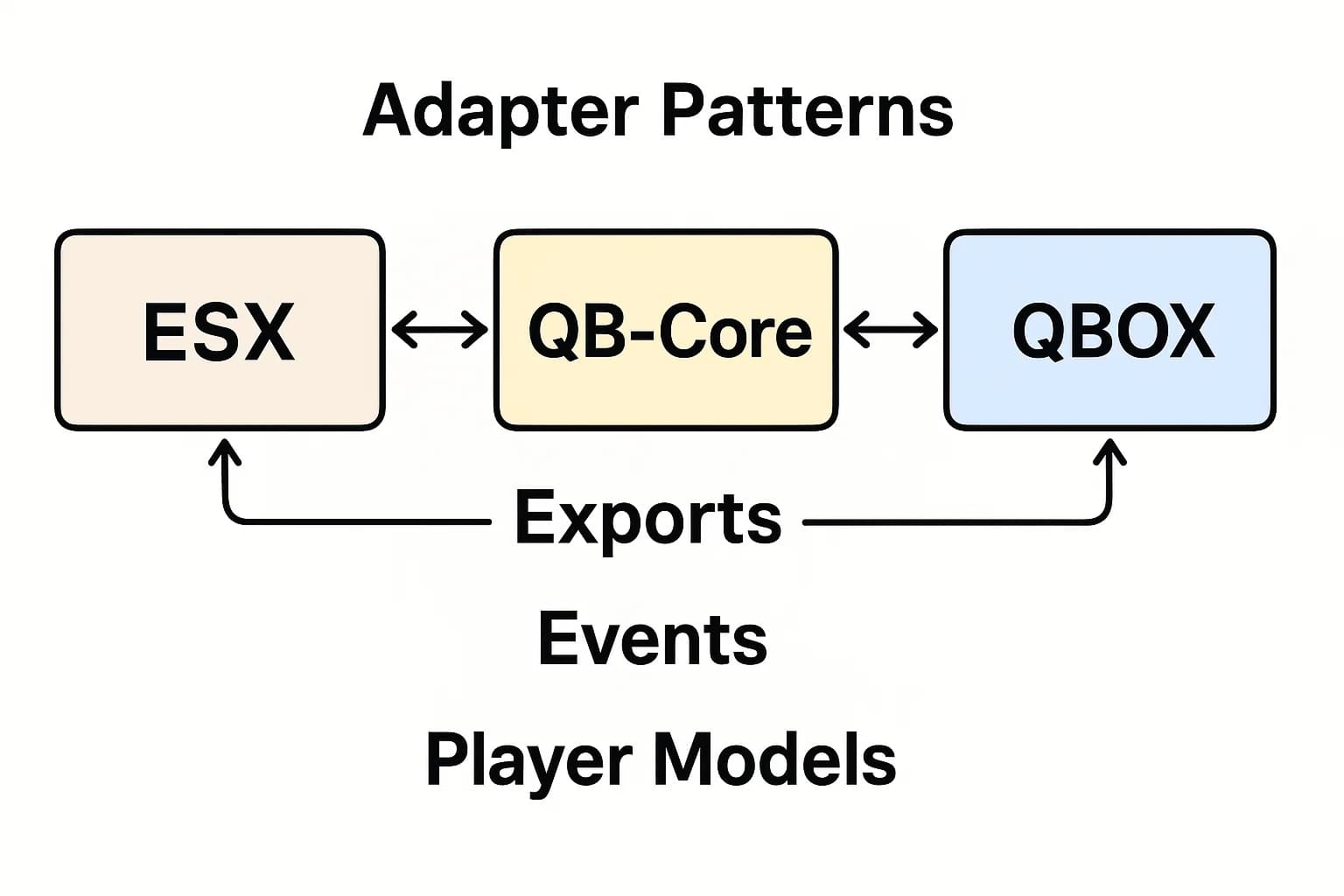
- Intelligente Autodetektion - Automatische Erkennung Ihres Frameworks (ESX/QBCore) und SQL-Setup, dann Konfiguration über die einfache config.lua-Datei
- Echtzeit-Alarme - Officer erhalten sofortige Benachrichtigungen mit GPS-Koordinaten, Verdächtigeninformationen, Fahrgestellnummern und Prioritätsstufen - antworten mit G-Taste oder durchlaufen Sie mehrere Anrufe
- Panic-Button-System - Ein-Tasten-Panic-Alarme (Pfeil nach unten), die den Officer-Standort an alle Einheiten mit hoher Priorität und Audio-Benachrichtigung senden
- Blip-Verwaltung - Echtzeit-Officer-Standortverfolgung auf der Karte, Anzeige von Rufzeichen und Statusindikatoren (verfügbar, reagiert, am Tatort, Backup benötigt)
- Einfache Alarmintegration - Fügen Sie Dispatch-Alarme mit einfachen client-to-server-Exports an beliebige Skripte hinzu - enthält Code-Snippets für häufige Anwendungsfälle
- Dispatcher-Rolle - Dedizierte Dispatcher-Job kann alle Anrufe verwalten, Einheiten zuweisen, Standorte anzeigen (Pfeil nach oben) und Multi-Einheit-Antworten koordinieren
- Radiokanalintegration - Synchronisiert mit populären Radio-Skripts, um automatisch departmentale Kanäle und die Koordination zwischen Abteilungen zu verwalten
Ideal für
- Seriöse RP-Server, die professionelle Polizei-Koordination und realistische Dispatch-Operationen benötigen
- Server mit dedizierten Dispatchern, die den Notfallmanagement von einem Kommunikationszentrum aus verwalten
- Gemeinschaften, die eine bessere Officer-Bewusstsein während aktiver Situationen und Multi-Einheit-Antworten wünschen
- Abteilungen, die mit Kommunikationslücken zwischen Patrouillen-Einheiten und der Führungskraft kämpfen
- Server, die Dispatch-Alarme zu individuellen Skripten hinzufügen möchten, ohne von Grund auf neu zu programmieren
Technische Details
- Framework-Kompatibilität - Volle Unterstützung für ESX (alle Versionen) und QBCore (offizielle Builds) mit detaillierten Umwandlungsanleitungen - vRP nicht unterstützt
- SQL-Integration - Automatische SQL-Option (Config.AutoInsertSQL) oder manuelle SQL-Ausführung, verwaltet Spieler-Daten, Rufzeichen und Alarm-Historie
- Leistung - Optimierte Net-Events und Server-seitige Verarbeitung halten resmon selbst bei gleichzeitigem Online-Einsatz von 20+ Officer niedrig
- Tastenzuordnungen - Standardtasten (U/L/G/Pfeile) alle über FiveM-Einstellungen anpassbar, keine Konflikte mit gängigen Skripten
- Verfügbare Exports - GetPlayerInfo(), GetPlayerNotifications(), GetPlayersDispatchData(), GetConfig() und mehr für individuelle Integrationen
Installation
- Herunterladen von FiveM Keymaster und Entpacken in Ihren Ressourcenordner (Muss cd_dispatch heißen)
- Hinzufügen von ensure cd_dispatch zu server.cfg UNTER Ihrem Framework-Ressource
- Konfigurieren von configs/config.lua - Setzen Sie den Framework-Typ im wichtigen Abschnitt, passen Sie Module nach Bedarf an
- Wählen Sie die automatische SQL-Einschreibung (Config.AutoInsertSQL = true) oder führen Sie manuell die bereitgestellte SQL-Datei aus
- Wenn Sie ox_lib verwenden, Kommentieren Sie die gemeinsame Skriptzeile in fxmanifest.lua
- Neustart des Servers und Testen mit /dispatchtest-Befehl, um zu überprüfen, ob die Alarme funktionieren
Standard-Tastenzuordnungen (Alle Anpassbar)
- U - Aktivieren/deaktivieren Sie das kleine Dispatch-Ui
- L - Öffnen Sie die große Dispatcher-Schnittstelle
- G - Reagieren Sie auf den ausgewählten Anruf
- Pfeil nach links/rechts - Durchlaufen Sie aktive Anrufe
- Pfeil nach oben - Pingen Sie den Anrufstandort auf der Karte
- Pfeil nach unten - Senden Sie einen Panik-Button-Alarm
Kernbefehle
- /dispatchsmall - Aktivieren/deaktivieren Sie das kleine UI
- /dispatchlarge - Öffnen Sie die Dispatcher-Schnittstelle
- /antworten - Reagieren Sie auf den Anruf
- /movemode - Aktivieren/deaktivieren Sie den Bewegungsmodus für die UI-Positionierung
- /panik - Aktivieren Sie den Panik-Button
- /antwort [Nachricht] - Antworten Sie auf den Dispatch
- /dispatchtest - Testen Sie das Alarm-System
- /dispatchping - Pingen Sie den ausgewählten Anrufstandort
Was macht es einzigartig
Die meisten Dispatch-Skripte sind nur glorifizierte Benachrichtigungssysteme. CD Dispatch ist anders, weil es von jemandem entwickelt wurde, der versteht, wie echte Dispatch-Operationen funktionieren. Das duale UI-Ansatz bedeutet, dass Patrouillen-Offiziere nicht von Informationen überwältigt werden, während dedizierte Dispatcher das volle Command-Center-Erlebnis erhalten, das sie benötigen.
Die wahre Kraft liegt im Export-System. Sie können Dispatch-Alarme mit 2-3 Zeilen Code an jedes Skript auf Ihrem Server hinzufügen. Raubüberfall-Skript löst einen Alarm aus? Fertig. Individuelles Drogenhandelsystem benötigt eine Polizei-Benachrichtigung? Einfacher Export-Aufruf. Dies bedeutet, dass Ihre gesamte Server-Ökosystem in ein einheitliches Dispatch-System integriert ist, anstatt dass Officer Alarme verpassen, weil sie aus verschiedenen Quellen kommen.
Wir haben auch gesehen, dass Server die Dispatcher-Rolle als Trainingsposition für neue Polizei-Spieler verwenden. Sie lernen die Abteilungsstruktur, Funkprotokolle und Antwortverfahren, bevor sie auf Patrouille gehen. Plus, das Panik-Button-System hat tatsächlich Officer während Situationen gerettet - dieser automatische Officer-Bedarf-an-Assistance-Alarm mit automatischer Standortfreigabe ist in aktiven Schießereien ein echter Segen.
Gängige Installationsprobleme sind im Detail dokumentiert. Der Ordner MUSS cd_dispatch (nicht cd_dispatch-main oder etwas anderes) heißen. Bearbeiten Sie keine verschlüsselten Dateien. Wenn Sie SQL-Spaltenfehler erhalten, verwenden Sie die exakte SQL, die bereitgestellt wurde. NUI drawImage-Fehler bedeuten, dass Sie nicht unterstützte Blip-Farben verwenden - bleiben Sie bei den dokumentierten. Der ox_lib nil-Fehler wird normalerweise durch das Entkommentieren dieser Zeile in fxmanifest behoben, wenn die Autodetektion sie aufgreift.