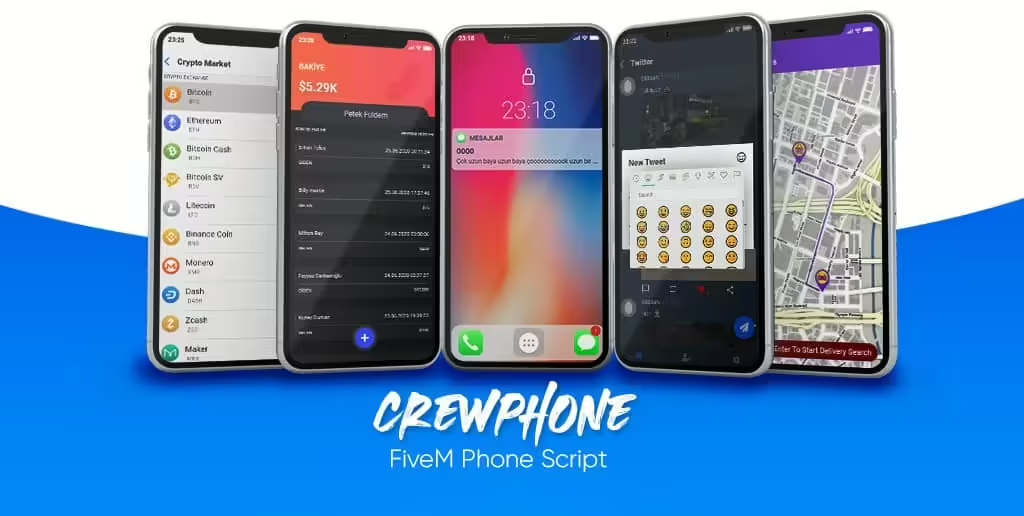
CrewPhone: Fix the Impossible Hash Issue
How to Fix CrewPhone Hash Problem (###)
Many players who use the CrewPhone (or gcPhone) addon on their FiveM servers find themselves staring at a seemingly random number like ###-#### instead of the expected full phone number. It’s a subtle but disruptive glitch that stops players from being able to place calls, send messages, or use the in‑game phone at all. If you’ve hit this snags, you’re not alone, and the solution is quite straightforward.
—
CrewPhone Hash Problem: Quick Fix
The culprit is usually a missing client‑side event that tells the server when a player has fully loaded into the game. Without this tiny notification, the server-side script that generates phone numbers often falls back to a default sequence, producing the placeholder numbers you see. The fix is to fire a server event as soon as the player’s loadout has been restored.
Here’s the full, ready‑to‑copy snippet you can drop into your `client.lua` (or an equivalent Es_extended client script):
“`lua
— Trigger a server event as soon as the player has loaded
TriggerServerEvent(‘crew:onPlayerLoaded’, GetPlayerServerId(PlayerId()))
— Example: Attach to the existing loadout restoration hook
AddEventHandler(‘esx:restoreLoadout’, function()
local playerPed = PlayerPedId()
local ammoTypes = {}
— Remove any pre‑existing weapons
RemoveAllPedWeapons(playerPed, true)
— Re‑give the player their loadout
for _, weapon in ipairs(ESX.PlayerData.loadout) do
local weaponName = weapon.name
local ammoType = GetPedAmmoTypeFromWeapon(playerPed, weaponName)
— Add weapon to the ped
GiveWeaponToPed(playerPed, weaponName, 0, false, false)
SetPedWeaponTintIndex(playerPed, weaponName, weapon.tintIndex)
— Add any weapon components
for _, component in ipairs(weapon.components) do
local componentHash = ESX.GetWeaponComponent(weaponName, component).hash
GiveWeaponComponentToPed(playerPed, weaponName, componentHash)
end
— Add ammo only once per type
if not ammoTypes[ammoType] then
AddAmmoToPed(playerPed, weaponName, weapon.ammo)
ammoTypes[ammoType] = true
end
end
— Tell the server the player has fully loaded
TriggerServerEvent(‘crew:onPlayerLoaded’, GetPlayerServerId(PlayerId()))
isLoadoutLoaded = true
end)
“`
All you need to do is paste this block above the rest of your client‑side code, ensuring it runs immediately after the player’s data is fully restored.
—
Why the Event is Crucial
In a typical FiveM server running Es_extended, player data (including the phone number) is stored on the server and fetched each time a player joins. The client script then sends a “player loaded” event back to the server so that the server knows all required assets (weapons, clothes, phone data) have been applied.
If that event is missing, the server can’t correctly link the phone number to the player object—leading it to fall back to either:
1. A default, unreadable hash (the infamous `###-####`), or
2. No number at all, which forces the client to request a new one, causing the same glitch again.
By firing `crew:onPlayerLoaded` at the right moment, you give the server a chance to bind the freshly loaded player object to its stored phone number. The hash conversion portion of the script then correctly transforms that number into a readable format.
—
Step‑by‑Step Setup Guide
1. Locate Your Client Script
Find the `client.lua` (or a similarly named file) within your `es_extended` or `CrewPhone` resource folder.
2. Insert the Trigger
At the very top of the file, add:
“`lua
TriggerServerEvent(‘crew:onPlayerLoaded’, GetPlayerServerId(PlayerId()))
“`
This ensures the event fires even before any other logic runs.
3. Update the Loadout Hook
Search for the `AddEventHandler(‘esx:restoreLoadout’, function()` line.
Replace or augment the handler with the complete example shown above.
4. Save and Reload
Save the file, then run the following in your server console:
“`bash
apply_pgsql
restart CrewPhone
restart es_extended
“`
Alternatively, simply restart the entire server to ensure all changes take effect.
5. Test
Join the server, equip a weapon, and open your in‑game phone. The number should now appear correctly, e.g., `012-3456`.
—
Troubleshooting Common Issues
| Problem | Possible Cause | Fix |
|———|—————-|—–|
| Phone number still shows as `###-####` | Event not firing (e.g., script order wrong) | Double‑check that the `TriggerServerEvent` line appears above any other function definitions. |
| Server logs show `ERROR: crew:onPlayerLoaded` | Mis‑named event on the server side | Verify that the server script listens for `crew:onPlayerLoaded` (usually in `server.lua`). |
| Player receives a different number each time | Number regeneration on load | Ensure `crew:onPlayerLoaded` triggers only after the loadout is fully applied; the snippet above handles this. |
| Game crashes when loading weapons | Incorrect weapon hash or component value | Confirm the ESX version you’re using matches the snippet’s API (some older versions use `GetWeaponComponent`.) |
—
Alternatives if the Script Doesn’t Work
Although the above solution works for most setups, you might still face challenges if your server runs custom scripts or a different framework. Here are a couple of alternative approaches:
1. Directly Call the Phone Registration Function
“`lua
TriggerServerEvent(‘crew:registerPhone’, GetPlayerServerId(PlayerId()))
“`
Some CrewPhone variants expose a `registerPhone` event that forces the server to generate a new number regardless of the loadout status.
2. Patch the Server‑Side Number Generator
Locate the server script that handles `crew:onPlayerLoaded` and ensure it includes:
“`lua
if not playerData.phone then
playerData.phone = GeneratePhoneNumber()
end
TriggerClientEvent(‘crew:setPhoneNumber’, src, playerData.phone)
“`
This forces a proper number to be set even if the client didn’t request one.
—
Expanding Beyond the Hash Problem
Fixing the hash problem is just one part of having a polished phone system on your server. To get the meeste value out of CrewPhone, consider adding:
– Custom Call Sounds – Replace the default ringtone with localized genres.
– Messaging Spam Protection – Implement cooldowns to avoid players flooding the chat.
– Contacts Import – Allow players to import contacts from a shared database for easier management.
Each of these enhancements can be tackled later, but by starting with the hash fix you’ll eliminate a major friction point for your players.
—
Conclusion
The CrewPhone hash problem is a minor glitch that can feel like a major roadblock. By ensuring the client fires the `crew:onPlayerLoaded` event right after a player’s loadout is restored, you signal the server to link the correct phone number, eliminating the placeholder `###-####` display. Implement the snippet above, test it, and you’ll have a seamless phone experience for your players.
Quick recap:
1. Insert the event trigger at the top of your client file.
2. Patch the `esx:restoreLoadout` handler with the detailed code example.
3. Restart the server and verify the number shows correctly.
With these steps, the CrewPhone hash problem will be a memory of the past, allowing your community to enjoy a fully functional in‑game telephone system. Happy gaming!
Bleib auf dem Laufenden
Erhalte die neuesten FiveM-Tutorials, Mod-Releases und exklusive Updates direkt in dein Postfach.
Kein Spam. Jederzeit abbestellbar.