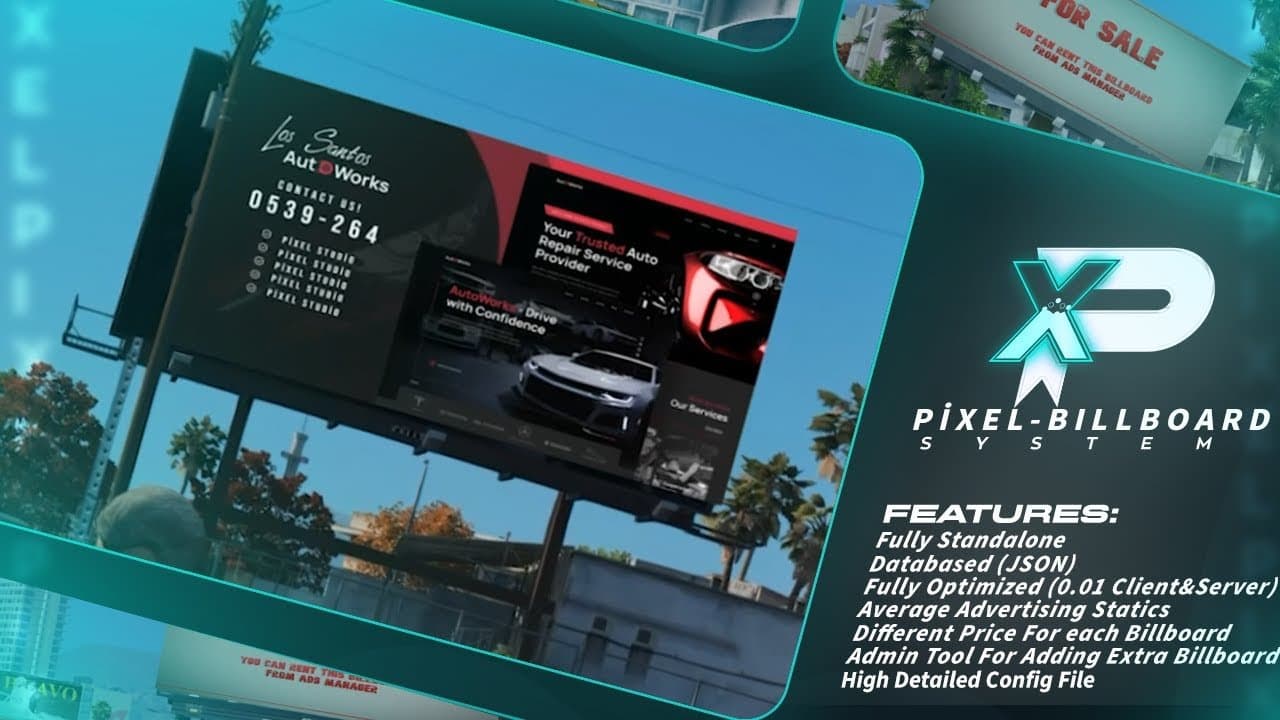
Pixel Poster Billboard Script
Pixel Poster Billboard Script - You can go to the location where the Ads Manager is located and interact with the E key.
Video Preview
Click to load video from YouTube. By watching, you agree to their privacy policy.
Pixel Poster Billboard Script - Dynamic Image Display System for FiveM
The Pixel Poster Billboard Script provides a powerful dynamic image display system that allows server administrators to place custom images, posters, videos, and animated content on in-game billboards, screens, and poster locations throughout the FiveM map. This versatile script transforms static environmental props into dynamic marketing platforms, informational displays, or immersive world-building tools. Whether you're advertising server businesses, displaying community artwork, creating interactive movie theater experiences, or building an immersive advertising ecosystem for your city, this billboard system delivers the technical foundation and creative flexibility to bring your vision to life.
What's Included
This comprehensive billboard management system includes the core script for displaying custom content on in-game surfaces, a web-based admin panel for managing displayed images without server restarts, support for static images (PNG, JPG, WebP), animated GIFs, and video content, pre-configured billboard locations throughout the map with easy coordinate-based expansion, permission system controlling who can update billboard content, and URL-based content loading allowing images hosted anywhere accessible via direct link. The system includes performance optimization ensuring minimal FPS impact even with multiple active billboards, automatic content caching to reduce bandwidth usage, and fallback systems preventing broken displays when URLs fail.
Key Billboard System Features
- Dynamic Content Updates - Change billboard images instantly through admin panel without server restarts or file uploads
- URL-Based Loading - Display any image accessible via URL (Imgur, Discord CDN, direct links, custom hosting)
- Multi-Format Support - Handle static images (PNG/JPG/WebP), animated GIFs for dynamic ads, and video content for immersive displays
- Pre-Configured Locations - Includes ready-to-use billboard positions at major map locations (Legion, Vinewood, highways, businesses)
- Custom Location System - Easy coordinate-based configuration allowing unlimited custom billboard placements anywhere on the map
- Size & Scaling Controls - Adjust billboard dimensions and image scaling to fit any surface or prop perfectly
- Permission Management - Restrict billboard editing to admins, business owners, or specific job roles through configurable permissions
- Persistent Storage - Billboard content saves to database ensuring displays persist through server restarts
- Performance Optimization - Efficient rendering with distance-based loading preventing performance issues in busy areas
- Fallback System - Displays default images when URLs fail, preventing broken or empty billboards
Perfect For
- Business advertising systems allowing player-owned businesses to purchase billboard space for marketing campaigns
- Community engagement displaying player art, memes, announcements, or event promotions across the city
- Immersive roleplay environments with in-game news broadcasts, wanted posters, or propaganda displays
- Movie theater scripts showing movie posters, trailers, or now showing displays outside cinema MLOs
- Real estate advertising displaying property photos and details on billboards near available buildings
- Server branding showcasing rules, Discord information, donation links, or community updates at spawn points
Technical Details
- Performance Impact: Minimal (~0.01-0.03ms per billboard depending on content type and player proximity)
- Framework Support: Works with ESX, QBCore, QBOX, or standalone - framework integration optional
- Database: Lightweight table storing billboard configurations and current content URLs
- Admin Panel: Web-based management interface (HTML/CSS/JS) for non-technical billboard updates
- Image Formats: PNG, JPG, WebP (static), GIF (animated), MP4/WebM (video content)
- Content Hosting: Works with any public URL - Imgur, Discord CDN, Dropbox, custom web hosting, etc.
- Dependencies: None required - pure standalone functionality with optional framework integration
- Update Method: Hot-reload system allows content changes without player disconnection or resource restart
Installation & Configuration
- Extract the
pixel-billboardfolder to your server's resources directory - Import the included SQL file to create the billboard storage database table
- Add
ensure pixel-billboardto your server.cfg file - Configure billboard locations in
config.luawith coordinates, sizes, and rotation values (pre-configured locations included) - Set up permissions defining which players/jobs can edit billboard content (admin-only by default)
- Access the admin panel through the configured command (default:
/billboardsfor authorized users) - Upload your first image to a hosting service, paste the direct URL into the panel, and watch it appear in-game
Framework Compatibility
- ✅ ESX - Optional integration for job-based permissions (advertising job controls billboards, business owners manage their ads)
- ✅ QBCore - QB permission system integration allowing role-based billboard management
- ✅ QBOX - Full compatibility with QBOX permission and job structures
- ✅ Standalone - Works independently using Steam IDs, Discord IDs, or license identifiers for admin permissions
Advanced Use Cases & Integration
The billboard system opens creative possibilities beyond simple image displays. Integrate with economy scripts to create a billboard rental marketplace where players purchase advertising space for their businesses, with prices varying by location prominence (Legion Square billboards cost more than rural highway spots). Connect with real estate scripts to automatically display property photos and pricing when buildings are listed for sale. Link to news scripts that push breaking news headlines to digital billboards across the city. Some servers create interactive movie theaters by syncing video billboards to play trailers or full films that all nearby players see simultaneously. Advanced implementations include rotation systems that cycle through multiple ads on a single billboard, creating traditional advertising rotation patterns.
What Makes It Stand Out
Unlike basic texture replacement methods that require server restarts and manual file uploads, Pixel Poster Billboard Script operates in real-time through an accessible admin interface. The URL-based loading means you never need FTP access or file management - simply paste an Imgur link and the billboard updates instantly. The performance optimization ensures dozens of billboards can operate simultaneously without frame drops, achieved through smart distance-based rendering and efficient texture handling. The permission system prevents chaos while enabling delegation - you can safely allow business owners or marketing staff to manage specific billboards without granting full admin access. The persistent storage means your carefully curated billboard content survives server updates and restarts, maintaining your city's visual consistency.
Content Hosting Recommendations
For reliable billboard operation, host images on stable platforms with direct linking support. Imgur is popular for quick uploads and reliable CDN delivery, though be aware of their terms of service for commercial use. Discord CDN works well for small communities but may rate-limit with heavy traffic. For professional servers, consider dedicated image hosting (Cloudinary, ImageKit) offering better uptime guarantees and features like automatic image optimization. The script includes content caching reducing repeated downloads, but initial load speed depends on your hosting provider's performance. Always use direct image URLs (ending in .jpg, .png, .gif) rather than website links for proper display.
Billboard Location Configuration
Adding custom billboard locations requires basic coordinate knowledge but is straightforward with the included examples as templates. Stand at your desired location, retrieve coordinates using a position script or developer tool, note the heading (rotation) for proper billboard facing, determine appropriate size based on the surface or prop, and add the configuration to config.lua following the example format. Common billboard locations include: above business entrances for store signage, on highway props for travel advertisements, in parking lots for event promotions, inside MLO interiors for wall art or business posters, and at spawn points for server information. The script includes a helper command to preview billboard placement before finalizing, ensuring proper positioning and sizing.
Troubleshooting & Common Issues
If billboards don't display, verify the image URL is a direct link (test by pasting in browser - should show only the image), check FiveM's content policy (some websites block hotlinking), ensure the URL uses HTTPS not HTTP for security compatibility, and confirm billboard coordinates are correct and accessible. For performance issues with video content, consider reducing video resolution or switching to animated GIFs for better optimization. The included debug mode logs texture loading attempts, helping identify URL or permission issues. Most display problems trace to incorrect URLs or hosting platforms that don't allow direct linking.
https://www.youtube.com/watch?v=sk3Q0X82EjoRelated QBOX Scripts
Frequently Bought Together

Total price
Save 10% ($7.70)