CodeM mHUD — Advanced HUD System
mHUD - mHUD AIO is an All In One HUD system for ESX and QBCore. Compatible with ESX framework for FiveM servers.
Pré-visualização em Vídeo
Click to load video from YouTube. By watching, you agree to their privacy policy.
mHUD - Modern Minimalist HUD for FiveM
Elevate your server's visual experience with this sleek, performance-optimized HUD that displays all essential player information in a clean, modern interface. Designed for servers that want a professional look without the bloated features and performance drain of heavyweight HUD systems, mHUD strikes the perfect balance between functionality and aesthetics.
What's Included
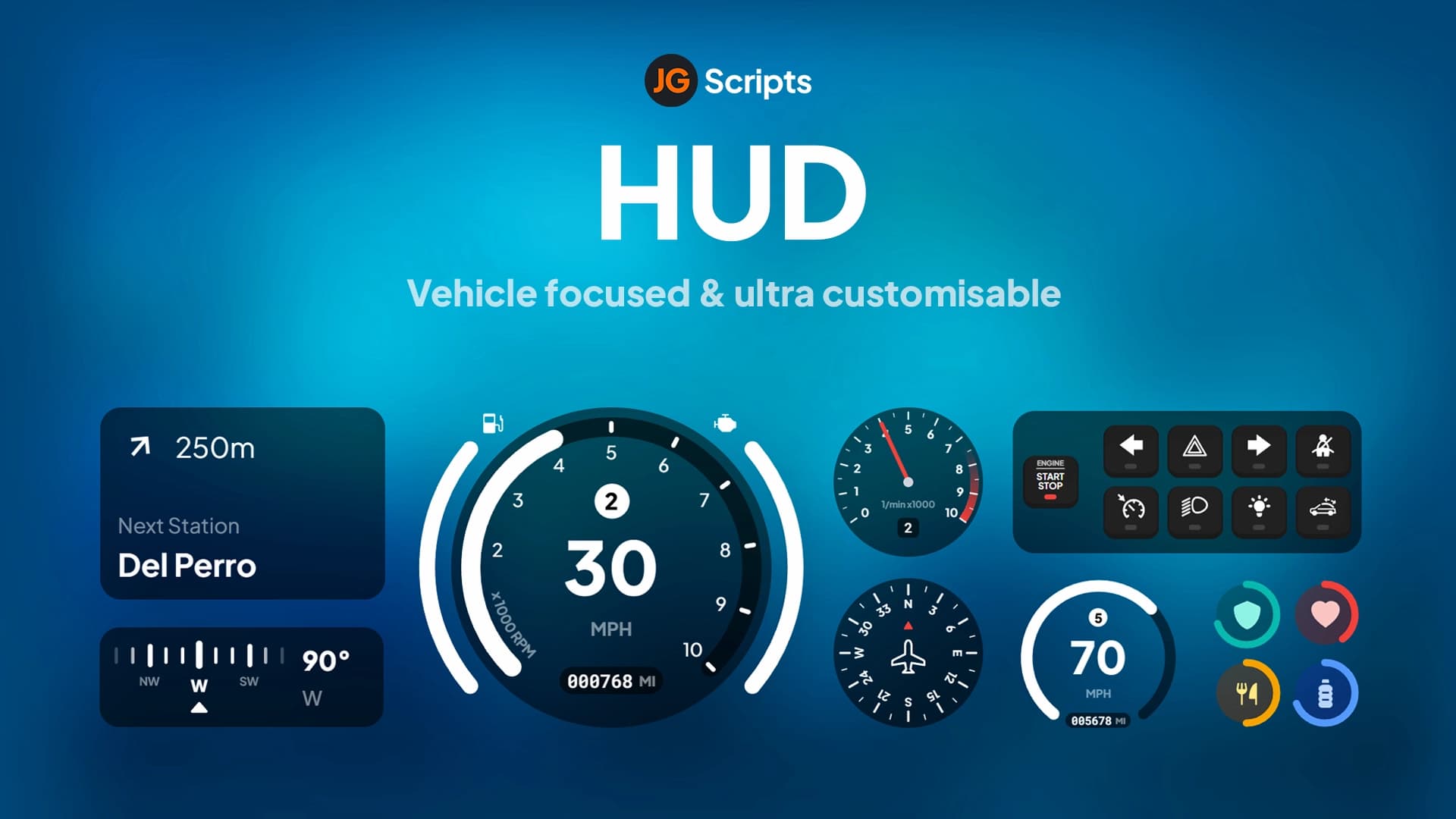
This complete HUD replacement features a minimalist status display showing health, armor, hunger, thirst, and stress indicators with smooth animated transitions. The integrated vehicle speedometer activates automatically when entering vehicles, displaying speed (MPH/KPH), fuel level, gear indicator, and engine status. The HUD is fully customizable through easy configuration files, allowing you to adjust colors, positioning, visibility toggles, and which status bars are shown.
Key Features
- Player Status Display - Health, armor, hunger, thirst, stress with color-coded progress bars
- Vehicle Speedometer - Automatic speed display with MPH/KPH toggle, gear indicator, fuel gauge
- Minimalist Design - Clean, unobtrusive interface that doesn't clutter the screen
- Smooth Animations - Fluid transitions when status values change or HUD elements appear
- Toggle Visibility - Command to hide/show HUD (perfect for screenshots or cinematic moments)
- Conditional Display - Some elements (armor, stamina, oxygen) only appear when relevant
- Color Customization - Adjust progress bar colors to match your server's theme
- Optimized Performance - Minimal resource usage, typically 0.00-0.01ms idle
Perfect For
- Roleplay servers wanting clean UI that doesn't distract from immersion
- Servers transitioning from default GTA HUD to custom interface
- Communities prioritizing performance and looking to reduce resource overhead
- Servers with custom color schemes requiring HUD theme matching
- Streamers and content creators who need minimal UI for clean footage
Technical Details
- Resource Usage: 0.00-0.01ms idle, negligible FPS impact
- UI Framework: HTML/CSS/JavaScript NUI with optimized rendering
- Status Updates: Real-time synchronization with framework status systems
- Resolution Support: Responsive design works on all screen resolutions
- Commands: /toggleui or configurable command to hide/show HUD
- Dependencies: Framework-specific status system (ESX/QBCore)
Installation
- Extract mHUD to your resources folder
- Configure framework in config.lua (ESX or QBCore)
- Customize colors, positioning, and displayed elements in config
- Set unit preference (MPH or KPH for speedometer)
- Add to server.cfg: ensure mhud
- Restart server and verify HUD displays correctly
- Test toggle command and vehicle speedometer activation
Framework Compatibility
- ✅ ESX - Full integration with ESX status system (hunger, thirst, etc.)
- ✅ QBCore - Native support for QB-Core stress, hunger, thirst mechanics
- ✅ QBOX - Compatible with QBOX player status framework
- ⚠️ Standalone - Requires framework for status tracking (not fully standalone)
Customization Options
The configuration file provides extensive customization without touching code. Adjust the position of HUD elements anywhere on screen, change progress bar colors to match your server theme, toggle individual status indicators on or off, set percentage thresholds for when certain bars appear (armor only above 0%, stamina only below 100%), choose between MPH and KPH units, and configure the toggle command to your preference. This flexibility means mHUD adapts to your server rather than forcing a specific look.
Display Logic
mHUD uses smart display logic to reduce screen clutter. Armor only appears when you actually have armor equipped. Stamina and oxygen bars only show when they're below 100% (during sprinting or underwater). The vehicle speedometer automatically appears when you enter a vehicle and disappears on exit. This conditional display keeps the screen clean during normal gameplay while ensuring critical information appears exactly when you need it.
What Makes It Stand Out
In a market flooded with bloated, feature-heavy HUDs that tank performance, mHUD focuses on doing the essentials perfectly. The minimalist design philosophy means no distracting animations, no unnecessary information, and no FPS drops. It's inspired by modern UI design principles where less is more - every element serves a purpose, nothing is there for decoration. The result is a HUD that looks professional, performs flawlessly, and gets out of the way so players can focus on roleplay rather than interface elements.