JG HUD
JG HUD - JG HUD is the complete, fully customizable HUD built for every type of FiveM server. Compatible with ESX framework for FiveM servers.
Pré-visualização em Vídeo
Click to load video from YouTube. By watching, you agree to their privacy policy.
JG HUD - Ultra Customizable Vehicle-Focused Interface for FiveM
Transform your FiveM server's user interface with JG HUD, the most flexible and vehicle-focused HUD system available for modern roleplay servers. This ultra-customizable heads-up display goes far beyond basic speedometers and health bars—it delivers a comprehensive interface solution with over 25 unique component styles, complete drag-and-drop customization, vehicle-specific displays for cars, motorcycles, boats, aircraft, and even trains, plus seamless framework integration. Whether you're running ESX, QBCore, QBox, or operating standalone, JG HUD provides players with essential information while maintaining the clean, immersive aesthetic your server demands.
Built with performance and player experience in mind, JG HUD offers unprecedented customization without sacrificing server resources. Players can personalize every aspect of their interface—from speedometer design to minimap position, health display style to compass type—creating a truly unique experience tailored to individual preferences. Server owners gain access to extensive configuration options allowing them to define default layouts, restrict certain features, or create themed HUD profiles for different server styles from hardcore simulation to arcade racing.
Unmatched Customization Options
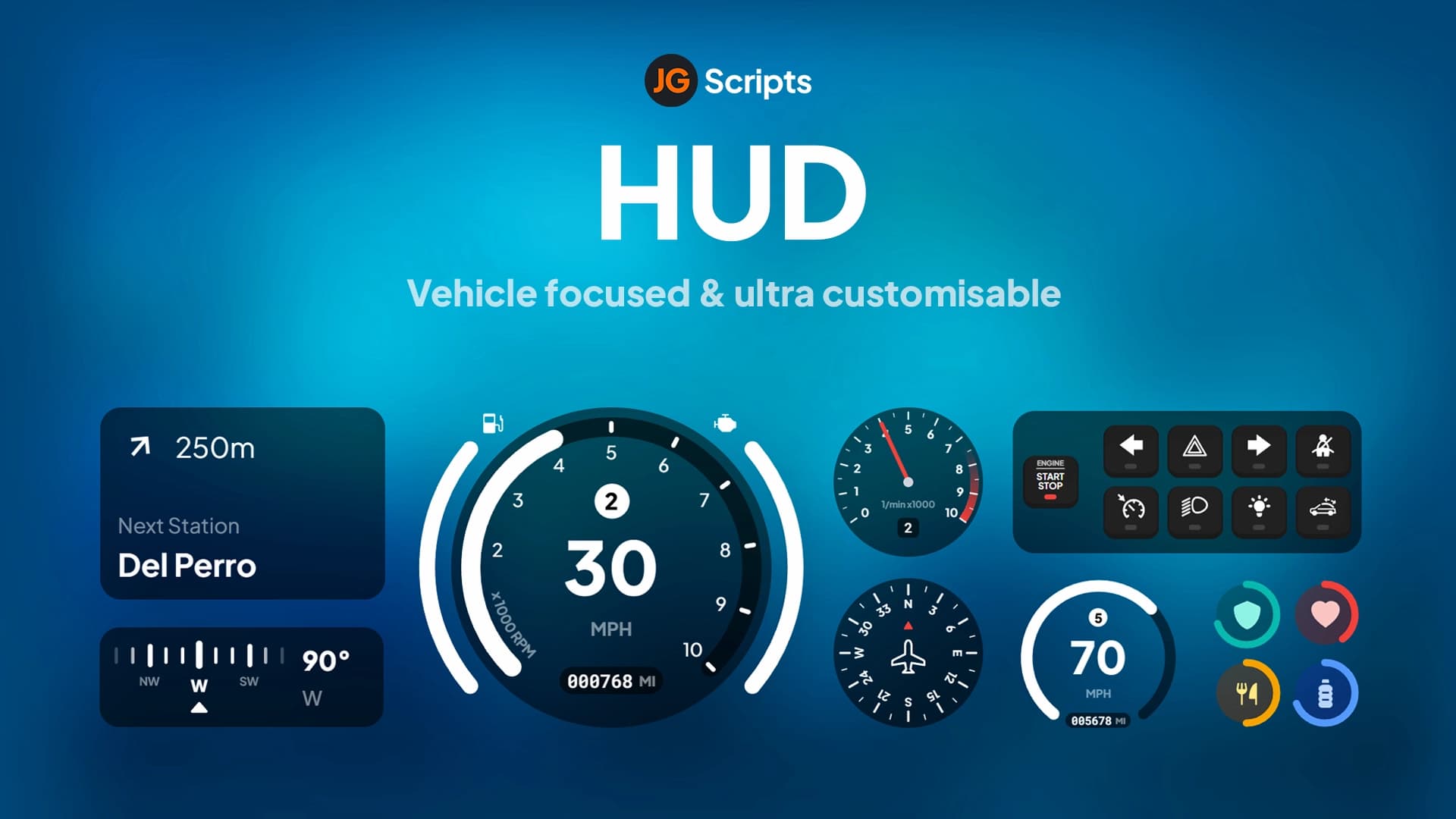
JG HUD sets the standard for interface flexibility with choices that accommodate every playstyle and preference. The system includes 6 unique speedometer designs ranging from classic analog gauges to modern digital displays, with specialized EV (electric vehicle) layouts showing battery charge and regeneration. Motorcycle riders get 3 dedicated bicycle/bike speedometer styles optimized for two-wheel vehicles. Boat operators choose between 2 nautical-themed designs with knot speed displays. Aircraft pilots access 2 aviation-specific interfaces showing altitude, heading, and airspeed. Train engineers get a dedicated railway display. Beyond vehicle displays, players select from 3 compass types (traditional, modern, minimal), 4 health display styles, and 4 player information panel designs.
The true power lies in the drag-and-drop editor that lets players reposition and resize every HUD element including the minimap, speedometer, health bars, status indicators, and even custom elements. This means ultrawide monitor users can optimize their layout for 21:9 or 32:9 displays, competitive racers can maximize screen real estate for better visibility, and immersive roleplayers can create minimal interfaces that don't obstruct their view. Every configuration saves per-player, so each person on your server can create their perfect interface.
Key Features
- 25+ Component Styles - Mix and match from dozens of speedometer, health, compass, and info panel designs
- Full Drag & Drop Editor - Move and resize every HUD element including the minimap with pixel-perfect precision
- Vehicle-Specific Displays - Automatic switching between car, bike, boat, aircraft, and train interfaces
- Electric Vehicle Support - Dedicated EV speedometers showing battery charge, range, and regeneration
- Ultrawide Monitor Ready - Native support for 21:9 and 32:9 displays with optimized layouts
- Minimap Customization - Resize, reposition, and customize the minimap to your preference
- Status Indicator System - Display hunger, thirst, stress, armor, oxygen, and custom status effects
- Speed Unit Options - Toggle between MPH, KPH, and knots depending on vehicle type
- Fuel Integration - Compatible with all major fuel systems showing accurate tank levels
- Vehicle Controls Display - Show current gear, engine status, lights, indicators, and more
- Customizable Colors - Theme your HUD with custom color palettes to match server branding
- Performance Optimized - Minimal resource usage (typically <0.02ms) despite extensive features
- Framework Integration - Works seamlessly with ESX, QBCore, QBox, or completely standalone
- Per-Player Profiles - Each player's customization saves and loads automatically
- Admin Configuration - Server owners control which features are available and default settings
Perfect For
- Roleplay servers wanting to give players interface control without sacrificing information
- Racing communities needing clean, performance-focused speedometer displays
- Simulation servers requiring detailed vehicle information and realistic gauges
- Content creators who need customizable HUDs for different video scenarios
- Servers with diverse vehicle types (cars, bikes, boats, aircraft) needing specialized displays
- Communities with players using various monitor setups from standard to ultrawide
- Server owners wanting a professional, modern interface that reflects their brand
Vehicle-Focused Design Philosophy
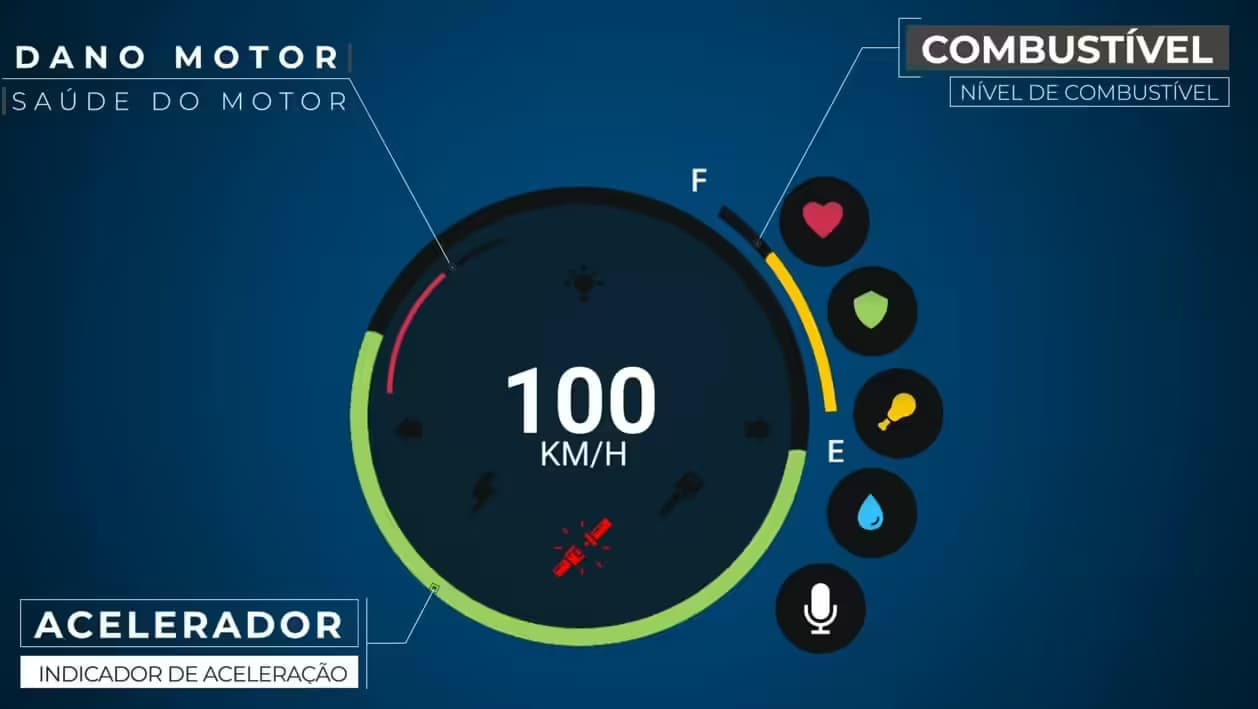
Unlike generic HUD systems that use the same display for every vehicle, JG HUD recognizes that different vehicle types need different information. When you enter a car, you see a full automotive speedometer with gear indicator, RPM gauge, fuel level, engine temperature, and turn signals. Switch to a motorcycle and the interface adapts to a bike-specific design optimized for two-wheel visibility. Board a boat and the display shifts to nautical instrumentation with knot speed, heading, and marine-relevant data. Climb into an aircraft and you get aviation gauges showing altitude, airspeed, heading, and vertical speed. Board a train and a railway-specific interface appears. This intelligent switching ensures players always have appropriate information without manual mode changes.
The electric vehicle support is particularly impressive, with EV-specific speedometers displaying battery percentage, estimated range, current power consumption, and regenerative braking activity. As electric vehicles become more common in FiveM servers, having a HUD that properly represents this technology enhances realism and player immersion.
Drag & Drop Customization
The built-in editor revolutionizes HUD customization on FiveM. Players open the editor interface and simply click and drag any element to a new position on screen. Want your speedometer in the top-left instead of bottom-right? Drag it there. Prefer a larger minimap? Resize it with corner handles. Need your health bar front and center? Position it exactly where you want it. The system includes snap-to-grid options for precise alignment, opacity controls for see-through elements, and scale adjustments to make elements larger or smaller.
This level of customization accommodates every preference from minimalist setups showing only essential information to comprehensive dashboards displaying every available data point. Streamers can configure clean interfaces that don't obstruct important screen areas. Competitive racers can create performance-focused layouts maximizing visibility. Immersive roleplayers can position elements to simulate dashboard-mounted devices realistically.
Framework & Script Integration
JG HUD integrates seamlessly with popular FiveM frameworks and scripts. For ESX Legacy, it displays job information, society accounts, player needs (hunger/thirst), and ESX-specific status effects. QBCore integration shows stress levels, job data, gang affiliations, and QB-specific mechanics. QBox compatibility ensures all QBox features display correctly. The HUD also connects with fuel scripts (LegacyFuel, ox_fuel, cdn-fuel), vehicle scripts for advanced vehicle data, job scripts to show relevant duty information, and status scripts for custom needs and effects.
Server owners can configure which status indicators appear based on their installed scripts. If you run a hunger/thirst system, those bars display automatically. Using a stress mechanic? It integrates into the HUD. Running a stamina system? It shows up alongside health and armor. This modularity means you only show relevant information without cluttering the interface with unused indicators.
Installation & Configuration
- Download the JG HUD resource and extract it to your server's resources folder
- Add ensure jg-hud (or your resource name) to your server.cfg file
- Configure framework settings in config.lua (ESX/QBCore/QBox/Standalone)
- Customize default HUD layout, available components, and color scheme
- Set up integration with your fuel system, status scripts, and vehicle scripts
- Define which customization options players can access (allow/restrict certain features)
- Restart your server and test the HUD with different vehicle types
- Players can then access the customization menu (usually bound to a configurable key)
Framework Compatibility
- ✅ ESX Legacy - Full integration with ESX needs, jobs, and player data systems
- ✅ QBCore - Complete QB-Core support including stress, metadata, and job displays
- ✅ QBox - Optimized for QBox with all QBox-specific features supported
- ✅ Standalone - Can operate independently without any framework using basic vehicle data
What Makes It Stand Out
JG HUD stands apart from basic speedometer scripts by offering a complete interface ecosystem rather than isolated components. The vehicle-specific displays show attention to detail and understanding of what different vehicle operators actually need to see. The drag-and-drop customization is unprecedented in FiveM HUDs—most scripts offer fixed positions or limited adjustment, while JG HUD gives players pixel-perfect control. The performance optimization ensures that extensive features and customization options don't impact server resources or client FPS. Perhaps most importantly, the system scales from simple configurations for casual servers to complex setups for simulation communities without requiring multiple HUD scripts.
Player Experience
From a player perspective, JG HUD feels polished and professional. The interfaces are modern and visually appealing without being flashy or distracting. Information is presented clearly and legibly at all times regardless of lighting conditions or backgrounds. The customization menu is intuitive—even players unfamiliar with HUD editing can create personalized layouts within minutes. The automatic vehicle-type switching means players never have to manually change modes or deal with inappropriate information displays. Returning players find their custom layouts saved and ready, maintaining consistency across gaming sessions.
Requirements
- FiveM server running a recent artifact version (5181+ recommended)
- ESX Legacy, QBCore, QBox framework, or standalone configuration
- Basic understanding of FiveM resource installation and configuration
- Optional: Fuel script for fuel level display integration
- Optional: Status/needs scripts for hunger, thirst, stress integration
Customization Limits & Flexibility
Server owners have granular control over what players can customize. You can lock certain elements in fixed positions while allowing others to be moved, restrict which speedometer styles are available to maintain a consistent server aesthetic, enforce a minimum/maximum size for critical elements like health bars, define color palette restrictions to match server branding, or give players complete freedom to create any layout they want. This flexibility allows both strict uniform servers and creative open communities to use the same HUD system.
Performance Specifications
Despite offering dozens of component styles and complete customization, JG HUD maintains exceptional performance. Typical resource usage sits at 0.01-0.02ms during normal operation, rising only slightly to 0.03ms during heavy activity with multiple status changes. Client-side performance shows negligible FPS impact on most systems, with the HUD rendering efficiently even on lower-end hardware. Memory usage is minimal thanks to optimized asset loading and smart caching. The result is a feature-rich HUD that performs like a basic speedometer script.
Updates & Support
JG HUD includes lifetime updates bringing new component styles, enhanced customization options, improved framework compatibility, and performance optimizations. The package includes comprehensive documentation covering installation, configuration, and customization options. Support is available for troubleshooting integration issues, configuring advanced features, and optimizing the HUD for your specific server setup. Regular updates ensure compatibility with new FiveM versions and popular script updates.
Related FiveM HUD
Frequentemente Comprados Juntos

Preço total
Economize 10% ($9.50)