ata Spawn Selector
ata Spawn Selector - professional ESX script with custom features and optimized performance for FiveM servers Compatible with ESX framework.
Aperçu vidéo
Click to load video from YouTube. By watching, you agree to their privacy policy.
ATA Spawn Selector - Professional Character Spawn System for ESX
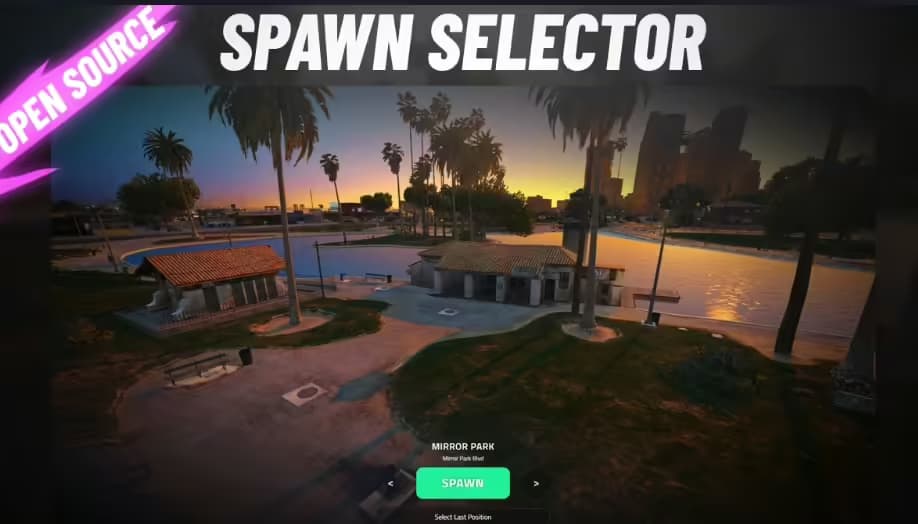
Transform your players' first moments in-game with the ATA Spawn Selector, a sleek and intuitive spawn selection interface designed specifically for ESX framework servers. This modern spawn system goes beyond basic functionality by displaying real street names and locations, creating an immersive and professional experience from the moment players join your server. Whether they're spawning at their home, a job location, or a custom point you've created, every spawn feels intentional and polished.
The ATA Spawn Selector eliminates the confusion of generic spawn systems by providing clear, contextual information about where players are spawning. Instead of dropping into the world without orientation, players see the actual street name and area designation, helping them immediately understand their location within the city. This attention to detail creates a more realistic and engaging roleplay environment right from the start.
What Makes This Spawn Selector Stand Out
What sets the ATA Spawn Selector apart is its intelligent location detection and automatic card generation system. The script dynamically identifies street names and place designations using native FiveM functions, ensuring accurate location information every time. The fully automatic card location making means you don't spend hours manually configuring spawn points - the system generates professional-looking spawn cards automatically based on your defined coordinates.
The spawn selector is built with responsiveness in mind, adapting seamlessly to different screen sizes and resolutions. Whether your players are on ultrawide monitors or standard displays, the interface maintains its elegant appearance and functionality. The clean, modern UI fits naturally into any server theme while remaining highly customizable through simple configuration files.
Core Features & Functionality
- Real Street Name Display - Shows actual in-game street names and location designations, not generic labels. Players know exactly where they're spawning with full geographic context.
- Home Spawn Option - Players can choose to spawn at their owned properties or designated home locations. Perfect for servers with housing systems and property ownership mechanics.
- Job-Specific Spawn Points - Create spawn locations tied to specific jobs or factions. Police spawn at the precinct, EMS at the hospital, mechanics at the garage - seamless roleplay integration.
- Automatic Location Card Generation - The system automatically creates professional spawn point cards without manual setup. Define coordinates and the script handles the visual presentation.
- Fully Responsive Design - Adapts to all screen resolutions and aspect ratios. The interface looks great whether you're on 1080p, 1440p, 4K, or ultrawide displays.
- ESX Framework Integration - Built specifically for ESX servers with native integration. Works with ESX property systems, job systems, and player data structures.
- Easy Configuration - Simple config file structure makes adding new spawn points straightforward. No complex coding required to expand your spawn options.
- Smooth Animations - Polished transitions and animations create a premium feel. Spawn point selection feels fluid and professional, not clunky or rushed.
Perfect For These Server Types
- Serious Roleplay Servers - The professional interface and accurate location information enhance immersion for serious RP communities focused on realism.
- City-Based Servers - Servers simulating real cities benefit from the street name display, helping players orient themselves geographically.
- Job-Focused Servers - Servers with multiple job systems can create dedicated spawn points for each profession, streamlining the player experience.
- Housing/Property Servers - The home spawn functionality integrates perfectly with property ownership and real estate systems.
- Multi-District Servers - Servers with distinct neighborhoods or districts can create spawn points that reflect geographic diversity.
How Job Spawn Points Work
The job spawn system integrates directly with ESX's job framework. When you create a spawn point and link it to a job, only players with that specific job can see and select that spawn location. This creates natural roleplay flows - firefighters spawn at the fire station, taxi drivers at the taxi depot, and government officials at city hall. The system checks job assignments in real-time, so spawn options update immediately when a player changes jobs.
You can create multiple spawn points for the same job, giving players choice while maintaining roleplay consistency. For example, police officers might choose between the main precinct downtown, a satellite station in Sandy Shores, or the Paleto Bay sheriff's office. This flexibility accommodates different roleplay scenarios while keeping spawns logical and immersive.
Installation & Setup Process
- Resource Installation - Download and extract the ATA Spawn Selector to your server's resources folder. Ensure it's properly named without special characters.
- Dependency Check - Verify ESX framework is installed and running. The spawn selector requires ESX for player data and job integration.
- Configuration - Open the config file and define your spawn locations with coordinates, names, and job requirements. The structure is straightforward and well-documented.
- Server Start - Add the resource to your server.cfg file and restart your server. The spawn selector activates automatically during character selection.
- Testing - Log in with different characters and job roles to test spawn point visibility and functionality. Verify location names display correctly.
Technical Specifications
- Framework: ESX (Legacy compatible)
- Performance: Minimal resource usage, only active during spawn selection
- Database: Integrates with ESX player data, no additional tables required
- Client-Side: Modern HTML/CSS/JavaScript UI with Vue.js-style reactivity
- Customization: Full UI customization through CSS, easily match your server theme
- Language Support: Supports multiple languages through locale files
- Compatibility: Works with all major ESX scripts including property, job, and housing systems
Customization Options
The spawn selector is designed to match your server's unique aesthetic. The interface uses modern CSS variables, making color scheme changes as simple as editing a few values. Want to match your loading screen? Adjust the primary color, background opacity, and accent colors in minutes. The card layout, font choices, and animation timings are all configurable without touching the core functionality.
For servers with custom spawn needs, the system supports unlimited spawn points. Whether you have 5 standard locations or 50 specialized spawn zones across the map, the interface scales gracefully. The card grid automatically adjusts to accommodate any number of options, maintaining visual clarity even with extensive spawn networks.
Why Street Name Display Matters
Displaying actual street names isn't just a nice visual touch - it fundamentally improves the player experience. New players can immediately orient themselves using street signs and landmarks. Veteran players can make informed spawn choices based on their planned activities. If someone needs to meet friends in Vinewood, they can spawn on Vinewood Boulevard instead of guessing. This seemingly small detail eliminates frustration and supports better roleplay.
The system uses native game functions to fetch real street and zone data, ensuring 100% accuracy across the entire map. Whether players spawn in downtown Los Santos, Sandy Shores, or Paleto Bay, they see legitimate location information that matches in-game signage and GPS data. This consistency reinforces immersion and professionalism.
Integration with ESX Systems
Because the ATA Spawn Selector is built specifically for ESX, it integrates seamlessly with your existing server infrastructure. It reads player-owned properties directly from ESX property tables, displays jobs from ESX job systems, and respects ESX permissions and groups. There's no complex middleware or compatibility layers - it just works with your current setup.
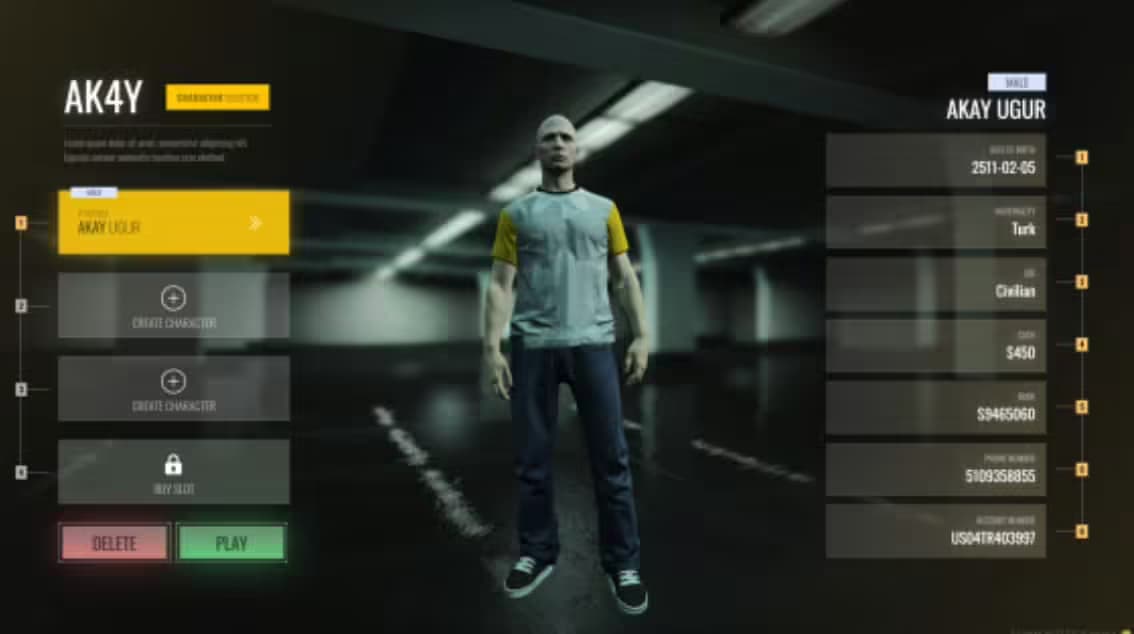
The spawn selector also respects ESX character selection, appearing at the appropriate moment in the login flow. Players go through character creation or selection, then immediately see their spawn options based on that character's jobs, properties, and permissions. Everything feels cohesive and intentional, not bolted-on or disconnected.
Performance & Optimization
The spawn selector is designed with performance in mind. It only runs during the initial spawn selection phase, not continuously during gameplay. Once a player spawns, the resource unloads from memory entirely, consuming zero resources during normal gameplay. The UI itself is lightweight modern web code that loads quickly even on slower connections.
Location detection happens server-side using efficient native functions, preventing client-side performance impacts. The automatic card generation creates visual elements on-demand rather than pre-rendering everything, keeping memory usage minimal. Even servers with dozens of spawn points see negligible performance impact.
What You Get
- Complete ATA Spawn Selector resource
- Fully configured example spawn locations
- Detailed configuration documentation
- ESX integration examples
- Customization guide for UI theming
- Job-specific spawn setup instructions
- Property spawn integration guide
- Lifetime updates and improvements
Support & Updates
The ATA Spawn Selector receives regular updates to maintain compatibility with the latest ESX versions and FiveM builds. Bug fixes and improvements are released as needed, with all updates available to existing customers at no additional cost. The clean, modular code structure makes customization straightforward for developers who want to extend functionality.
Whether you're launching a new server or upgrading an existing spawn system, the ATA Spawn Selector provides the professional, immersive experience your players expect from the moment they join your server.