2NA Loadingscreen
Loading Screen Customizable by Players It saves your customizations, and when you reconnect to the game, the settings you defined are applied
Aperçu vidéo
Click to load video from YouTube. By watching, you agree to their privacy policy.
2NA Loadingscreen - Player-Customizable Loading Experience for FiveM
Give your players complete control over their loading screen experience with 2NA Loadingscreen, the first truly player-customizable loading screen system for FiveM servers. Unlike traditional loading screens that force the same experience on everyone, 2NA Loadingscreen allows each individual player to personalize their loading screen settings - and those preferences are saved permanently. When players reconnect to your server, their customized settings are automatically applied, creating a personalized welcome experience every single time they join.
This innovative approach transforms the loading screen from a static waiting period into an interactive, personalized experience that reflects each player's preferences. Some players prefer upbeat music and bright visuals, while others want calm backgrounds and minimal sound. 2NA Loadingscreen accommodates everyone, letting your community customize their experience while maintaining your server's branding and identity.
How Player Customization Works
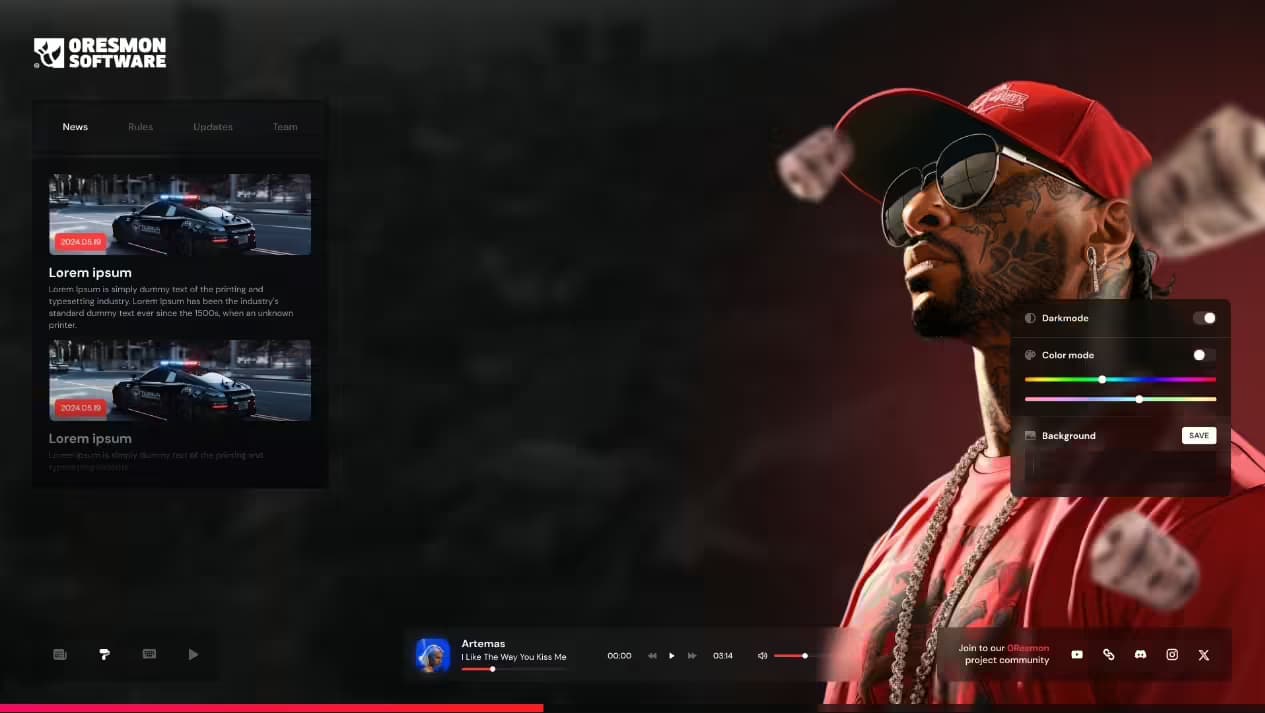
The customization system is designed to be intuitive and accessible. During the loading process, players can access a settings panel that lets them adjust various aspects of their loading screen experience. Changes take effect immediately, and the system automatically saves these preferences to their local storage. The next time they connect - whether it's minutes, days, or weeks later - the loading screen loads with their exact custom settings intact.
This persistent customization creates a sense of ownership and comfort. Players aren't just passive viewers during loading - they've crafted an experience that feels personal to them. This small but meaningful touch significantly improves player satisfaction and makes your server feel more welcoming and player-focused than competitors using generic, one-size-fits-all loading screens.
What Players Can Customize
- Background Selection - Players can choose from multiple background options you provide, selecting images or videos that match their aesthetic preferences. Want a city skyline? A nature scene? Their choice persists across sessions.
- Music Preferences - Volume controls and music track selection give players audio control. They can turn music off entirely, adjust volume levels, or switch between different soundtrack options if you provide multiple tracks.
- Visual Effects - Control animation intensity, particle effects, and visual overlays. Players who prefer minimal distraction can disable effects, while those who enjoy dynamic visuals can enable everything.
- Text Information Display - Toggle which information elements appear on screen. Some players want to see all server stats and rules, others prefer a clean, minimal view with just essential loading information.
- Color Schemes - If configured, players can choose from preset color themes that change UI accent colors, text colors, and overlay tints to match their personal preferences.
- Loading Tip Visibility - Enable or disable loading tips and informational messages. Veteran players who know everything can hide tips, while newcomers can keep them visible for guidance.
Perfect For These Server Types
- Large Public Servers - Servers with diverse player bases benefit from customization that accommodates different preferences. Not everyone likes the same music or visual style.
- Long-Session Servers - Players who connect frequently appreciate loading screens that feel personal rather than repetitive and generic.
- Community-Focused Servers - Shows players you care about their individual experience, not just mass appeal. Demonstrates player-first thinking.
- Roleplay Servers - Players can customize their loading experience to match their character's vibe or personal roleplay preferences.
- Competitive Servers - Players with performance concerns can disable heavy visual effects, while others can enjoy full visual fidelity based on their hardware.
- International Servers - Players from different cultures and backgrounds can select visuals and audio that resonate with them personally.
Technical Features & Functionality
- Persistent Settings Storage - Uses browser local storage to save player preferences permanently. Settings survive browser restarts, cache clears (in most cases), and long periods between connections.
- Instant Application - When players reconnect, their custom settings load before the loading screen even displays, ensuring the personalized experience is immediate.
- No Database Required - Settings are stored client-side, requiring no server database modifications or additional backend infrastructure. Simple implementation, powerful results.
- Real-Time Preview - Changes players make in the settings panel preview instantly, so they can see exactly what their loading screen will look like before saving.
- Default Fallbacks - New players or those who clear storage see your default configuration first, then can customize from there. Ensures everyone has a good initial experience.
- Lightweight Performance - Customization system adds minimal overhead. The loading screen loads quickly regardless of which options players select.
- Responsive Design - Works perfectly on all screen resolutions from 720p to 4K and ultrawide displays. Customization interface adapts to different aspect ratios.
- Cross-Browser Compatible - Functions correctly in all FiveM-compatible browsers and the embedded Chromium instance.
Server Administrator Benefits
While players get customization freedom, you maintain complete control over what options are available. The configuration system lets you define which backgrounds are selectable, which music tracks players can choose from, and what customization options are exposed. You curate the experience - players personalize within that framework.
This approach balances creative freedom with brand consistency. Your server's identity remains intact through logo placement, color palette options, and curated content, while players feel empowered to make the experience their own. It's the best of both worlds: professional presentation with personal touches.
Content Management & Options
Setting up customization options is straightforward through the config file. You can provide 2-3 background choices, multiple music tracks, or dozens of options - the system scales to whatever level of customization you want to offer. Each option requires minimal configuration: just a file path and display name.
For backgrounds, you can use static images for fast loading or video backgrounds for dynamic visual appeal. The system handles both seamlessly, with players choosing based on their preference and internet connection speed. Slower connections might prefer static images for faster loading, while players with high-speed internet can enjoy full video backgrounds.
Player Experience Flow
- First Connection - New players see your default loading screen configuration. A subtle settings icon indicates customization is available.
- Discovery - Players click the settings icon and discover customization options. The interface is intuitive - no tutorial needed.
- Customization - Players adjust settings with real-time preview. They experiment until they find a configuration they love.
- Automatic Save - The system saves preferences automatically when changes are made. No save button required - it just works.
- Subsequent Connections - Every future connection loads with their personalized settings. The experience feels tailored specifically to them.
Installation & Configuration
- Download & Extract - Place the 2NA Loadingscreen resource in your server's resources folder.
- Asset Setup - Add your background images, videos, and music files to the designated asset folders within the resource.
- Config Customization - Edit the config file to define available customization options, default settings, and server branding elements.
- Server Configuration - Add the loading screen reference to your server.cfg file as a loading screen resource.
- Testing - Connect to test the default experience, then customize settings and reconnect to verify persistence works correctly.
Customization Categories Explained
Visual Customization includes background selection, animation speeds, particle effect density, and visual overlay opacity. Players with lower-end systems can reduce visual complexity for better performance, while those with powerful hardware can enable everything for maximum visual impact.
Audio Customization covers music track selection, volume levels, and sound effect toggles. Some players love atmospheric music during loading, others find it distracting. Individual control eliminates the compromise of forcing one choice on everyone.
Information Display customization lets players control what text and data appears on screen. Server rules, player count, staff online, Discord links, loading tips - players decide what information is valuable to them and hide the rest.
Why Persistent Settings Matter
The persistence feature is what makes 2NA Loadingscreen special. Many loading screens offer some interactivity, but settings reset every session. Players have to reconfigure every time they connect, which turns a feature into an annoyance. 2NA Loadingscreen solves this completely - configure once, enjoy forever.
This persistence creates positive reinforcement. Players associate your server with respecting their preferences and providing personalized experiences. It's a small detail that communicates care and attention to player satisfaction, differentiating your server from the competition.
Technical Specifications
- Storage Method: Browser Local Storage API
- Data Size: Minimal - only preference flags and option selections stored
- Loading Speed: Sub-second setting retrieval and application
- Framework: Pure HTML/CSS/JavaScript - no heavy frameworks required
- Asset Support: Images (JPG, PNG, WebP), Videos (MP4, WebM), Audio (MP3, OGG)
- Browser Requirements: Modern browser with Local Storage support (all FiveM clients supported)
- Performance Impact: Negligible - customization logic runs once during loading
Server Branding Integration
Your server branding remains prominent regardless of player customization. Logo placement, server name, key information displays, and social media links stay consistent while visual and audio elements change. This ensures brand recognition while offering personalization - players remember your server identity while enjoying their custom experience.
The system supports multiple branding elements: logo images, custom fonts, brand color preservation, watermarks, and locked UI elements that players cannot modify. You control what's customizable and what remains fixed, maintaining professional presentation.
What's Included
- Complete 2NA Loadingscreen resource
- Player customization system with persistent storage
- Example background images and music tracks
- Detailed configuration guide
- Customization options documentation
- Asset integration instructions
- Troubleshooting guide
- Lifetime updates
Future-Proof Design
The 2NA Loadingscreen is built with modern web standards that ensure long-term compatibility. As FiveM evolves, the loading screen continues working without constant updates. The modular design makes adding new customization options straightforward - you can expand player choices over time without rebuilding the entire system.
Give your players the loading screen experience they want, not the one you're forcing on them. 2NA Loadingscreen transforms loading from a generic wait into a personalized welcome that players appreciate every time they connect to your server.