FiveM Admin Scripts Troubleshooting FAQ: 12 Common Issues Fixed
Admin scripts give server owners control over their FiveM server — when they break, moderation stops and griefing goes unchecked. This guide covers the 12 most common admin script failures with diagnostic steps, working code, and ACE permission patterns.
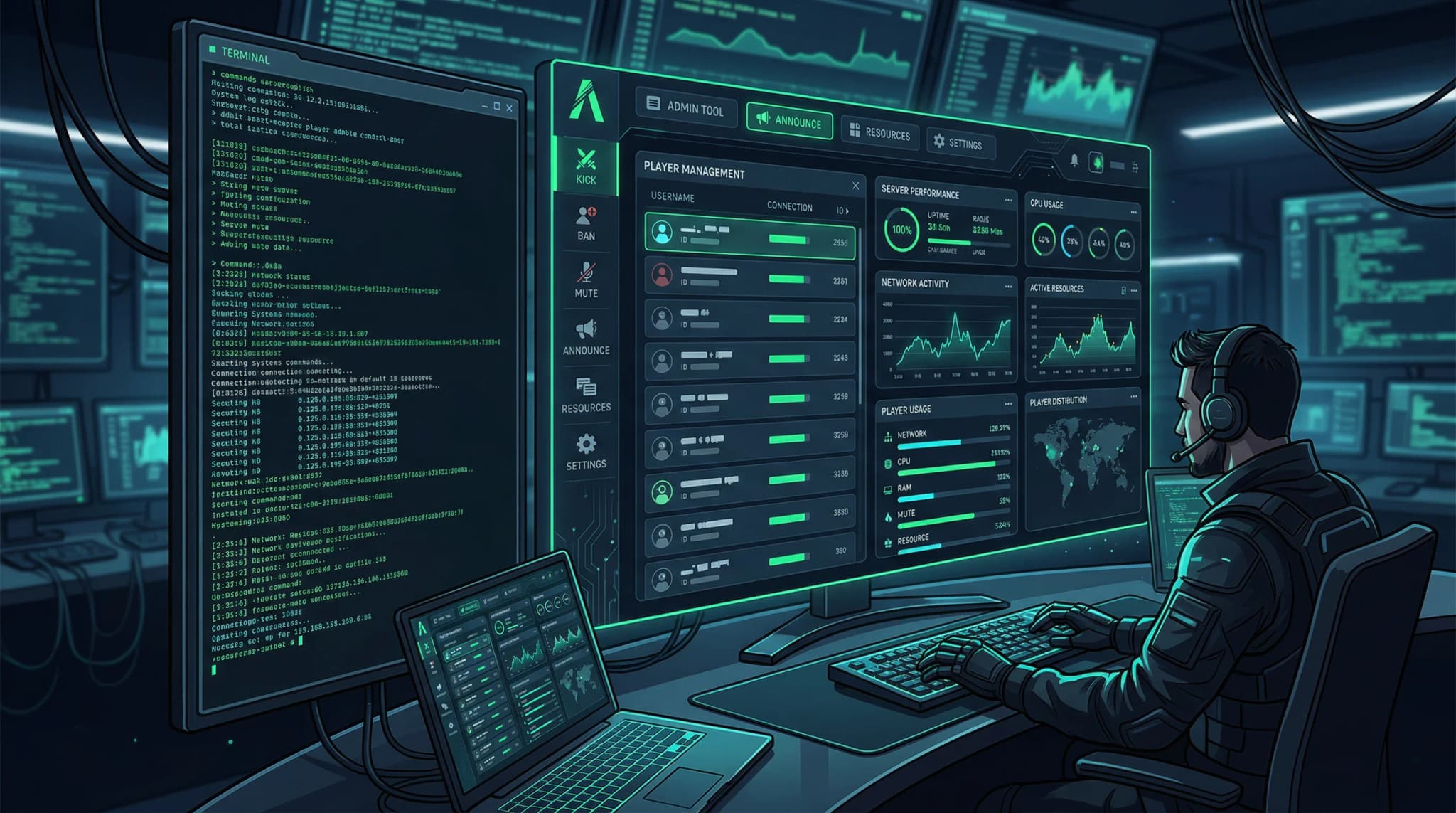
Admin scripts are your last line of defense on a live server — noclip for rapid response, teleport for investigating reports, ban enforcement for rule violations. When the admin menu breaks, moderation stops and the server is effectively unprotected. The failure modes are surprisingly specific: most admin issues trace to identifier mismatches, anti-cheat interference, or competing resources overriding state.
This guide covers the 12 most common admin script failures across ESX, QBCore, QBox, and ACE-based permission systems. Each section includes how to diagnose the root cause and the working code that resolves it.
Quick Diagnosis Table
Match the symptom to the most likely cause before diving into individual sections.
| Symptom | Most likely cause | First thing to check |
|---|---|---|
| Menu keybind does nothing | Identifier not in admin config or wrong format | Print identifiers in F8 console |
| Menu opens but actions fail | Permission level too low or ACE incomplete | Check assigned role + ACE entries |
| Noclip moves but clips into world | SetEntityCollision arguments reversed | Check boolean argument order |
| Noclip blocked immediately | Anti-cheat flagging movement | Whitelist admin identifier in anti-cheat |
| Teleport works for coords, not players | Target coords not syncing before teleport | Add wait before firing teleport event |
| Teleport blocked by anti-cheat | Position change flagged | Whitelist teleport event in anti-cheat |
| Player list empty | GetPlayers() failing or event error | Server console on panel open |
| Bans reset on restart | Ban event writing to memory, not DB | SELECT * FROM bans |
| Banned player can rejoin | Ban check missing or wrong identifier | Check join handler for ban query |
| Spectate shows black screen | Target's interior not loaded | Call LoadInterior before camera attach |
| Admin logs missing | Table missing or logging disabled | SELECT COUNT(*) FROM admin_logs |
| Godmode turns off randomly | Health loop in HUD or status script | Monitor health with debug loop |
| Vehicle won't spawn | Model name wrong or not streamed | Test with default GTA vehicle |
| Weather reverts quickly | Sync resource overriding on loop | Stop sync resource temporarily |
| Admin chat invisible to players | Wrong chat channel or event name | Check chat resource event names |
1. Admin Menu Not Opening
The admin menu keybind does nothing. This is the most common report, and it almost always traces to an identifier mismatch.
Print every identifier for your player in F8:
-- Client-side: run in F8 console
for _, id in ipairs(GetPlayerIdentifiers(PlayerId())) do
    print(id)
end
This produces output like:
steam:110000100000001
license:abc123def456
discord:123456789012345678
fivem:1234567
ip:1.2.3.4
Compare each value against your admin config. The format must match exactly — steam: prefix included, all lowercase.
Config-based admin scripts (esx_adminplus, qb-adminmenu):
Config.Admins = {
    ['license:abc123def456'] = 'superadmin',
    ['steam:110000100000001'] = 'admin',
    ['discord:123456789012345678'] = 'moderator',
}
ACE-based systems (FiveM built-in ACE, vMenu):
# server.cfg
add_ace identifier.license:abc123def456 group.admin allow
add_principal identifier.license:abc123def456 group.admin
Both add_ace and add_principal are required. add_ace grants permission; add_principal assigns membership. Missing either one silently denies access.
Fix checklist:
- Your exact identifier (with prefix) is in the admin config
- The admin resource is ensured in server.cfg
- No NUI build errors in F8 — modern admin menus need
npm run build - Keybind isn't conflicting with another script's command
2. Permissions Not Working Correctly
If you can open the menu but specific actions fail or are greyed out, your permission level doesn't include those actions.
Most admin scripts use a hierarchy: superadmin > admin > moderator > helper. Each level maps to a set of allowed actions defined in the script's config or permissions table.
Check which level you're assigned:
-- Print the current permission level (add to a test command)
RegisterCommand('checkperms', function()
    print('My source: ' .. GetPlayerServerId(PlayerId()))
end, false)
On the server side:
-- Server: print all identifiers and their permission levels
AddEventHandler('playerConnecting', function(name)
    local src = source
    for _, id in ipairs(GetPlayerIdentifiers(src)) do
        print(id .. ' -> ' .. (Config.Admins[id] or 'none'))
    end
end)
ACE permission inheritance: ACE groups inherit from parent groups. If group.admin inherits from group.moderator, an admin automatically has all moderator permissions. If inheritance isn't set up:
# server.cfg: set up group inheritance
add_principal group.admin group.moderator
add_principal group.moderator group.helper
This means you only need to grant the highest applicable group — permissions cascade down.
QBCore-specific: QBCore uses a separate permission system in qb-core/server/functions.lua. The QBCore.Functions.HasPermission function checks against the framework's player metadata, not the ACE system. Both must be configured if your server uses both.
3. Noclip Broken
Noclip lets admins fly through the map for rapid investigation. When it stops working or behaves incorrectly:
Case 1: Anti-cheat blocking movement
Most anti-cheats flag rapid velocity changes as speed hacks. Find your anti-cheat config and add an exemption:
-- Example: whitelist pattern for common anti-cheats
Config.WhitelistedIdentifiers = {
    'license:abc123def456',  -- your identifier
}
The exemption format varies by anti-cheat (wshield, anticheat-d, txAdmin AC). Check the specific resource's documentation.
Case 2: SetEntityCollision arguments reversed
A common noclip implementation bug produces a ped that clips through walls but can't move freely:
-- Correct noclip implementation
local ped = PlayerPedId()
SetEntityCollision(ped, false, false)  -- false = disable collision
FreezeEntityPosition(ped, false)       -- false = allow movement
SetEntityVelocity(ped, 0.0, 0.0, 0.0)
Test the basic noclip toggle independently:
RegisterCommand('testnoclip', function()
    local ped = PlayerPedId()
    SetEntityCollision(ped, false, false)
    print('Collision disabled')
end, false)
If this works but the admin script's noclip doesn't, the admin script's implementation has the wrong boolean values.
Case 3: Movement script interference
Stamina systems, sprint limiters, and swimming scripts can override player movement controls. Disable them temporarily to isolate.
4. Teleport Failing
Teleport uses SetEntityCoords to move the player instantly. Test the basic call first:
-- F8: teleport to Maze Bank Plaza (always accessible)
SetEntityCoords(PlayerPedId(), -75.3, -820.0, 326.2, false, false, false, false)
If this works but the admin script's teleport doesn't:
Player-to-player teleport: The target player's coordinates must be fetched from the server before the client can teleport. If the server event hasn't resolved, the client fires SetEntityCoords with nil coordinates (which teleports to the ocean floor). Add a callback pattern:
-- Server-side: return target's coordinates
QBCore.Functions.CreateCallback('admin:getPlayerCoords', function(source, cb, targetId)
    local target = QBCore.Functions.GetPlayer(tonumber(targetId))
    if target then
        cb(target.PlayerData.position)
    else
        cb(nil)
    end
end)

-- Client-side: wait for coords before teleporting
QBCore.Functions.TriggerCallback('admin:getPlayerCoords', function(coords)
    if coords then
        SetEntityCoords(PlayerPedId(), coords.x, coords.y, coords.z + 0.5, false, false, false, false)
    end
end, targetServerId)
Anti-cheat blocking teleport: Whitelist the teleport trigger event from your admin resource. In txAdmin's built-in anti-cheat, set your identifier as an admin in the txAdmin web panel — it automatically exempts you from position-based checks.
5. Player List Empty
The admin menu's player list polls connected players through a server event. If the panel shows no players even when the server is populated:
Add error handling to the server-side handler:
-- Server: player list with error checking
RegisterNetEvent('admin:getPlayers')
AddEventHandler('admin:getPlayers', function()
    local src = source
    local players = {}
    local ok, err = pcall(function()
        for _, playerId in ipairs(GetPlayers()) do
            table.insert(players, {
                id = tonumber(playerId),
                name = GetPlayerName(playerId) or 'Unknown',
                identifiers = GetPlayerIdentifiers(playerId),
            })
        end
    end)

    if not ok then
        print('[admin] Player list error: ' .. tostring(err))
        TriggerClientEvent('admin:playerListResult', src, {})
        return
    end

    TriggerClientEvent('admin:playerListResult', src, players)
end)
If GetPlayers() itself returns an empty table, a framework compatibility issue is the cause — some framework wrappers override the native GetPlayers function. Check whether your framework provides its own function (QBCore.Functions.GetPlayers etc.) and use that instead.
6. Ban System Not Saving
Bans must be stored in the database to survive restarts. Verify the table structure:
-- Check if bans table exists and has data
SELECT * FROM bans ORDER BY timestamp DESC LIMIT 5;

-- If missing, create it
CREATE TABLE IF NOT EXISTS bans (
    id INT AUTO_INCREMENT PRIMARY KEY,
    identifier VARCHAR(255) NOT NULL,
    reason TEXT,
    banner_identifier VARCHAR(255),
    expire BIGINT DEFAULT 0,
    timestamp TIMESTAMP DEFAULT CURRENT_TIMESTAMP,
    INDEX idx_identifier (identifier)
);
If rows are inserted but banned players can still join, the ban check on player connect isn't matching. The ban is stored under one identifier but the check runs against a different one:
-- Server: ban check on connect
AddEventHandler('playerConnecting', function(name, setKickReason, deferrals)
    deferrals.defer()
    local src = source
    local identifiers = GetPlayerIdentifiers(src)

    for _, identifier in ipairs(identifiers) do
        local ban = MySQL.scalar.await('SELECT reason FROM bans WHERE identifier = ?', {identifier})
        if ban then
            deferrals.done('[BANNED] ' .. ban)
            return
        end
    end

    deferrals.done()
end)
The key: check all identifiers, not just one. A player can change their Steam account but not their hardware license — storing and checking multiple identifiers prevents evasion.
7. Spectate Mode Black Screen
Spectating attaches a camera to another player. A black screen means the camera attached before the target's location was loaded on the spectator's client.
Fix by loading the target's interior before attaching:
-- Client-side spectate with interior handling
local function spectatePlayer(targetNetId)
    local targetPed = NetToEnt(targetNetId)

    -- Wait for the ped to stream
    local timeout = GetGameTimer() + 5000
    while not HasEntityLoaded(targetPed) and GetGameTimer() < timeout do
        Wait(100)
    end

    if not HasEntityLoaded(targetPed) then
        print('[spectate] Target ped failed to stream')
        return
    end

    -- Load the target's interior if they're inside one
    local coords = GetEntityCoords(targetPed)
    local interior = GetInteriorAtCoords(coords.x, coords.y, coords.z)
    if interior ~= 0 then
        PinInteriorInMemory(interior)
        LoadInterior(interior)
        while not IsInteriorReady(interior) do Wait(100) end
    end

    -- Attach camera
    NetworkSetInSpectatorMode(true, targetPed)
end
If the target is in a custom MLO, GetInteriorAtCoords may return 0 even though the player is inside. In that case, request the MLO's IPL directly based on the coordinates.
8. Admin Logs Not Recording
Admin logs create accountability by tracking every admin action. If logs are missing:
Step 1: Verify the table exists and has rows:
SELECT COUNT(*) FROM admin_logs;
DESCRIBE admin_logs;
Step 2: Check that logging is enabled in config:
-- Common config patterns
Config.EnableLogs = true       -- Some scripts use this
Config.Logging.Enabled = true  -- Others use this
Config.DiscordLogs = true      -- Discord-specific
Step 3: If logging to Discord, test the webhook URL:
curl -X POST "https://discord.com/api/webhooks/YOUR_WEBHOOK" \
  -H "Content-Type: application/json" \
  -d '{"content": "Admin log test"}'
A 204 response means the webhook works. A 404 means the webhook was deleted. A 429 means you're rate-limited — Discord allows 30 requests per minute per webhook. For high-traffic admin scripts, use a queue or reduce log verbosity.
Enable both database and Discord logging as a fallback. If Discord is rate-limited, the database copy is still intact.
9. God Mode Toggling Off
God mode sets SetEntityInvincible(ped, true). If it randomly deactivates, another script is calling SetEntityHealth or SetEntityInvincible(ped, false) on a timed loop.
Monitor health to catch the moment it drops:
-- Client-side debug monitor
Citizen.CreateThread(function()
    local lastHealth = GetEntityHealth(PlayerPedId())
    while true do
        Wait(500)
        local currentHealth = GetEntityHealth(PlayerPedId())
        if currentHealth ~= lastHealth then
            print('[godmode debug] Health changed: ' .. lastHealth .. ' -> ' .. currentHealth)
            lastHealth = currentHealth
        end
    end
end)
Watch the output when godmode turns off. The timestamp will tell you which 500ms window it happened in — cross-reference that with your running scripts to find the loop.
Common culprits: HUD scripts that update health display by reading and re-applying health, hunger/thirst status systems that apply damage when meters are low, and anti-cheat health monitors that cap health to a maximum.
The fix: ensure godmode sets a faster invincibility refresh than the competing script:
-- Re-apply invincibility every 100ms (faster than most competing loops)
Citizen.CreateThread(function()
    while godModeActive do
        Wait(100)
        SetEntityInvincible(PlayerPedId(), true)
        SetEntityHealth(PlayerPedId(), 200)
    end
end)
10. Vehicle Spawner Not Working
Admin vehicle spawning should work for any default GTA vehicle. If default vehicles fail, the spawner logic is broken. If only custom vehicles fail, the model name is wrong.
Test with a known default vehicle:
-- F8: spawn an Adder (always available)
local model = GetHashKey('adder')
RequestModel(model)
while not HasModelLoaded(model) do Wait(10) end
local pos = GetEntityCoords(PlayerPedId())
local veh = CreateVehicle(model, pos.x + 3.0, pos.y, pos.z, GetEntityHeading(PlayerPedId()), true, false)
SetVehicleOnGroundProperly(veh)
SetPedIntoVehicle(PlayerPedId(), veh, -1)
SetModelAsNoLongerNeeded(model)
If this works but the admin script's spawner doesn't, the script has a bug in its model hash or CreateVehicle call.
For custom vehicles, the spawn name is the folder name inside the stream/ directory of the resource — not the display name. A vehicle with display name "Sultan RS" might have spawn name sultanrs or sultan_rs or SultanRS. Find the exact name in the vehicles.meta file's <modelName> tag.
11. Weather and Time Commands Not Working
Weather and time are server-synchronized values. When an admin command runs but the visual state reverts within minutes:
Find your weather sync resource:
# Server console: list running resources
resmon
Look for vSync, qb-weathersync, cd_easytime, lamb-weathersync, or similar. These resources run on a loop and override any manual weather change.
Option 1: Use the sync resource's API
-- qb-weathersync example
exports['qb-weathersync']:SetWeather('CLEAR')
exports['qb-weathersync']:SetTime(12, 0)

-- vSync example
TriggerServerEvent('vSync:setWeather', 'CLEAR')
Option 2: Temporarily stop the sync resource
-- Server-side admin command
RegisterCommand('stopweathersync', function(source)
    StopResource('qb-weathersync')
    -- Make weather changes
    -- Then restart: StartResource('qb-weathersync')
end, true)
Option 3: ESX / server console
# Execute in the server console directly
stop qb-weathersync
After stopping the sync resource, your manual weather changes persist until you restart it.
12. Admin Chat Not Visible
Admin chat sends to a restricted channel that may not display to regular players or to specific chat themes.
Verify the chat event reaches all players:
-- Server-side: ensure admin chat broadcasts to everyone
RegisterNetEvent('admin:sendChat')
AddEventHandler('admin:sendChat', function(message)
    local src = source
    local name = GetPlayerName(src)
    -- Broadcast to ALL players
    TriggerClientEvent('chat:addMessage', -1, {
        color = {255, 0, 0},
        multiline = true,
        args = {'[ADMIN] ' .. name, message}
    })
end)
QBCore — qb-chat channel:
Admin messages in qb-chat use the SYSTEM channel with a specific prefix tag. Verify the channel is registered in qb-chat/config.js and that the client-side handler listens for it.
ESX — es_extended chat:
ESX chat requires explicit channel registration. If the admin channel isn't registered, messages are silently dropped. Add the channel to es_extended/client/functions.lua.
Check that the base chat resource is ensured in server.cfg before the admin resource — the chat resource must be running for TriggerClientEvent('chat:addMessage') to work.
Related Guides
- FiveM HUD Scripts Troubleshooting FAQ — HUD health loops that interfere with godmode
- FiveM Phone Scripts Troubleshooting FAQ — NUI resource troubleshooting patterns that apply to admin menus
- FiveM Vehicle Scripts Troubleshooting FAQ — Vehicle spawn failures and model streaming
Recommended Scripts
Find reliable admin tools for your server:
- FiveM Admin Scripts — Premium and free admin resources
- Best FiveM Scripts 2026 — Top-rated scripts across all categories
- FiveM Troubleshooting Guide — Broader troubleshooting playbook
Frequently Asked Questions
Why isn't my FiveM admin menu opening?
Admin menus fail to open when your identifier isn't in the admin config, the identifier format is wrong (steam vs license vs discord), or the NUI hasn't loaded. Print your identifiers from the F8 console using GetPlayerIdentifiers(PlayerId()) and compare each one against the admin config. If the identifiers match but the menu still won't open, look for NUI build errors in F8 — modern admin menus (ESX-Menu, qb-adminmenu) need an npm build step.
Why aren't admin permissions working correctly?
Permission failures come from identifier format mismatch or incomplete ACE permission setup. FiveM has multiple identifier types: steam, license, discord, fivem, ip. Your admin script may check only one. Find the identifier format in the admin config and verify your actual identifier of that type matches exactly. For ACE-based systems, both add_ace and add_principal entries are required — missing either one silently denies access.
Why is noclip broken in my admin menu?
Noclip breaks when an anti-cheat resource flags the sudden velocity change as unauthorized movement, or when a movement script overrides player controls. Whitelist your admin identifier in the anti-cheat config and verify no stamina, sprint, or movement script resets velocity on a loop. Also check that SetEntityCollision is called with the correct boolean arguments — reversed arguments produce a ped that clips through the world but can't move.
Why is admin teleport failing?
Teleport uses SetEntityCoords to move the player. If it fails for player-to-player teleport but works for static coordinates, the target player's coordinates aren't syncing — usually because the coordinates event hasn't resolved before the teleport fires. Anti-cheat resources also commonly block sudden large position changes. Whitelist the teleport event name from your admin resource in the anti-cheat config.
Why is the player list showing empty in my admin menu?
An empty player list means the server-side GetPlayers() call returned no results or the response never reached the client. This happens when the admin resource starts before players connect (normal) or when the player list event handler has an error. Check the server console for errors triggered when you open the player list panel. If GetPlayers() returns an empty table in a running server, a framework update changed the API.
Why isn't the ban system saving bans?
Ban persistence requires a database table. If bans reset on restart, the ban event writes to an in-memory table instead of running an INSERT query. Check that the bans table exists in your database — run SELECT * FROM bans to verify. If the table is missing, run the admin script's SQL install file. If rows exist but banned players can still join, the ban check on player connect isn't querying the database or is using the wrong identifier column.
Why is spectate mode showing a black screen?
Spectate black screens happen when the camera attaches before the target's location is loaded on the spectator's client, or when the target is inside an interior that hasn't been requested. Call PinInteriorInMemory and LoadInterior before attaching the camera. If the target is in an outdoor location and spectate still shows black, the network camera attach event may be firing before the target player's ped is streamed — add a short HasEntityLoaded check.
