Eyes Loading Screen
Loading Screens
-33% OFF
Eyes Loading Screen
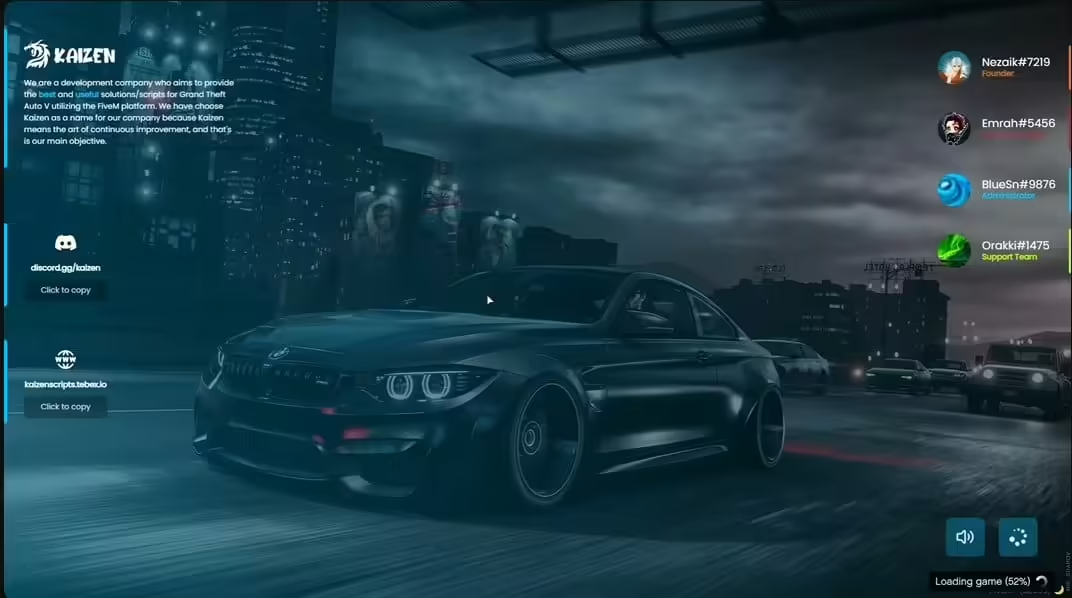
Make your server's first impression count with this sleek, professional loading screen featuring an eye-catching design that sets the tone for your community. Your loading screen is the first thing ev...
$10.79$16.19
Money-Back Guarantee
14-day refund policy
Lifetime Updates
Free updates forever
Open Source
Inspect & modify the code
SSL Encrypted
|Visa, Mastercard, Amex, Apple Pay
|Crypto
Description
Eyes Loading Screen - Professional Custom FiveM Loading Screen
Make your server's first impression count with this sleek, professional loading screen featuring an eye-catching design that sets the tone for your community. Your loading screen is the first thing every player sees when joining your server—it should look polished, load quickly, and communicate your server's identity. This isn't just a static image; it's a fully customizable HTML/CSS loading screen with modern aesthetics and smooth animations.
What's Included
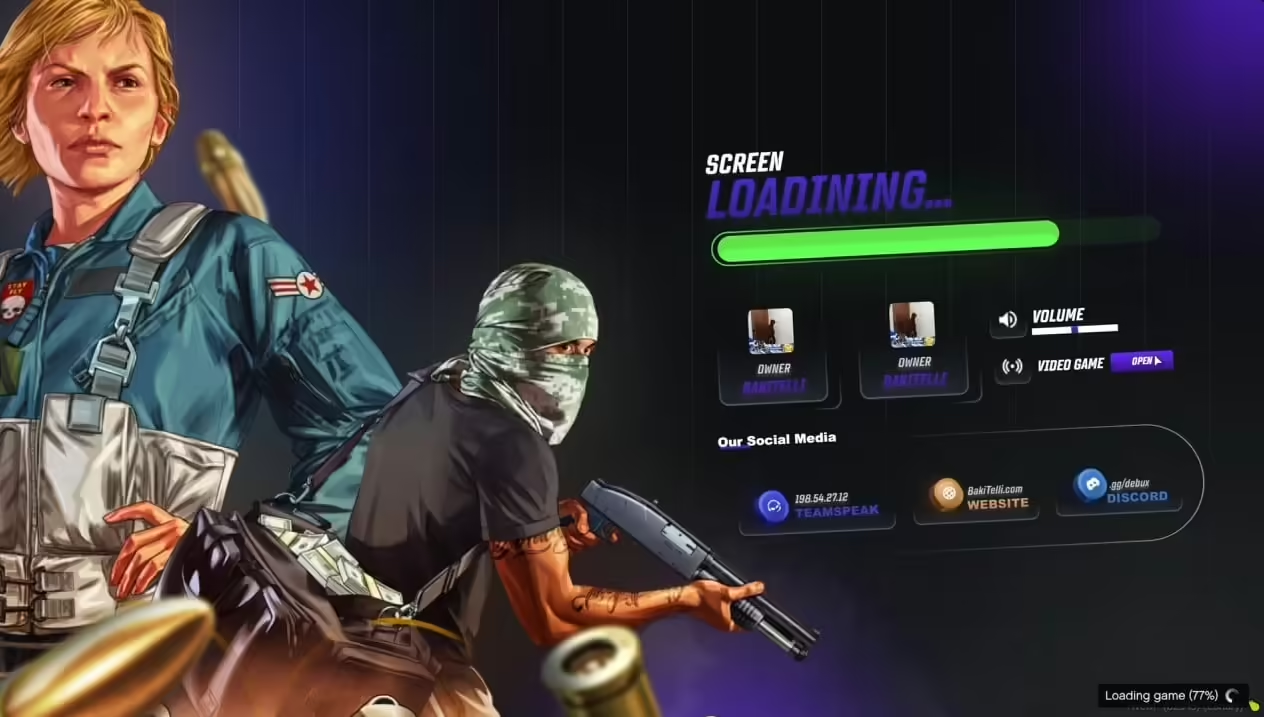
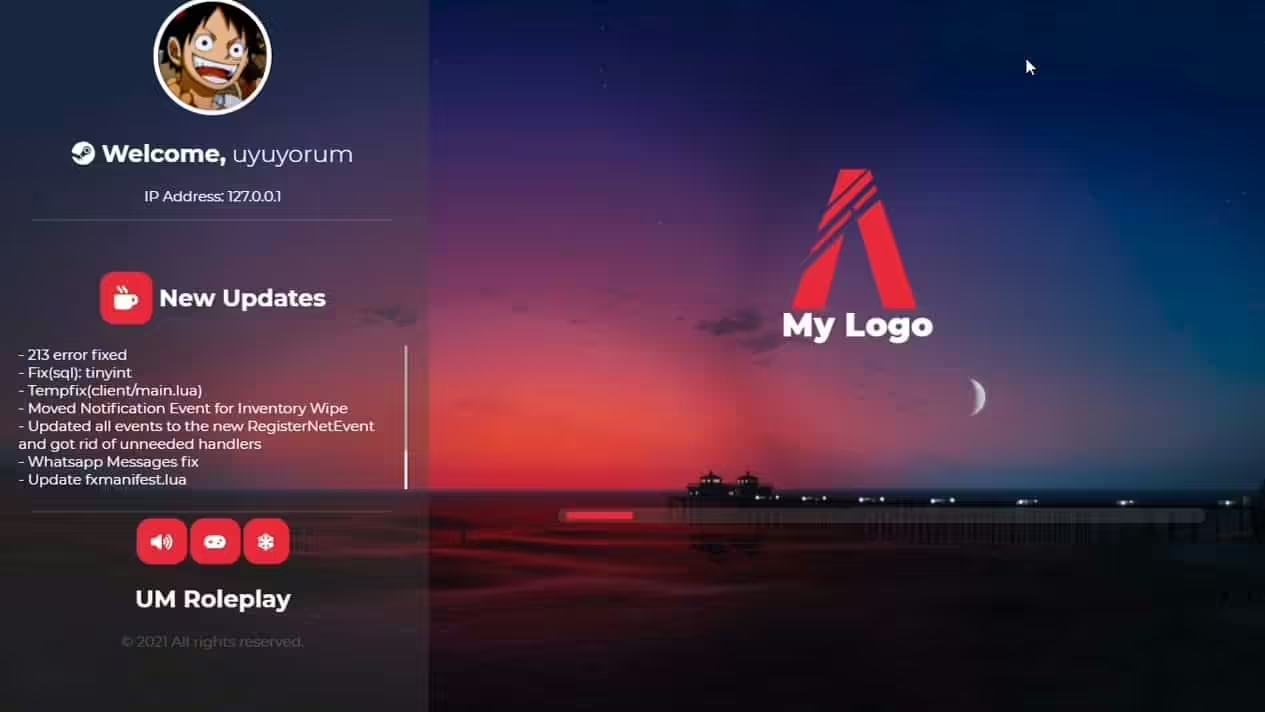
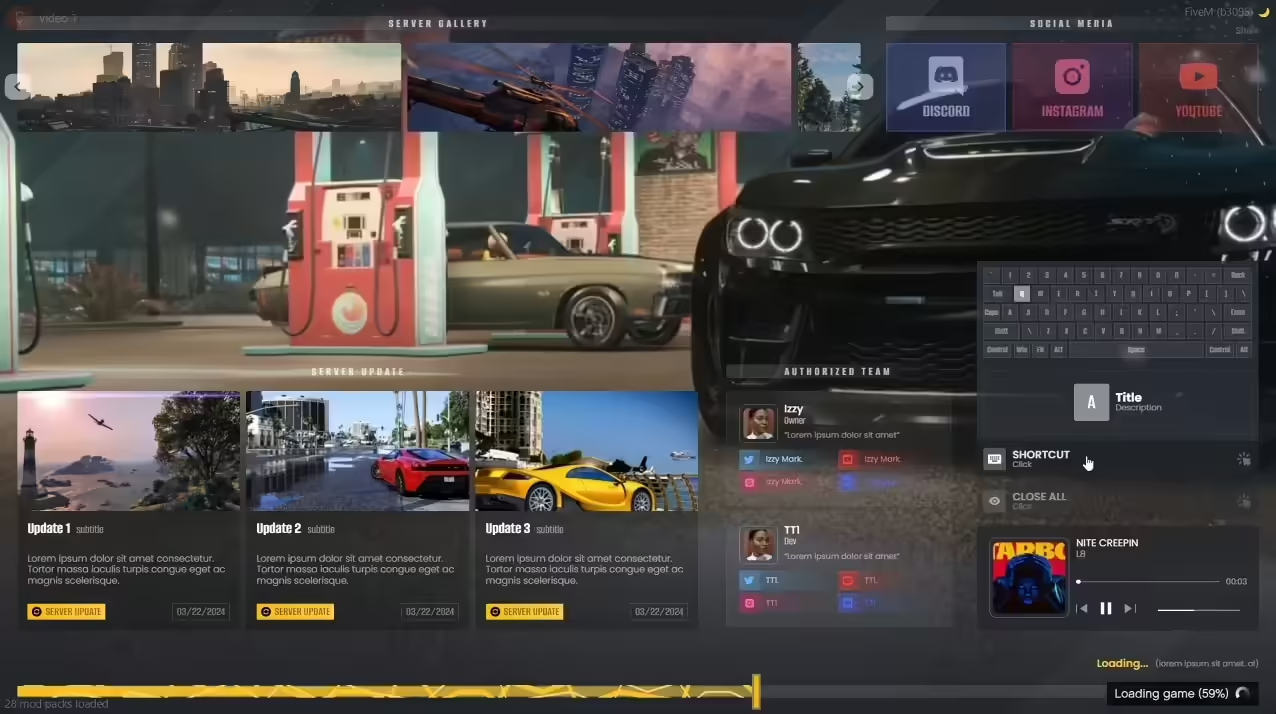
This complete loading screen package provides a professionally designed HTML/CSS/JavaScript loading screen with eye-themed visual elements, animated loading bar showing connection progress, customizable text fields for server name and messages, music integration capability (optional background audio), rules display section for server guidelines, Discord and social media link integration, progress percentage indicator, and responsive design working on all screen sizes. The entire package is ready to install with easy customization through simple configuration files.
Key Features
- Eye-Catching Design - Modern aesthetic with eye-themed graphics, professional typography and layout, smooth gradient backgrounds, animated visual elements, cinematic presentation quality
- Progress Indicators - Animated loading bar showing connection status, percentage display (0-100%), loading stage messages (connecting, downloading resources, spawning), estimated time remaining, smooth transitions between stages
- Customization Options - Easy-to-edit server name and tagline, customizable background images or videos, adjustable color scheme (match your server branding), editable rules and information text, social media links (Discord, website, forums), background music toggle
- Information Display - Server rules prominently displayed, quick start guide for new players, staff contact information, Discord invite button, community guidelines, important announcements, trailer/promo video (optional)
- Performance Optimized - Fast loading without adding connection delays, lightweight file size, minimal resource consumption, cached assets for returning players, no lag or stuttering during load
- Modern Web Technologies - Responsive HTML5/CSS3 design, smooth JavaScript animations, cross-browser compatibility, mobile-friendly (for players on tablets), professional code structure
Perfect For
- New servers wanting professional first impressions
- Established communities replacing generic loading screens
- Servers with specific branding and aesthetic themes
- Communities wanting to communicate rules during connection
- Projects where every detail matters to server quality perception
- Servers using eye/vision themes in their branding
Why Loading Screens Matter
Your loading screen is literally the first thing every player sees—before gameplay, before meeting staff, before experiencing your server. A generic or ugly loading screen signals low effort and makes players question server quality before they even spawn. A professional, polished loading screen communicates that you care about details, setting positive expectations. It's also your chance to display rules, Discord links, and server info while players wait, reducing common questions and improving onboarding.
Customization Options
Visual Customization
Easily change background images or videos to match your theme (upload your own), adjust color schemes with hex color codes, modify gradient overlays and opacity, upload your server logo, change font styles and sizes, and adjust animation speeds and effects. All customization happens through simple config files—no coding required.
Text & Content
Edit server name and tagline, write custom welcome messages, list server rules (auto-scrolling if lengthy), add staff contact info, update Discord invite links, include website/forum URLs, display current player count, show server version/wipe dates, and add special announcements or events.
Audio Options
Include background music during loading (MP3 file), set volume levels, enable player toggle (mute button), use thematic music matching your server vibe, or disable audio entirely if preferred. Audio adds atmosphere but remains optional to avoid annoying players.
Installation
- Download the loading screen resource
- Extract files to your server resources folder
- Customize config.json with your server details (name, Discord, rules)
- Replace background images/videos with your own (optional)
- Adjust colors in style.css to match your branding (optional)
- Add loading screen resource to server.cfg
- Set as loading screen in server.cfg: loadscreen __resource.html
- Restart server and test by connecting
Framework Compatibility
- ✅ Universal - Works with any FiveM server regardless of framework
- ✅ ESX - Compatible with all ESX versions
- ✅ QBCore - Compatible with all QBCore versions
- ✅ QBOX - Works with QBOX and custom frameworks
- ✅ Standalone - No dependencies, pure HTML/CSS/JS
Technical Specifications
- File Size: ~2-5MB (depending on custom images/videos added)
- Load Time Impact: Negligible (cached after first load)
- Technologies: HTML5, CSS3, JavaScript (vanilla, no frameworks needed)
- Responsive: Adapts to all screen resolutions (1920x1080, 2K, 4K, ultrawide)
- Audio Format: MP3 for background music (optional)
- Image Formats: JPG, PNG, GIF for backgrounds
- Video Formats: MP4 for background videos (if using)
What Makes It Stand Out
Generic loading screens or default FiveM load screens make your server look amateur. This professional eyes-themed design creates visual interest without being overwhelming or distracting. The clean, modern aesthetic works for any server type (serious RP, gangs, PvP, casual), while the customization options let you make it uniquely yours. Players will notice the difference—it signals that your server invests in quality experiences, not just thrown-together free resources.
Loading Screen Best Practices
Keep rules concise and scannable (bullet points, not paragraphs), include essential links (Discord is priority #1), avoid annoying music loops (subtle background audio or none), ensure text is readable (high contrast, good font size), test on multiple resolutions (1080p, 1440p, 4K), keep file sizes reasonable (under 10MB total for fast downloads), and update announcements regularly (stale info looks neglected).
Rules Display Strategies
Use loading screen to communicate core rules players MUST know: no RDM/VDM, respect staff, no exploiting, age requirements, and Discord mandatory. This ensures every player sees rules before spawning, reducing I didn't know excuses. Include a By joining you agree to rules statement with link to full rules document on your website or Discord.
Branding Integration
Loading screens are powerful branding tools. Use your server's colors consistently, include your logo prominently, match the aesthetic to your server theme (serious RP = professional clean design, gang server = grittier street aesthetic, casual = friendly bright colors), and ensure loading screen matches your Discord, website, and in-game UI for cohesive branding.
Common Customizations
Most servers customize background to match theme (cityscape for urban RP, wilderness for hunting/survival, luxury cars for racing servers, gang territories for gang servers), adjust colors to server palette (purple/gold for premium, red/black for gangs, blue/white for police RP), add server trailer video playing in background, include staff member photos/avatars, display donation goals or VIP perks, and showcase server statistics (player count, uptime, version).
Preview Video
Watch the complete loading screen in action with animations and all features:
https://www.youtube.com/watch?v=w8lQNsmAJ28Performance Considerations
While loading screens shouldn't add significant delay, optimization matters. This screen uses lightweight code, compressed images (recommend under 2MB per image), cached assets for returning players, and efficient animations (CSS-based, not heavy JavaScript). Players on slower connections won't suffer extended load times compared to basic screens.
Update Frequency
Update your loading screen periodically to keep content fresh: change announcements for events, update rules when policies change, refresh background images seasonally, update Discord links if server moves, add new staff member info, and promote special events or content updates. Stale loading screens with outdated info make servers look inactive.
Support & Files
Download includes all HTML, CSS, and JavaScript files, sample configuration file with comments, example background images, installation instructions, customization guide with examples, and troubleshooting tips for common issues. The clean code structure makes it easy for anyone with basic HTML knowledge to customize further.
Related Loading-Screens
Related Products
Questions & Answers
0 questions
No questions yet
Be the first to ask a question about this product!