Esegovic Admin Menu
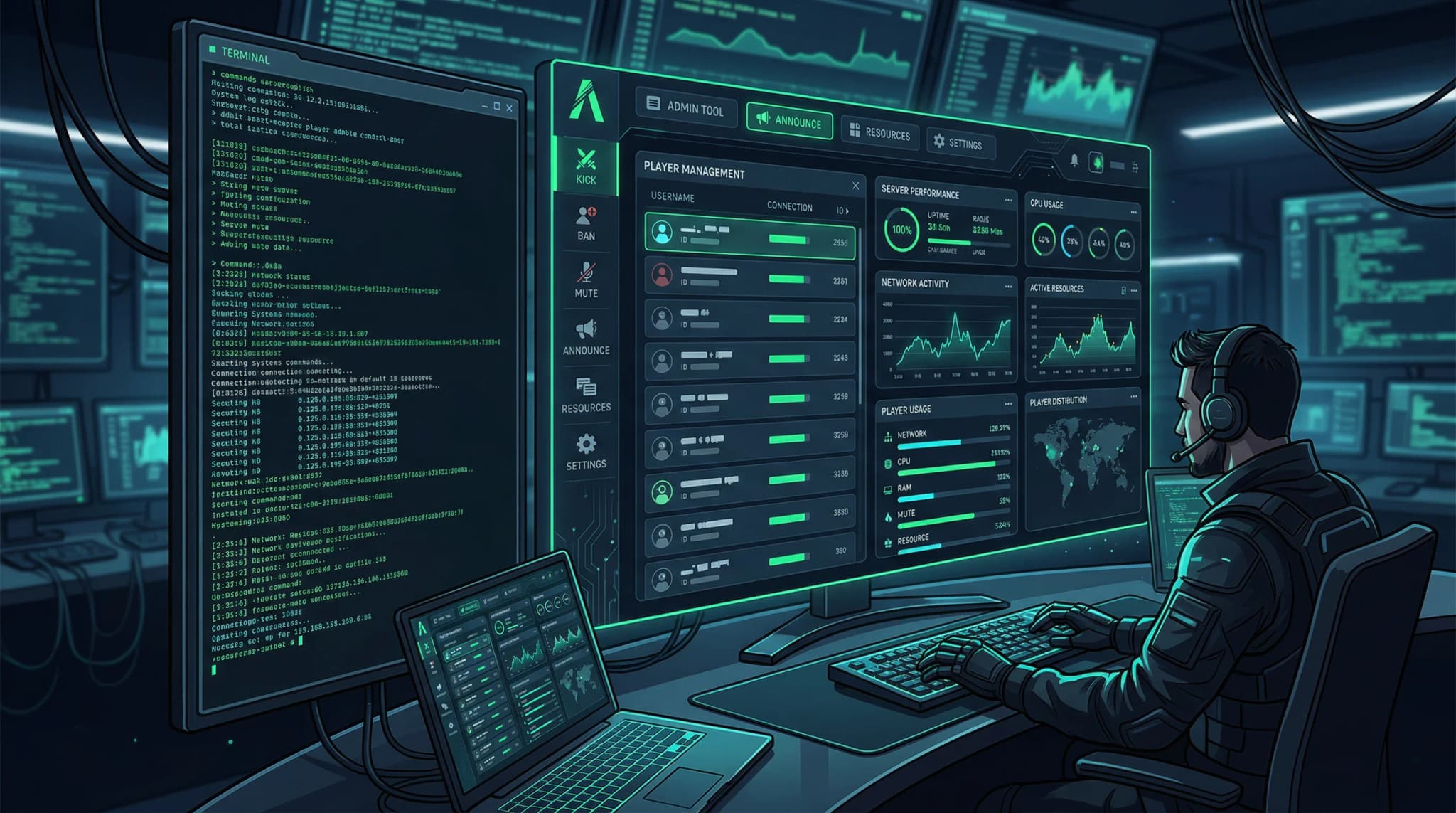
Esegovic Admin Menu - administrative tools and controls for ESX servers Compatible with ESX framework. Fully customizable and optimized.
Video Preview
Click to load video from YouTube. By watching, you agree to their privacy policy.
Esegovic Admin Menu - Comprehensive Server Management Tool for FiveM
Take complete control of your FiveM server with the Esegovic Admin Menu, a powerful administrative toolkit designed to streamline server management, player moderation, and real-time troubleshooting. Built for server owners and administrators who need instant access to critical functions without typing lengthy commands, this menu puts comprehensive server control at your fingertips through an intuitive, easy-to-navigate interface. Whether you're managing a small community server or administrating a high-population roleplay environment, Esegovic Admin Menu delivers the tools you need to maintain order, assist players, and keep your server running smoothly.
This admin menu goes beyond basic player management by integrating weather control, vehicle spawning, teleportation systems, and advanced player monitoring in a single unified interface. The permission-based access system ensures that your moderation team has exactly the tools they need for their role - nothing more, nothing less. From dealing with rule breakers to helping stuck players or testing new content, every function is organized logically and accessible within seconds.
https://www.youtube.com/watch?v=huDFXONyoTUCore Administrative Features
- Comprehensive Player Management - View all connected players with detailed information including Steam IDs, licenses, ping, and current location. Kick, ban, freeze, or spectate players with single-click actions that execute instantly.
- Advanced Punishment System - Issue temporary or permanent bans with customizable reasons and durations. Create warnings that accumulate in player records, building a history of infractions for repeat offenders.
- Real-Time Player Monitoring - Spectate players invisibly to investigate reports of cheating, rule violations, or suspicious behavior. View their inventory, money, job status, and recent actions without disrupting their gameplay.
- Teleportation Suite - Instantly teleport to any player, bring players to you, send players to coordinates, or use saved waypoints for quick navigation. Essential for assisting stuck players or responding to support tickets.
- Vehicle Management Tools - Spawn any vehicle from the game database with custom modifications, colors, and performance specs. Fix, delete, or flip vehicles to help players or clean up server clutter.
- Weather and Time Control - Dynamically adjust server weather patterns and time of day to create specific atmospheres for events, fix stuck weather systems, or test content under different conditions.
- Resource Manager - Start, stop, or restart server resources on-the-fly without full server restarts. Monitor resource performance and troubleshoot problematic scripts directly from the menu.
- Developer Tools - Access coordinates, heading data, and entity information for map development and script debugging. Generate location data for configuration files with copy-to-clipboard functionality.
- Announcement System - Broadcast server-wide messages with customizable colors, durations, and priority levels. Send targeted messages to individual players or groups for specific communications.
- Permission Management - Granular permission system allows you to create custom admin tiers with specific access rights. Junior moderators get basic tools while senior admins access the full feature set.
- Noclip and God Mode - Enable admin-only noclip for rapid map navigation and inspection. Toggle invincibility for testing dangerous scenarios or observing combat without interference.
- Inventory Manipulation - Give or remove items, money, and weapons to assist players who lost items due to bugs, compensate for server issues, or test economy balance.
Perfect For These Administrative Scenarios
- Large Roleplay Servers - High-population servers with multiple active administrators benefit from the organized interface and quick-access tools that reduce response times to player issues.
- New Server Owners - First-time administrators who need an all-in-one solution without learning complex command syntax. The visual menu makes powerful functions accessible immediately.
- Development and Testing - Server developers testing new content appreciate the noclip, vehicle spawning, and coordinate tools that accelerate the testing and debugging process.
- Community Moderation - Servers with tiered moderation teams can leverage the permission system to give helpers basic tools while reserving advanced functions for trusted senior staff.
- Event Management - Running server events becomes easier with weather control, mass teleportation, and announcement systems that let you orchestrate complex scenarios smoothly.
Technical Specifications
- Framework: Standalone with optional ESX, QBCore, and custom framework integration support
- Performance: Lightweight design with minimal server impact, typically under 0.02ms resmon when menu is closed
- UI Technology: Modern HTML/CSS/JavaScript interface with responsive design for all resolutions
- Permission System: Supports Ace Permissions, framework-based permissions, and custom permission frameworks
- Database: Optional MySQL integration for ban storage and admin action logging
- Language Support: Multi-language configuration with easy translation file editing
Installation and Setup Process
Getting Esegovic Admin Menu running on your server is straightforward:
- Download and Extract - Unzip the resource package into your server's resources directory with a clear, memorable folder name.
- Configure Permissions - Edit the permissions.cfg or permissions.lua file to define which Steam IDs, license identifiers, or permission groups have admin access and at what level.
- Customize Settings - Open config.lua to adjust menu keybindings, enable or disable specific features, set default weather options, and configure announcement styling.
- Database Setup (Optional) - If using ban storage or logging features, import the provided SQL file to create necessary database tables for persistent data.
- Add to server.cfg - Ensure the resource is included in your server configuration file in the appropriate load order, typically after framework resources.
- Set Admin Identifiers - Add your Steam ID or license to the admin list in the configuration file to grant yourself full permissions on first launch.
- Test and Configure - Start your server, open the admin menu with the configured keybind, and verify all features work correctly. Adjust permissions as needed for your team structure.
Framework Compatibility
- ✅ Standalone - Works perfectly without any framework dependency, making it suitable for any FiveM server regardless of setup.
- ✅ ESX Integration - Enhanced functionality when used with ESX framework, including job-based permissions and economy integration for money manipulation features.
- ✅ QBCore Integration - Full compatibility with QBCore servers with automatic detection and integration of QB-specific features and permission systems.
- ✅ Custom Frameworks - Adaptable to custom or lesser-known frameworks through configurable integration options and callback systems.
What Makes Esegovic Admin Menu Superior
The difference between a good admin menu and a great one comes down to workflow efficiency and reliability. Esegovic Admin Menu is built around the actual needs of active server administrators - every feature placement, every hotkey, and every confirmation prompt is designed to save time without sacrificing safety. The quick-action buttons for common tasks mean you can freeze a combatting player, teleport to investigate, and issue a warning in under 10 seconds.
Unlike bloated admin menus that try to do everything and end up doing nothing well, this script focuses on core administrative functions executed flawlessly. The permission system is sophisticated enough for complex hierarchies but simple enough to configure in minutes. You won't spend hours trying to figure out why a moderator can access features they shouldn't - the permission structure is logical and well-documented.
Performance optimization means the menu won't lag your server or cause stuttering when opened, even during high player counts. The code is clean, well-organized, and commented for administrators who want to add custom features or integrate with other scripts. Security is paramount - all actions are validated server-side to prevent exploitation, even if a malicious client attempts to trigger unauthorized functions.
Enhanced Server Management Capabilities
Beyond basic player moderation, this admin menu transforms how you interact with your server environment. The vehicle spawning system includes saved loadouts for frequently used configurations - spawn that perfectly tuned patrol car for officers in seconds, not minutes. Weather and time controls let you create atmospheric conditions for events or quickly fix stuck weather bugs that other scripts might cause.
The spectate function is invaluable for investigating reports fairly without falsely accusing players. Watch suspected cheaters in real-time, observe how players interact with new content, or monitor high-stakes roleplay scenarios to ensure rule compliance. The invisible spectator mode means you won't disrupt gameplay or alert rule breakers to your presence.
Resource management directly from the menu eliminates the need to access your server console or panel for simple script restarts. When a resource misbehaves or you need to reload a configuration change, handle it instantly without leaving the game. This seamless integration between administration and gameplay creates a smooth experience for both admins and players.
Administrative Command Structure
While the menu provides visual access to all features, Esegovic Admin Menu also supports console commands for administrators who prefer typing or need to execute functions remotely via RCON. Every menu action has a corresponding command with intelligent parameter parsing and helpful error messages when syntax is incorrect. This dual-approach design accommodates different administrative styles and workflows.
The logging system (when enabled with database integration) creates an audit trail of all administrative actions. Every ban, kick, teleport, and item given is recorded with timestamps, admin identifiers, and reasons. This transparency protects admins from false abuse claims and helps server owners monitor their team's actions for quality control.
Customization and Extensibility
Server owners who want to add custom functions or integrate third-party scripts will appreciate the modular code structure. The menu framework supports plugin-style extensions that add new categories, buttons, and features without modifying core files. This future-proofs your investment as your server grows and your needs evolve.
The configuration file exposes extensive customization options including UI colors, menu positioning, keybindings, feature toggles, and permission mappings. You can create a menu experience that perfectly matches your server's administrative philosophy - from permissive and helper-focused to strict and enforcement-oriented.
Support and Documentation
Esegovic Admin Menu includes comprehensive documentation covering installation, configuration, permission setup, and troubleshooting common issues. The script is actively maintained with regular updates that address bugs, improve performance, and add community-requested features. Whether you're a technical expert or new to server administration, you'll find the tools and information needed to leverage this menu's full potential and keep your FiveM server running smoothly with professional-grade administrative capabilities.