Custom Loading Screen
Make a powerful first impression with a professionally designed custom loading screen for your FiveM server. Your loading screen is the very first thing players see when connecting to your server - it...
Video Preview
Click to load video from Streamable. By watching, you agree to their privacy policy.
Custom Loading Screen Service - Professional FiveM Server Branding
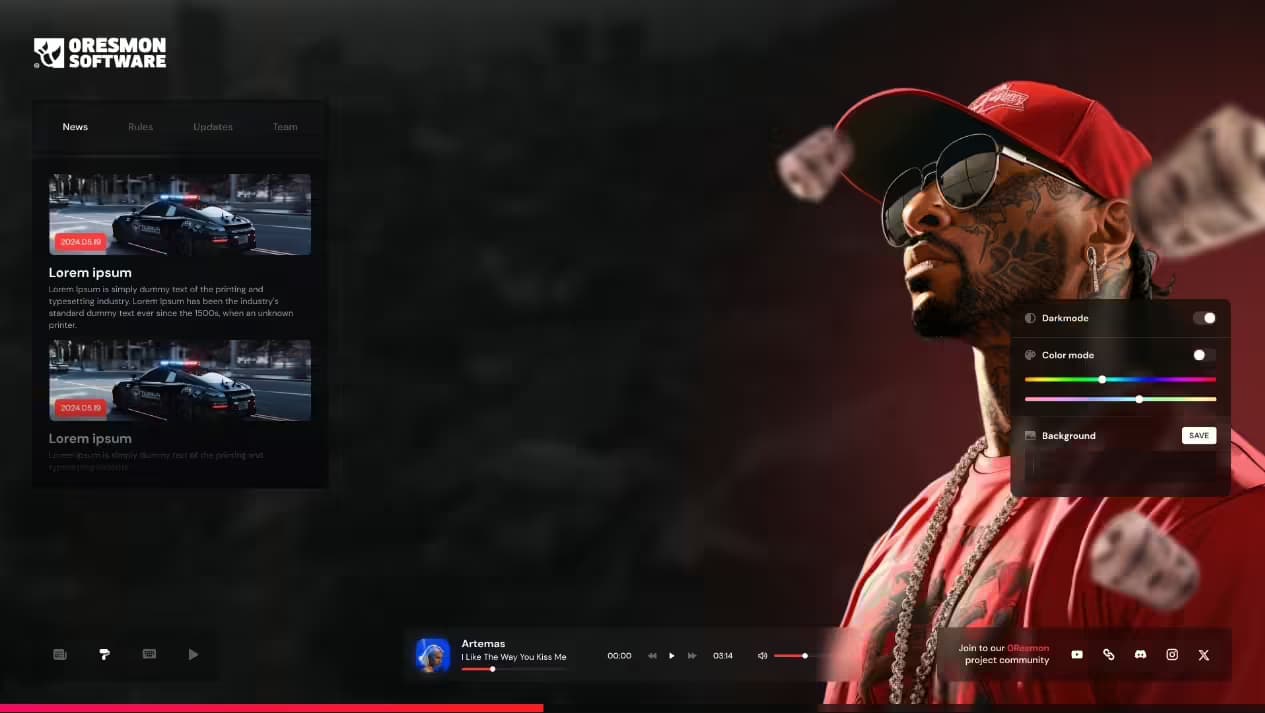
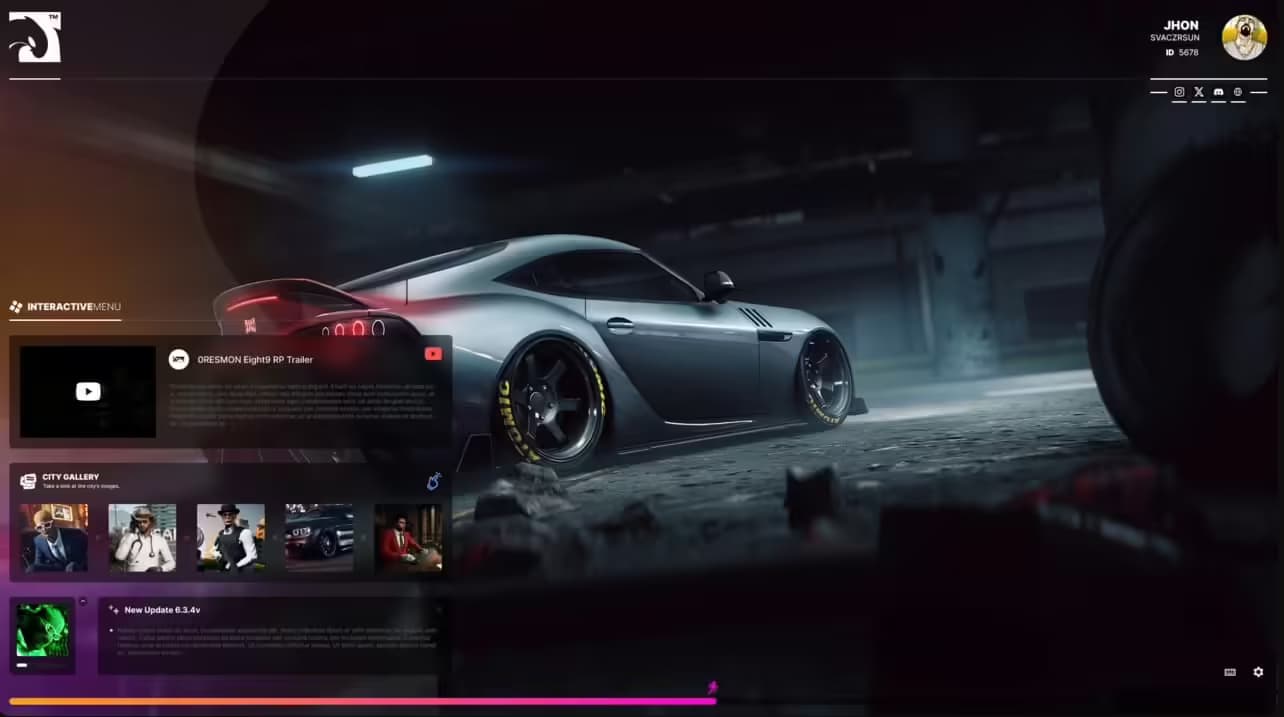
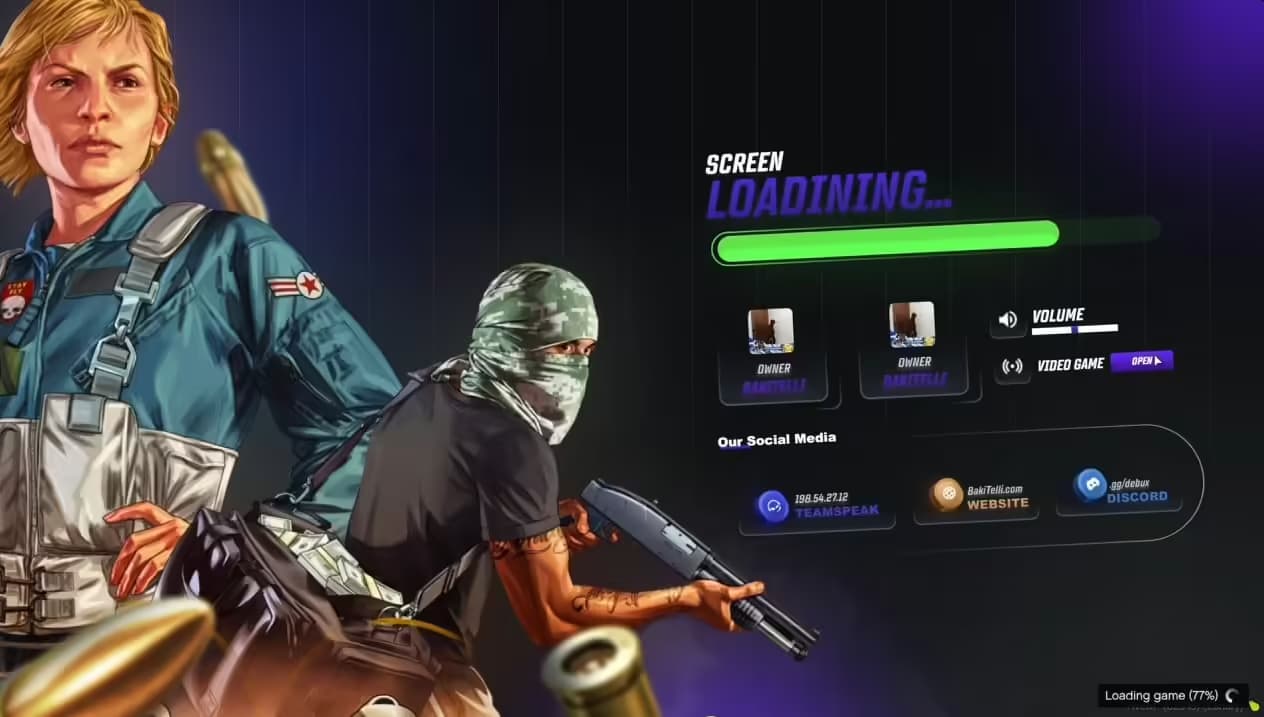
Make a powerful first impression with a professionally designed custom loading screen for your FiveM server. Your loading screen is the very first thing players see when connecting to your server - it sets the tone, establishes your brand identity, and communicates professionalism before players even spawn into the game world.
What's Included
This isn't a generic template service - you're getting a fully customized loading screen designed specifically for your server's unique identity and theme. Choose your own logo, select background imagery that matches your server style, and optionally include background music to create an immersive joining experience that reflects your community's personality.
Every element is tailored to your specifications, ensuring your loading screen stands out from the hundreds of servers using default or template designs. This level of customization helps players remember your server and creates a cohesive brand experience from the moment they click Connect.
Customization Options
- Custom Logo Integration - Your server logo prominently displayed with proper sizing, positioning, and transparency
- Background Selection - Choose from your own images, GTA V artwork, or custom photography that matches your server theme
- Music Integration (Optional) - Add background music or ambient sounds to enhance the loading experience
- Progress Bar Design - Custom styled loading progress indicator matching your color scheme
- Text Elements - Server name, tagline, Discord link, and rules displayed with custom fonts and colors
- Animation Effects - Subtle animations for logo reveal, text fade-ins, and background movement
- Responsive Design - Optimized layout that looks great on all screen resolutions from 1080p to 4K
- Color Scheme - Coordinated colors matching your server's branding and Discord theme
Perfect For
- New servers wanting to establish strong brand identity from day one
- Established communities upgrading from generic or outdated loading screens
- Professional roleplay servers needing polished presentation
- Themed servers (cops, racing, military, etc.) requiring matching aesthetics
- Communities with existing logos and branding needing cohesive integration
- Servers looking to increase perceived quality and player retention
Why Loading Screens Matter
First Impressions: Players form opinions about server quality within seconds. A professional loading screen signals that you're running a serious, well-maintained server worth their time investment.
Brand Recognition: Consistent branding across loading screen, Discord, and in-game elements helps players remember your server among the thousands of FiveM communities.
Information Delivery: Use loading time productively by displaying server rules, Discord links, social media, and important announcements while players wait.
Atmosphere Setting: Background music and themed imagery immediately communicate your server's vibe - whether that's serious roleplay, casual fun, or specific themes like racing or military simulation.
Design Process
- Requirements Gathering - You provide your logo file, preferred background images, color preferences, and any specific text or links to include
- Music Selection - If desired, choose or provide background music (royalty-free or licensed tracks you own)
- Initial Design - Receive first draft mockup showing layout, colors, and overall design direction
- Revisions - Request changes to positioning, colors, text, or elements until you're satisfied
- Finalization - Receive completed loading screen files ready to install on your server
- Installation Support - Step-by-step instructions for implementing the loading screen in your server.cfg
Technical Specifications
- File Format: HTML/CSS/JavaScript package for FiveM compatibility
- Resolution Support: Responsive design scaling from 1920x1080 to 3840x2160 (4K)
- Load Time: Optimized assets for quick loading (typically under 2 seconds)
- Audio Format: MP3 or OGG for background music (if included)
- Framework: Works with all FiveM frameworks (ESX, QBCore, QBOX, Standalone)
- Browser Compatibility: Tested across Chromium-based FiveM clients
Common Design Styles
Modern Minimalist: Clean design with subtle animations, solid colors, and elegant typography - perfect for professional roleplay servers.
Cinematic: GTA V artwork backgrounds with dramatic lighting and movie-style text overlays - ideal for serious RP communities.
Gaming Theme: Vibrant colors, animated elements, and gaming-focused graphics - great for casual or action-oriented servers.
Vintage/Retro: Classic GTA aesthetic with retro fonts and Vice City-inspired color schemes - perfect for period-themed servers.
Military/Law Enforcement: Tactical backgrounds, structured layouts, and official-looking design - suited for police or military RP servers.
What You Need to Provide
- Server logo (PNG with transparent background preferred, minimum 512x512px)
- Background image(s) or style preferences
- Server name and tagline/slogan
- Discord link, website, or social media links
- Color preferences or existing brand colors
- Background music file (optional, must own rights)
- Any specific text like rules or welcome messages
Installation
- Receive Files - Download the completed loading screen package
- Extract to Server - Unzip the loading screen folder into your FiveM resources directory
- Update Server.cfg - Add ensure custom-loading-screen to your configuration
- Set Loading URL - Configure loading_screen_url in server.cfg pointing to the HTML file
- Test Connection - Restart server and connect to verify loading screen displays properly
- Adjust as Needed - Fine-tune any settings based on player feedback
Framework Compatibility
- ✅ ESX - Fully compatible with all ESX versions
- ✅ QBCore - Works seamlessly with QBCore framework
- ✅ QBOX - Compatible with QBOX implementations
- ✅ Standalone - No framework dependency, works on any FiveM server
What Makes This Service Stand Out
Unlike automated loading screen generators or template marketplaces, this is a personalized design service. Your loading screen won't look like dozens of others - it's created specifically for your server based on your branding, theme, and vision.
The design process includes revisions, ensuring you get exactly what you want rather than settling for close enough. This attention to detail creates loading screens that genuinely represent your community's identity and quality standards.
Background music integration (when included) adds an extra dimension that template services typically don't offer. The right music creates emotional connection and atmosphere before players even enter the game world.
Examples of Effective Elements
- Server Statistics: Display player count, uptime, or community size to build credibility
- Social Links: Prominent Discord, TikTok, or Twitter links encouraging community engagement
- Quick Rules: 3-5 essential rules displayed during loading so players know expectations
- Loading Tips: Helpful hints about server features rotating during connection
- Sponsor Recognition: Acknowledge donors, staff, or server partners
- Upcoming Events: Promote scheduled events or updates to build anticipation
Video Preview Examples
Check out example loading screens and see the customization possibilities:
https://streamable.com/0lwx9bOptimization Best Practices
All custom loading screens are built with performance in mind:
- Compressed images for fast loading without quality loss
- Minimal JavaScript for smooth animations on all hardware
- Efficient CSS preventing render delays
- Optimized audio files that don't slow connection times
- Responsive design avoiding horizontal scrolling or layout breaks
Post-Delivery Support
Installation documentation included with step-by-step setup instructions, troubleshooting guide, and configuration examples. Support available for technical questions about implementing the loading screen on your specific server setup.
Requirements
- FiveM server with loading screen support enabled
- Logo file in PNG, JPG, or vector format
- Clear communication about desired style and branding
- Background music rights (if including audio)
- Basic server configuration knowledge for installation
Elevate your FiveM server's first impression with a custom loading screen that showcases your community's professionalism and unique identity. Make those connection seconds count with design that captures attention and sets player expectations for quality roleplay ahead.