Argus Vehicle Shop (ESX/QB)
Argus Vehicle Shop - vehicle management system for ESX servers Compatible with ESX framework. Fully customizable and optimized.
Video Preview
Click to load video from YouTube. By watching, you agree to their privacy policy.
Argus Vehicle Shop - Modern Dealership System for ESX & QBCore
Launch a professional vehicle dealership on your FiveM server with Argus Vehicle Shop, a comprehensive car sales system designed for both ESX and QBCore frameworks. This script transforms vehicle purchasing from a basic transaction into an engaging dealership experience, complete with test drives, financing options, and an intuitive browsing interface that mirrors real-world car buying.
What's Included
Argus Vehicle Shop provides everything needed to run a fully functional vehicle dealership on your server. Players can browse available vehicles, view detailed specifications, take test drives before purchasing, and complete transactions through a sleek, user-friendly interface. The system handles vehicle spawning, ownership transfer, and payment processing automatically, while giving server owners complete control over inventory, pricing, and dealership locations.
Key Features
- Dual Framework Support - Works seamlessly with both ESX and QBCore without modification
- Test Drive System - Let players test vehicles before committing to purchase
- Custom Inventory Management - Add, remove, and price vehicles through easy configuration
- Multiple Dealership Support - Set up multiple dealership locations across your map
- Modern UI Design - Clean, responsive interface for smooth vehicle browsing
- Vehicle Categories - Organize inventory by car class (sports, sedans, SUVs, etc.)
- Detailed Vehicle Info - Display specs, pricing, and images for each vehicle
- Payment Integration - Seamless bank or cash payment processing
- Permission System - Control who can access and manage dealerships
- Financing Options - Optional installment payment system for high-value vehicles
Perfect For
- Roleplay servers wanting realistic car purchasing mechanics
- Economy-focused servers with vehicle-based progression
- Communities running multiple dealership businesses
- Servers with car dealership job roles and employee systems
- Communities wanting to control vehicle distribution through shops
Technical Details
- Framework: ESX Legacy, ESX 1.9+, QBCore, QBOX compatible
- Interface: Modern NUI with responsive design
- Database: SQL integration for vehicle ownership and transactions
- Performance: Optimized resource usage, minimal impact on server performance
- Customization: Config-based setup for inventory, pricing, and locations
Installation
- Extract the resource to your FiveM server resources folder
- Import the provided SQL file to your database
- Configure vehicle inventory, pricing, and dealership locations in config.lua
- Set up job permissions if using job-based dealership access
- Add your custom vehicle list with names, spawn codes, and prices
- Configure payment methods (bank, cash, or financing options)
- Restart server and verify dealership markers appear in-game
Dealership Management
The script gives you complete control over your vehicle inventory through a centralized configuration file. Add new vehicles by specifying the spawn name, display name, price, and category. Set up multiple dealership locations with different inventories - run a luxury dealership in Vinewood selling high-end sports cars, while maintaining a budget lot in Sandy Shores for economy vehicles.
Test drives can be configured with time limits and restricted zones, preventing players from abusing the system. When a purchase is completed, the script automatically handles payment processing, ownership transfer, and vehicle spawning at the designated delivery point.
Framework Compatibility
- ✅ ESX Legacy - Full compatibility with modern ESX versions (1.10.x+)
- ✅ ESX 1.9 - Supports older ESX servers running 1.9.x
- ✅ QBCore - Complete integration with QB framework and inventory
- ✅ QBOX - Compatible with QBOX framework systems
Player Experience
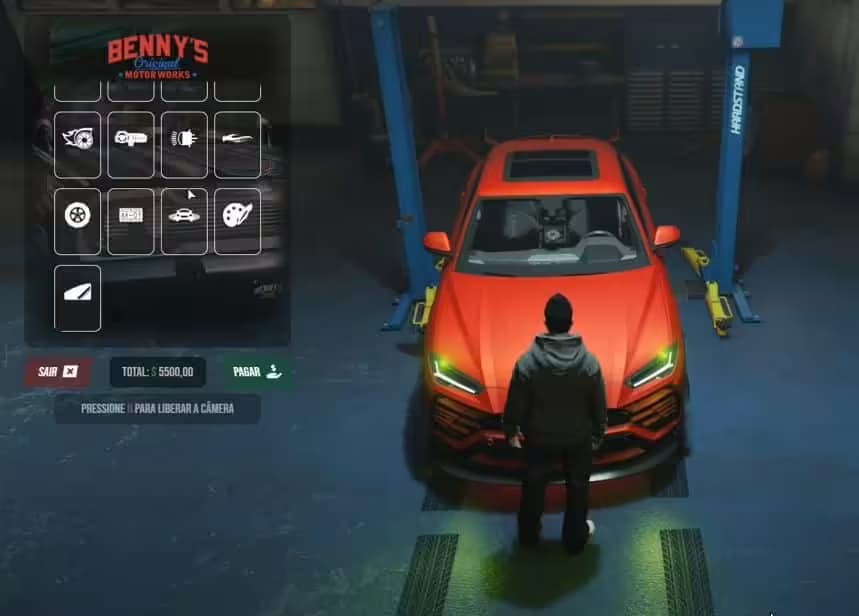
When players approach a dealership location, they're greeted with an intuitive interface showcasing available vehicles. They can filter by category, view detailed specifications including top speed and acceleration, and see real-time pricing. The test drive feature lets them actually experience the vehicle's handling before making a purchase decision, adding realism to the buying process.
After selecting a vehicle, players can choose their payment method - immediate full payment via bank transfer or cash, or set up a financing plan for expensive vehicles. Once payment is confirmed, the vehicle is instantly added to their garage or spawned at the dealership exit, ready to drive off the lot.
What Makes It Stand Out
Argus Vehicle Shop differentiates itself through its dual-framework flexibility and comprehensive test drive system. Many dealership scripts force players to buy without trying, but this system lets them actually experience the vehicle first. The ability to run multiple dealerships with unique inventories allows for creative business structures - premium dealerships, used car lots, specialty vehicle importers, and more. The modern UI design feels polished and professional, elevating the vehicle purchasing experience beyond basic spawn menus.
Customization Options
- Vehicle Inventory: Full control over which vehicles appear at each location
- Pricing Structure: Set individual prices or use markup percentages
- Test Drive Rules: Configure time limits, restricted zones, and deposit requirements
- Dealership Locations: Place shops anywhere on the map with custom markers
- UI Theming: Customize colors and branding to match your server aesthetic
- Payment Methods: Enable or disable cash, bank, financing options per dealership