Promoção
Ver Produto
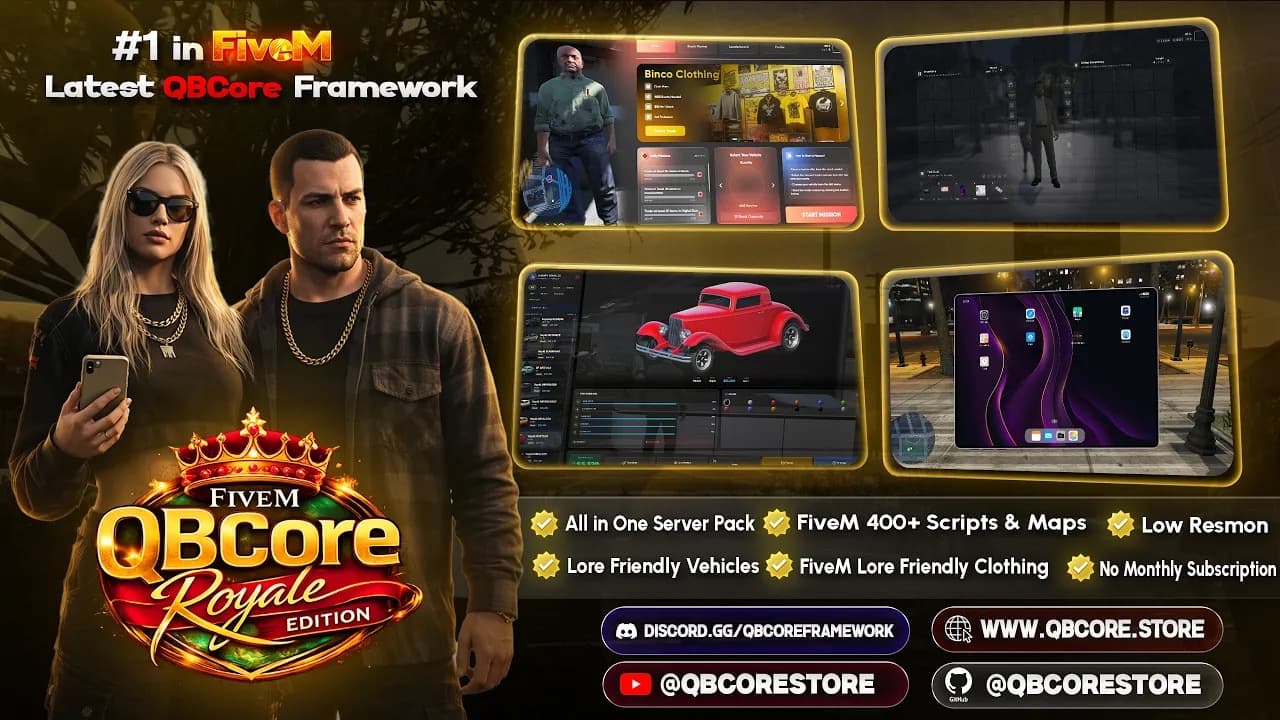
QBCore Royale Edition - Ultimate All-In-One Server Pack
QBCore
$299.00$399.00
Build a complete server.cfg in seconds. Configure OneSync, set convars, manage resources — and download your config instantly.
Built for FiveM server owners of all experience levels.
Enable and configure OneSync with the correct settings for your server population.
Choose the GTA build version that matches your server's DLC and resource requirements.
Start from pre-built ESX, QBCore, or QBox templates optimized for each framework.
See your server.cfg update in real time as you configure each option.
Generate your server.cfg file
Maximum concurrent players (32–2048 recommended)
Get your license key from keymaster.fivem.net
Extended range - 2048 players max, recommended for roleplay
Minimum GTA V DLC version required by the server
Select your server framework (or None for vanilla)
Hides your IP address from the public server list
Allows players to use ScriptHook-based single-player mods
Adds explanatory comments to the generated config
Adds common resource ensure statements as examples
#=============================================================================
# FiveM Server Configuration - My FiveM Server
# Generated by VertexMods Server.cfg Generator
# https://vertexmods.com/tools/server-cfg-generator
#=============================================================================

#-----------------------------------------------------------------------------
# LICENSE KEY
# Get your license key from: https://keymaster.fivem.net
#-----------------------------------------------------------------------------
# sv_licenseKey "YOUR_LICENSE_KEY_HERE"

#-----------------------------------------------------------------------------
# SERVER IDENTITY
#-----------------------------------------------------------------------------
sv_hostname "My FiveM Server"
sv_maxclients 64
sets tags "roleplay"

#-----------------------------------------------------------------------------
# ONESYNC CONFIGURATION
# off = Legacy mode (32 players max)
# on = Basic OneSync (64 players)
# infinity = Extended range (2048 players max, recommended)
# population = Infinity + server-side population
#-----------------------------------------------------------------------------
set onesync infinity

#-----------------------------------------------------------------------------
# GAME BUILD
# Determines which DLC content is available to players
# Higher builds = more content but may require longer load times
#-----------------------------------------------------------------------------
sv_enforceGameBuild 3095

#-----------------------------------------------------------------------------
# SECURITY SETTINGS
#-----------------------------------------------------------------------------
sv_endpointPrivacy true
sv_scriptHookAllowed 0

#-----------------------------------------------------------------------------
# RCON & CONNECTION
# IMPORTANT: Change the rcon_password before going live!
#-----------------------------------------------------------------------------
rcon_password "CHANGE_THIS_PASSWORD"
sv_endpointPrivacy true

#-----------------------------------------------------------------------------
# QBCORE FRAMEWORK RESOURCES
# Adjust based on your actual resource folder names
#-----------------------------------------------------------------------------
# Database
ensure oxmysql

# Framework Core
ensure qb-core
ensure qb-multicharacter
ensure qb-spawn
ensure qb-apartments
ensure qb-inventory
ensure qb-phone
ensure qb-banking
ensure qb-target

# Common Standalone Resources
# ensure ox_lib
# ensure ox_target
# ensure ox_inventory

# Voice Chat (choose one)
# ensure pma-voice
# ensure mumble-voip

# Your Custom Resources
# ensure your_script_here

#-----------------------------------------------------------------------------
# PERFORMANCE CONVARS
#-----------------------------------------------------------------------------
set sv_threadedFrameSync 1
set onesync_distanceCulling 500
set onesync_distanceCullVehicles 250

#-----------------------------------------------------------------------------
# END OF CONFIGURATION
# For more options, visit: https://docs.fivem.net/docs/server-manual/server-commands/
#-----------------------------------------------------------------------------
Configure settings on the left and download when ready.
Skip the manual setup. These server templates already include core jobs, economy systems, inventory, and launch docs.

More free tools for FiveM server development.
Join thousands of server owners using VertexMods
No credit card required
Download a clean, ready-to-use server.cfg instantly — no account required.
Every config option includes inline comments so you always know what each setting does.