Vehicles
-67% OFF
Compatibilidade:
ESX
Modfreakz Vehicle Shop (ESX)
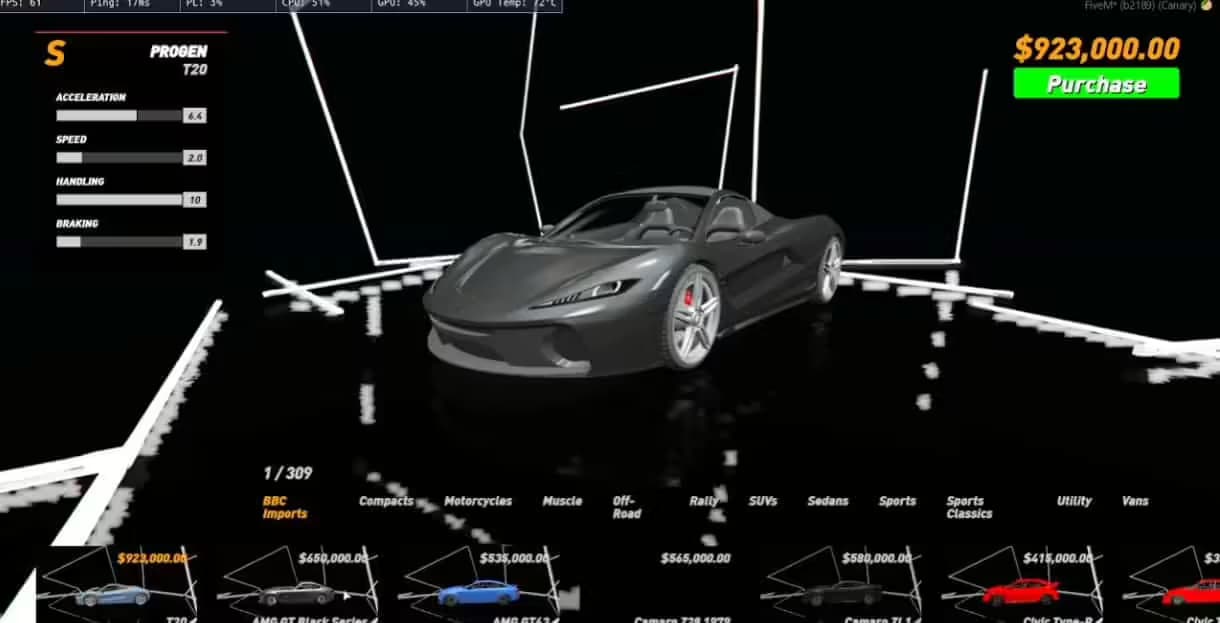
Vehicle Shop - vehicle management system for ESX servers Compatible with ESX framework. Fully customizable and optimized.
$31.99$96.99Economize $65.00 (67% de desconto)
3 people viewing right now
Acesso Instantâneo
Garantia de Devolução
Checkout Seguro
SSL Criptografado
|Visa, Mastercard, Amex, Apple Pay
Pré-visualização em Vídeo
Click to load video from YouTube. By watching, you agree to their privacy policy.
Modfreakz Vehicle Shop
With the Vehicle Shops script, players can enjoy a fully immersive business simulation, complete with supply management, staffing, and the thrill of competition.
Requirements
- Required:
es_extended(Supports v1.1 and v1.2)markers
- Optional:
esx_kashacters(multi-character support)
Overview
The Vehicle Shops script enables authorized players to establish custom, player-owned vehicle shops anywhere in the game world. This dynamic script puts shop management in the hands of players, offering robust functionality and in-depth customization options. Authorized players can manage various aspects of the shop, including:- Setting shop prices.
- Naming the shop.
- Configuring multiple interaction points for shop operations, such as:
- Blip location: Where the shop appears on the map.
- Management menu location: Where shop owners manage their business.
- Vehicle spawn points: Where purchased or displayed vehicles appear.
- Hiring and paying employees: Manage staff payroll and assign roles.
- Stocking vehicles: Display vehicles from a warehouse to attract customers.
- Pricing strategy: Adjust prices strategically to outperform competitors.
Dynamic Features
- Automated Warehouse Restocking:
- New vehicle stock is generated every 24 hours.
- Prices for warehouse vehicles vary slightly, offering fluctuating profit margins.
- Limited Stock Availability:
- Not all vehicles are always available.
- Prices for available vehicles vary, encouraging strategic buying and selling.
- Player-Owned Inventory:
- Salespersons or shop owners can stock their own vehicles for resale, including second-hand cars.
- A configurable option allows stolen vehicles (from both NPCs and players) to be stocked for resale.
- Custom Vehicle Features Retention:
- All modifications made to a vehicle (e.g., engine upgrades, paint jobs) are retained when displayed in the shop. Customers who purchase these vehicles will receive them with the upgrades intact.
Usage Instructions
To create a new vehicle shop, ensure your account has the appropriate permissions (e.g., ACE permissions). Alternatively, secure the provided command through other methods. Command:/create:vehshop
Follow the in-game prompts to configure your vehicle shop. Once the setup is complete, the system will handle the rest, ensuring a smooth and engaging gameplay experience.
With the Vehicle Shops script, players can enjoy a fully immersive business simulation, complete with supply management, staffing, and the thrill of competition.
Related Products You Might Like
- MyCarDealer - Advanced car dealership system used by 129+ servers
- Vehicle Control UI - Professional vehicle controls trusted by 227+ servers
- Premium Inventory Script - Modern inventory with drag-and-drop interface
- Super ESX Server - Complete ESX server package for full roleplay experience
Compartilhar
![Car Music System V3 [Standalone]](/_next/image?url=https%3A%2F%2Fcdn.vertexmods.com%2Fwp-content%2Fuploads%2F2022%2F11%2Fchrome_HdfQtL2147-jpg.avif&w=2048&q=75)
![2NA Premium Garage [Manageable Garage System]](/_next/image?url=https%3A%2F%2Fcdn.vertexmods.com%2Fwp-content%2Fuploads%2F2023%2F07%2Fchrome_TOeK5NRdX4-jpg.avif&w=2048&q=75)