Spawn Selector with Modern Design
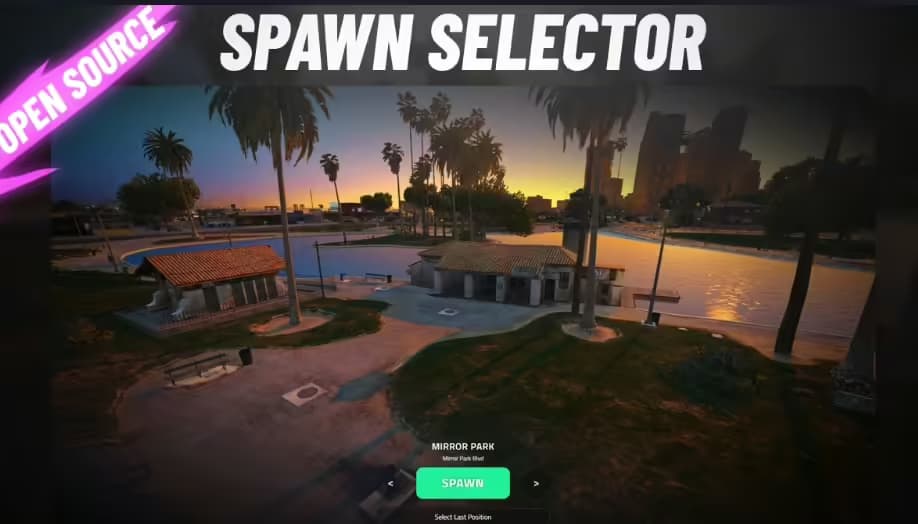
Spawn Selector with Modern Design - Introducing the ultimate FiveM spawn selector script, designed to revolutionize the way selecting spawn locations.
Pré-visualização em Vídeo
Click to load video from Streamable. By watching, you agree to their privacy policy.
Spawn Selector with Modern Design - Immersive Character Spawn System
Transform the first impression of your FiveM server with a stunning spawn selector that combines beautiful UI design with smooth functionality. This modern spawn system replaces the basic spawn menu with a cinematic experience featuring dynamic camera animations, location previews, and an elegant interface that sets the tone for professional roleplay. Whether players are logging in for the first time or returning after logout, they'll experience a polished, immersive selection process that makes choosing their spawn location enjoyable rather than mundane.
https://streamable.com/3xymziWhat's Included
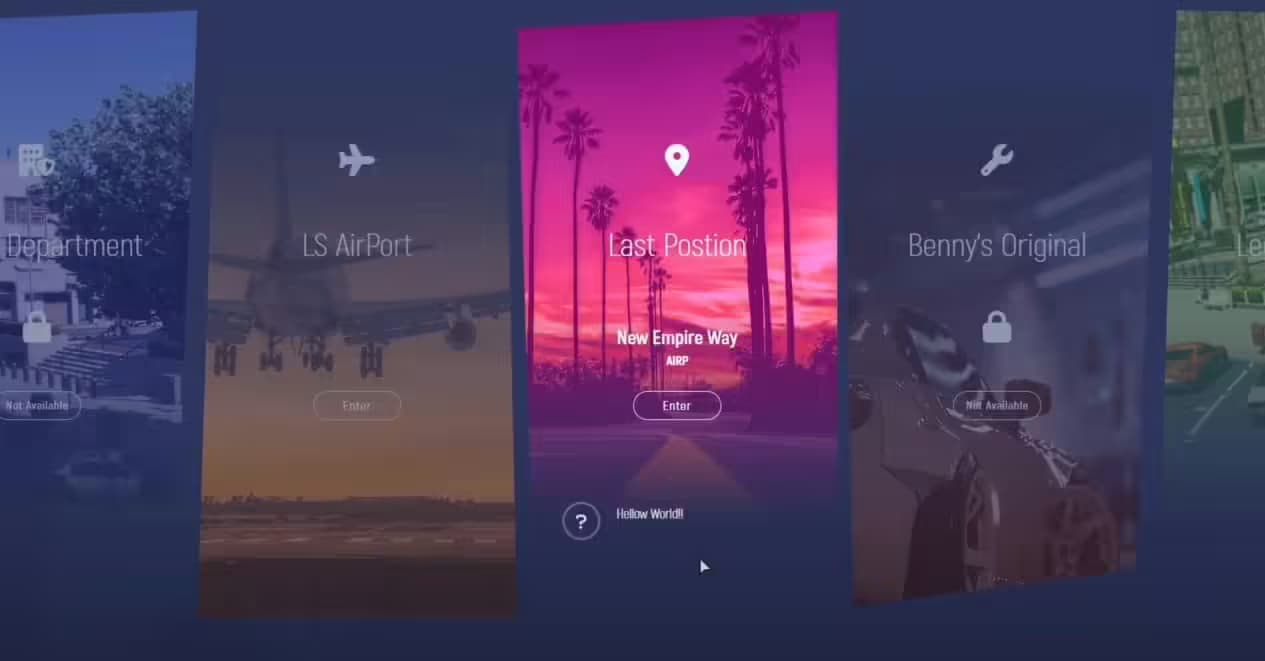
This comprehensive spawn selector provides everything needed for a premium character login experience. The modern UI features sleek animations, intuitive controls, and responsive design that works beautifully across all screen resolutions. Players see cinematic camera transitions between spawn locations, giving them a preview of each area before selecting. The system supports unlimited spawn points with full customization including names, descriptions, coordinates, and camera angles. Character information displays during selection including name, job, bank balance, and server time. Weather and time-of-day information helps players make informed decisions about where to spawn based on current conditions.
Key Features
- Modern UI Design - Sleek, contemporary interface with smooth animations, elegant typography, and professional styling that immediately impresses new players
- Cinematic Camera System - Dynamic camera movements showcase each spawn location with smooth transitions and customizable angles for dramatic presentation
- Unlimited Spawn Locations - Add as many spawn points as needed with full control over positioning, camera views, and display information
- Location Previews - Players see each spawn point before selecting through automated camera movements showing the area and surroundings
- Character Information Display - Shows player name, current job, money, and other relevant character data during spawn selection for context
- Weather & Time Display - Real-time server weather and time-of-day information helps players choose appropriate spawn locations
- Last Location Option - Players can spawn at their logout position or choose from predefined locations based on server configuration
- Job-Specific Spawns - Configure spawn points restricted to certain jobs (police station for cops, hospital for EMS, etc.)
- Permission-Based Access - Control which spawn locations are available to VIPs, staff, or specific player groups
- Custom Descriptions - Each spawn location includes customizable text describing the area and what players will find there
- Sound Effects - Optional audio feedback for selection changes and spawn confirmation enhancing the immersive experience
- Responsive Controls - Keyboard and mouse support with intuitive navigation making spawn selection quick and effortless
- Loading Screen Integration - Seamless transition from loading screen to spawn selector maintaining visual consistency
- Framework Integration - Pulls character data from your framework ensuring information is always current and accurate
- Optimized Performance - Minimal resource usage with efficient rendering and camera management preventing login delays
- Mobile-Friendly - Works on all screen sizes and resolutions from ultrawide monitors to standard displays
Perfect For
- Professional roleplay servers wanting polished first impressions
- Communities with multiple popular areas needing organized spawn selection
- Servers with job-specific spawn requirements (police HQ, hospital, etc.)
- VIP systems offering exclusive spawn location access as a perk
- Whitelist servers where professional presentation matters to applicants
- Communities wanting to showcase key server locations through camera tours
- Servers prioritizing user experience and visual quality from login to gameplay
Spawn Location System
Public Spawn Points
Create unlimited public spawn locations available to all players. Common options include city center for urban roleplay access, popular businesses for quick employment access, residential areas for civilian character immersion, parking lots for players with personal vehicles, and beach or park locations for scenic spawns. Each location features custom camera angles highlighting the area's best features, descriptive text explaining what's nearby, and optimal spawn coordinates preventing players from spawning inside objects or in dangerous positions.
Job-Specific Spawns
Configure spawn points restricted to specific jobs enhancing roleplay immersion. Police officers spawn at police stations ready for duty, EMS staff spawn at hospitals in medical areas, mechanics spawn at repair shops near vehicles, government workers spawn at city hall or offices, and gang members spawn at faction headquarters. The system automatically filters available spawns based on the player's current job, showing only relevant locations and preventing unauthorized access to restricted areas.
VIP & Special Spawns
Reward supporters or whitelist members with exclusive spawn locations. VIPs access luxury apartments, penthouses, or exclusive districts. Staff spawn at admin offices or monitoring locations. Whitelist members get faction-specific spawns like mafia headquarters or cartel compounds. The permission system is flexible - use ACE permissions, framework permissions, or custom identifiers to control access.
Last Location Spawn
Players can choose to spawn exactly where they logged out maintaining character continuity. The system saves logout coordinates and heading, returning players to the same spot. Configure whether last location is always available or only if the player logged out in a safe area. Prevent spawning at last location if the player died or was arrested adding realistic consequences. This option is perfect for players who want to continue exactly where they left off.
Camera System
The cinematic camera system is what makes this spawn selector exceptional. As players navigate between spawn options, the camera smoothly transitions between predefined viewpoints showcasing each location. Configure camera positions, angles, and field of view for each spawn point to highlight the area's best features. Set camera movement speeds and transition styles from smooth pans to quick cuts. The camera can be positioned to show the actual spawn point, the surrounding area, or iconic nearby landmarks. Players get a genuine preview of where they'll appear, making informed decisions rather than guessing based on names alone.
UI Customization
The modern interface is fully customizable to match your server branding. Adjust colors, transparency, and styling through the configuration file without touching HTML/CSS. Change fonts, sizing, and positioning to integrate with your loading screen and other UI elements. Modify what information displays - show bank balance, job name, job grade, playtime, or custom data from your framework. Configure button labels, spawn descriptions, and UI text for multi-language support. The responsive design automatically adapts to different screen sizes maintaining visual quality on all resolutions.
Installation
- Download and extract the spawn selector files to your server resources folder
- Review the config.lua file and configure framework settings (ESX/QBCore)
- Define your spawn locations with names, coordinates, headings, and camera positions
- Set up job-specific spawns and permission requirements if needed
- Customize UI colors, text, and information display preferences
- Configure camera transition speeds and movement styles to your preference
- Integrate with your multicharacter script if applicable
- Add the resource to server.cfg ensuring it starts after your framework
- Test each spawn location and camera angle to verify proper positioning
Framework Compatibility
- ✅ QBCore - Full QB-Core integration with job checking, character data display, and permission system
- ✅ ESX Legacy - Complete ESX support pulling job information, money, and identity data for display
- ✅ Standalone - Can operate with basic FiveM natives for servers using custom frameworks
- ✅ Custom Frameworks - Adaptable exports and events for integration with proprietary systems
Configuration Examples
Setting up spawn locations is straightforward through the config file. Each location requires basic information: a display name, description text, spawn coordinates (x, y, z), player heading, and camera position with optional camera heading and FOV. Job restrictions use simple job name matching. Permission requirements use ACE permissions or framework groups. Here's what a typical spawn configuration looks like: define the location name players see in the UI, write a description explaining what's at this location, set the exact spawn coordinates and heading, configure the camera position to showcase the area, and add any job or permission restrictions.
What Makes It Stand Out
Most spawn selectors are purely functional - a basic menu with text lists of locations. This modern spawn selector is experiential, turning a routine login step into an engaging introduction to your server. The cinematic camera system doesn't just list locations, it shows them, giving new players an immediate tour of key server areas. The professional UI design signals to players that your server is high-quality from the moment they log in. The job-specific spawn system isn't an afterthought - it's deeply integrated, automatically showing relevant locations and hiding inappropriate ones. Performance optimization means this beautiful system doesn't delay login times or impact FPS during the critical first moments of a play session.
Technical Details
- Performance: Optimized camera management and UI rendering with minimal impact on login times
- Resolution Support: Responsive design works on 1080p, 1440p, 4K, and ultrawide displays
- Framework Events: Uses standard framework events for character loading and job detection
- Camera System: Custom camera interpolation for smooth transitions between spawn points
- Security: Server-side coordinate validation prevents spawning in restricted or invalid locations
- Updates: Regular compatibility updates for new FiveM and framework versions
Multicharacter Integration
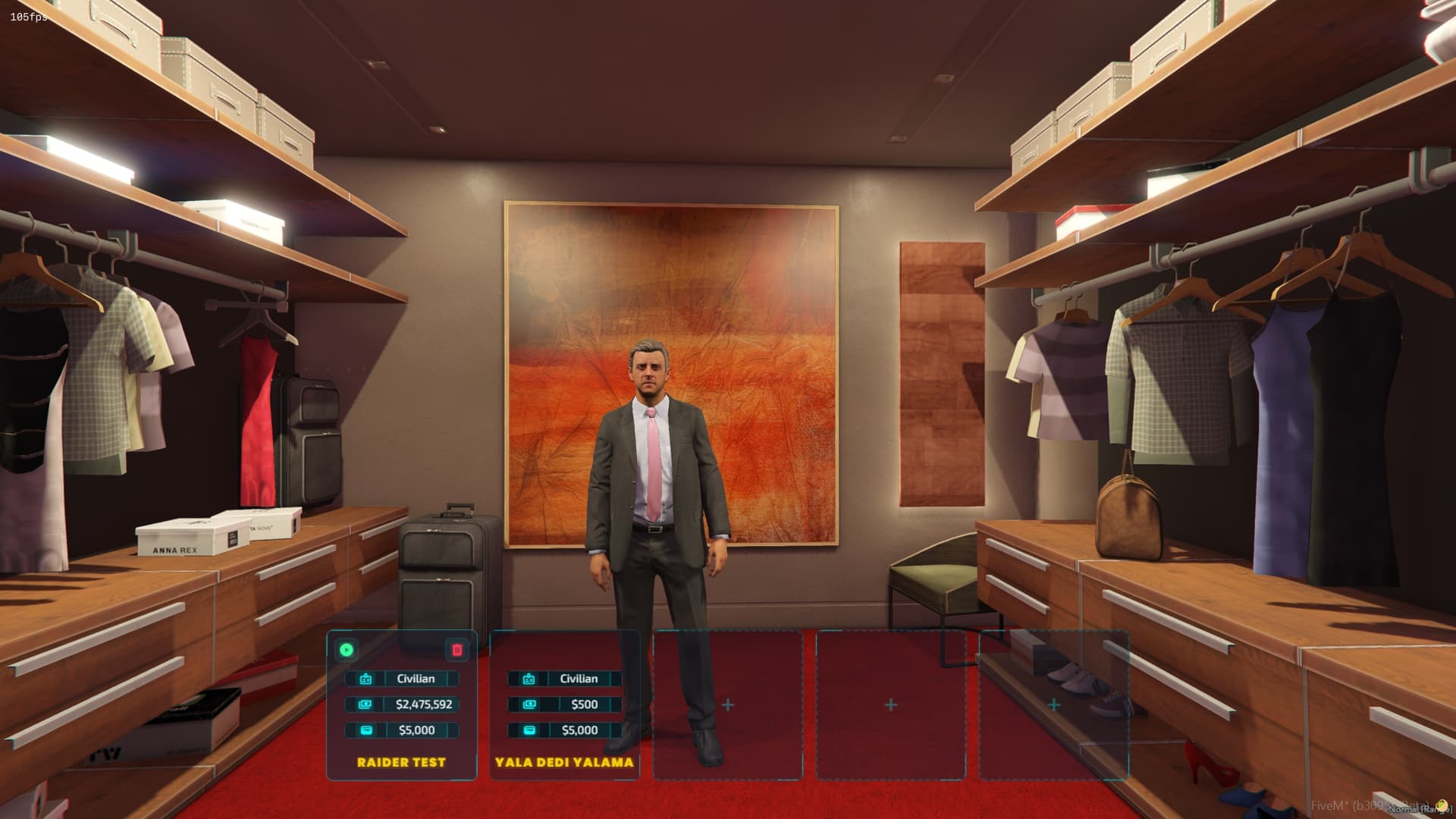
The spawn selector integrates seamlessly with multicharacter systems. After selecting a character from your multicharacter menu, players proceed to the spawn selector to choose where that character begins their session. The system pulls the selected character's job, money, and other data ensuring accuracy. If you don't use multicharacter, the spawn selector works perfectly as a standalone login experience. The integration is automatic for popular multicharacter scripts (qb-multicharacter, esx_multicharacter) and can be adapted for custom systems through simple event triggers.
Common Use Cases
New players logging in for the first time see predefined spawn points showcasing your server's best areas - city center, popular businesses, scenic locations. This gives them a quick tour and helps them choose where to begin their roleplay journey. Returning players can spawn at their last location to continue previous roleplay or select a new area if they want a change of scenery. Job players (police, EMS, mechanics) spawn at their workplace ready to start shifts immediately. Gang or faction members spawn at headquarters maintaining organizational structure. VIP players access exclusive luxury spawns as a perk. The flexible system adapts to countless server configurations and roleplay styles.
Performance Optimization
Despite rich visuals and cinematic cameras, this spawn selector maintains excellent performance. The UI uses optimized rendering - only active elements are processed, background elements remain static. Camera transitions use interpolation rather than frame-by-frame positioning reducing CPU load. Location data is cached client-side after initial load preventing repeated server queries. The system automatically cleans up cameras and UI elements after spawn completing, preventing memory leaks on long server sessions. Players with lower-end hardware still get smooth transitions and responsive controls.
Customization for Brands
Server owners can extensively customize the visual presentation to match their brand identity. Change the color scheme to align with your server logo and website. Modify the background blur, transparency, and styling to integrate with your loading screen aesthetic. Add your server name or logo to the UI header. Customize all text labels and descriptions for multi-language support or unique terminology. The HTML/CSS structure is clean and documented making advanced customization accessible to those with web development knowledge.
Support & Documentation
Comprehensive documentation includes spawn configuration guides, camera positioning tutorials, and framework integration instructions. Video tutorials demonstrate setting up spawn points and camera angles. Active support through our ticket system helps with configuration questions and customization requests. Regular updates ensure compatibility with the latest FiveM builds and framework versions. Community feedback drives new features and improvements in ongoing updates.