Codem - Chat (chat-theme) [ESX][QB][PAID]
Codem - Chat - user interface enhancement for ESX servers Compatible with ESX framework. Fully customizable and optimized.
Pré-visualização em Vídeo
Click to load video from YouTube. By watching, you agree to their privacy policy.
CodeM Chat - Modern Themed Chat System for ESX & QBCore Servers
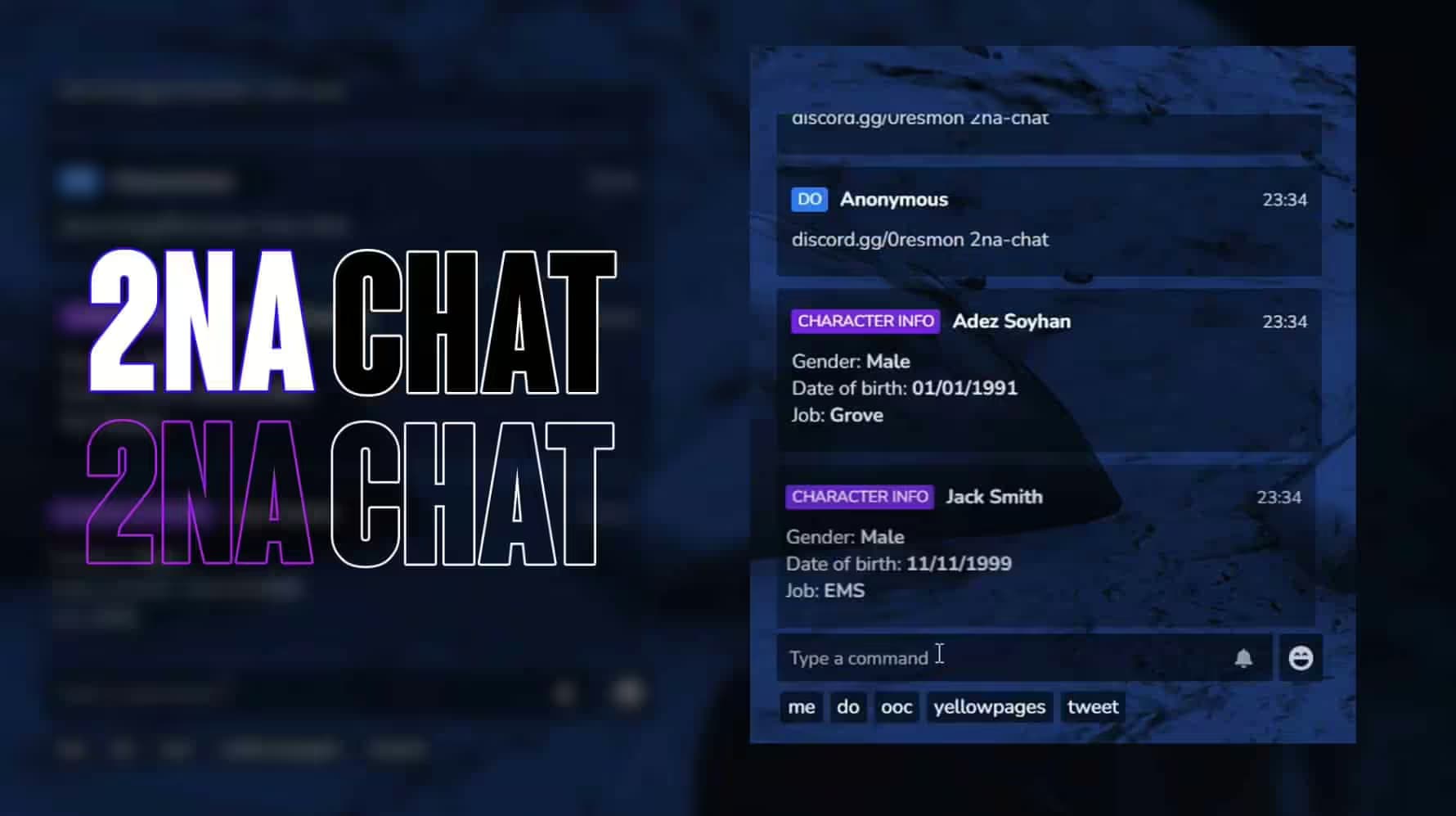
Transform your server's communication with CodeM Chat, a fully redesigned chat interface featuring modern themes, customizable colors, message filtering, and enhanced functionality. This chat system replaces FiveM's default chat with a sleek, user-friendly interface that improves readability and adds powerful features like staff commands, proximity chat integration, message reactions, and department-specific channels. Perfect for roleplay servers needing organized communication between civilians, police, EMS, and staff.
What's Included
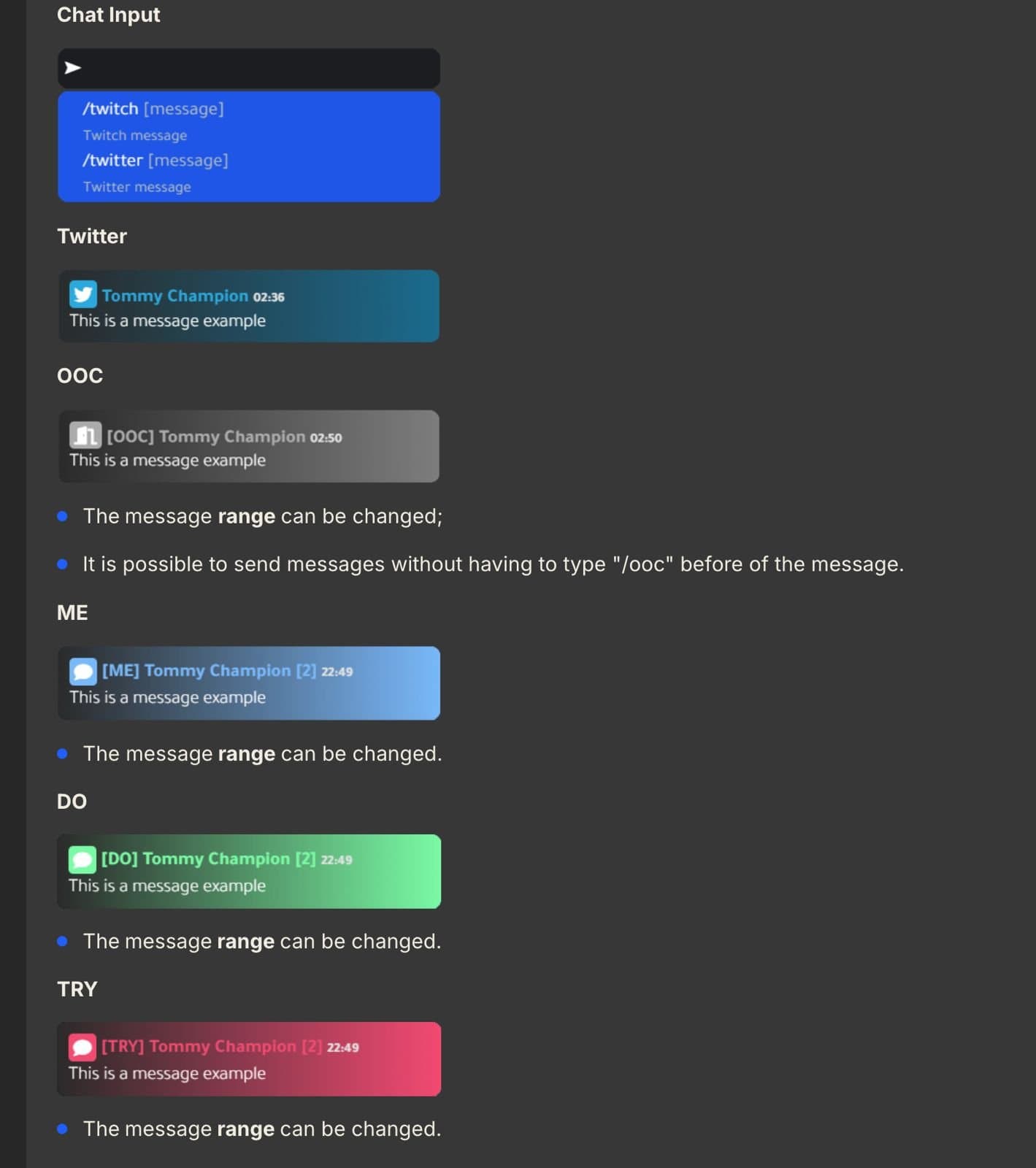
CodeM Chat includes multiple pre-designed themes including dark mode, light mode, and custom color schemes that players can choose based on preference. The system features message categorization with different colors for OOC (out of character), /me actions, /do descriptions, announcements, and department communications. Staff features include admin chat channels invisible to regular players, message moderation tools for deleting inappropriate content, and player muting capabilities. The chat supports proximity-based local messages that only nearby players see, department channels for police/EMS/mechanics, and global channels for server-wide announcements. Additional features include clickable player names for quick interactions, message history scrollback, customizable font sizes, and integration with suggestion systems showing available commands.
Key Features
- Modern UI Themes - Multiple pre-designed themes with dark/light modes and custom color options
- Message Categories - Color-coded messages for OOC, actions, descriptions, departments, and announcements
- Proximity Chat - Local messages visible only to nearby players based on distance
- Department Channels - Separate chat channels for police, EMS, mechanics, and other jobs
- Staff Tools - Admin chat, message moderation, player muting, and announcement broadcasts
- Command Suggestions - Autocomplete showing available commands as you type
- Clickable Names - Click player names to open menus for quick actions
- Message History - Scrollback through previous messages with mouse wheel
- Custom Emojis - Support for emoji reactions and custom emoji sets
- Font Customization - Adjustable font size and style for readability preferences
- Spam Protection - Built-in cooldowns and filters preventing chat spam
- Saved Preferences - Player theme and settings persist across sessions
Perfect For
- Roleplay servers needing organized communication between different factions
- Servers with police/EMS requiring private department channels
- Communities wanting modern, visually appealing chat interfaces
- Servers with staff needing admin chat and moderation tools
- Proximity-based roleplay where local vs global chat matters
- Large servers where message organization prevents chat chaos
Technical Details
- Performance - Optimized at 0.00ms idle, 0.01ms during active chat use
- Framework Support - Works with both ESX Legacy and QBCore frameworks
- Dependencies - No additional dependencies required beyond ESX or QBCore
- Customization - Fully configurable colors, channels, commands, and permissions in config.lua
- UI Technology - Modern HTML/CSS/JavaScript NUI interface
- Database - Optional chat logging to database for reviewing conversations
- Proximity System - Configurable distance ranges for local chat visibility
Installation
- Download CodeM Chat and extract to your server resources folder
- Ensure ESX or QBCore framework is properly installed and running
- Configure chat themes, channels, and permissions in config.lua
- Set up department channels for your server's job structure
- Optional: Import SQL for chat logging database table
- Add start codem-chat to server.cfg after your framework
- Restart server and press T or Y to open the new chat interface
Framework Compatibility
- ✅ ESX Legacy 1.9.x - 1.10.x - Full integration with ESX jobs and permissions
- ✅ QBCore - Complete compatibility with QB jobs and command system
- ✅ Both Frameworks - Single script works for either ESX or QBCore
- ✅ Job Integration - Automatically detects player jobs for department channels
- ✅ Permission Systems - Integrates with framework permissions for staff features
What Makes It Stand Out
CodeM Chat revolutionizes server communication by replacing the outdated default chat with a modern, feature-rich interface. The message categorization with color coding eliminates confusion between OOC chat, roleplay actions, and department communications, making it immediately clear what type of message you're reading. The proximity-based local chat creates realistic scenarios where private conversations stay private unless someone is nearby, essential for immersive roleplay. Department channels allow police to coordinate without civilians seeing their plans, while EMS can request backup without cluttering global chat. The staff tools including admin chat and message moderation give administrators control over communication without requiring third-party Discord bots. The theme customization lets players choose visual styles matching their preferences, improving accessibility for players who need different color contrasts or font sizes. The command suggestion system reduces player frustration by showing available commands, helping new players learn your server's features.
https://www.youtube.com/watch?v=hvdTXtPOOMY