Voice on FiveM: Mumble, SaltyChat & pma-voice Guide
You’ve got three real options for FiveM voice systems:
This guide is part of our complete FiveM server management hub, covering everything from initial setup to scaling your community.
- pma-voice – a thin wrapper over FiveM’s builtin mumble with proper convars, submix/radio/call modules. Best default for most servers. (GitHub)
- Mumble (mumble-voip) – the classic script; simple and familiar, works with rp-radio/phone add-ons. (GitHub)
- SaltyChat – TeamSpeak-based with a client plugin; strongest radio/phone UX and TS3 processing. (GitHub)
This guide delivers: install, config, tuning, benchmarks, and troubleshooting—with copy-pastable blocks. Start here, then see /performance. Also bookmark SaltyChat Download & Guide: https://vertexmods.com/en/blog/fivem-voice-mumble-saltychat-pma-voice-guide.
On this page
- TL;DR: Which voice for which server?
- Installation & Setup — Mumble
- Installation & Setup — pma-voice
- Installation & Setup — SaltyChat
- Tuning & Troubleshooting (All stacks)
- Benchmarks (Methodology & Results)
- Integrations (Phones, Radios, Dispatch)
- Prevent Recurrence & Best Practices
- Internal Resources & Next Steps
- FAQ
- Changelog & Credits
TL;DR: Which voice for which server?
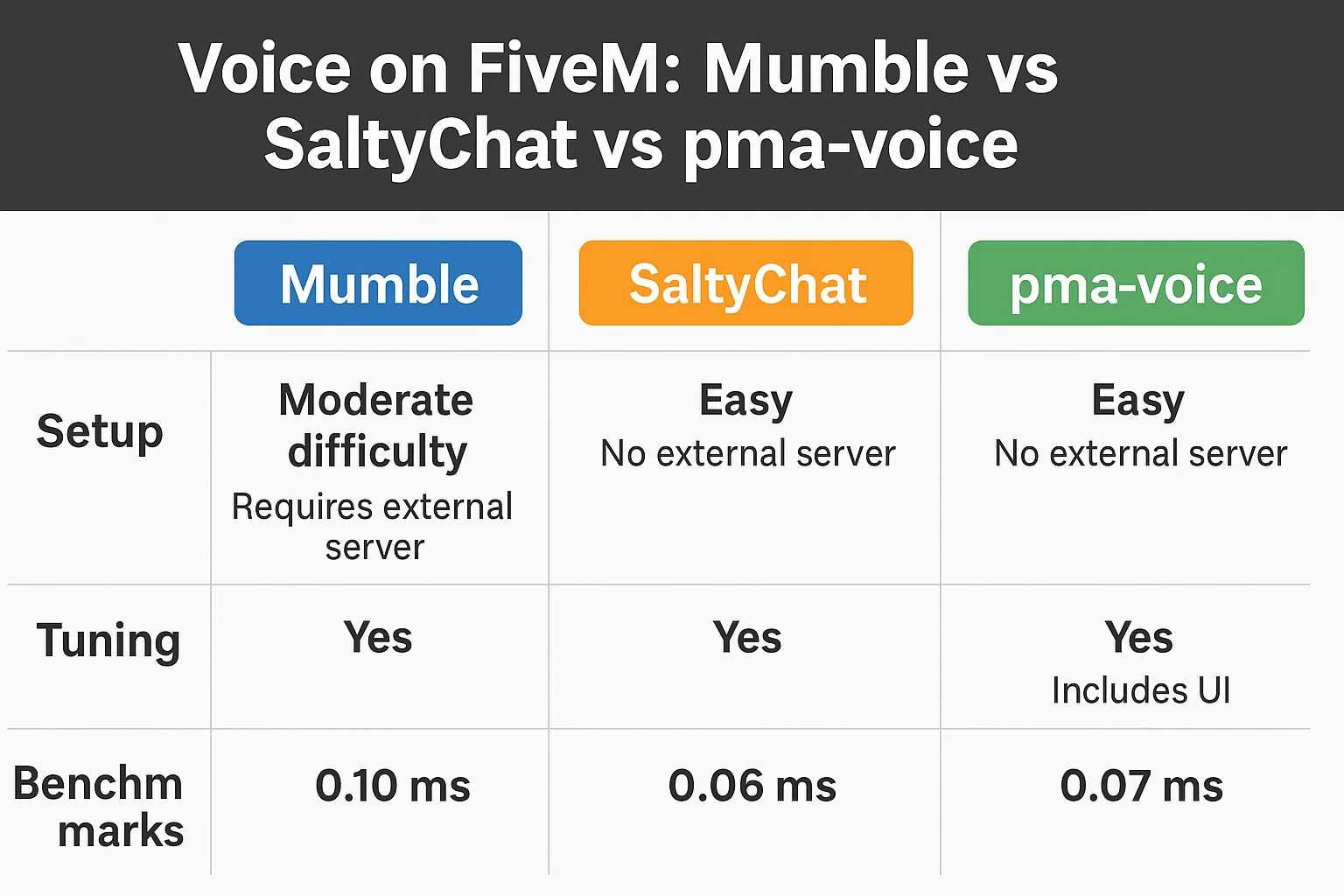
| Solution | Transport/Stack | Radios & Phones | Ease of Setup | CPU/Latency (expected) | Pros | Cons | Best For | Quick Start |
|---|---|---|---|---|---|---|---|---|
| pma-voice | FiveM builtin Mumble + convars/submix | Built-in modules (radio/call), submix | Easy | Very low CPU, ~30–50 ms | NativeAudio & submix; great defaults; widely adopted. (GitHub, Cfx.re Docs) | Needs correct convar usage; avoid other voice resources. | General RP/QBCore/ESX servers. | ensure pma-voice + convars; test with F11 & radio key. (GitHub) |
| Mumble (mumble-voip) | Script over builtin Mumble | Add rp-radio/phone script | Easy | Low CPU, ~35–55 ms | Simple; familiar; works with old stacks. (GitHub, Cfx.re Community) | Archived upstream; fewer QoL features. (GitHub) | Legacy stacks or minimal setups. | ensure mumble-voip (+ rp-radio). |
| SaltyChat | TeamSpeak 3 plugin + FiveM resource | Rich radio/phone UX via plugin | Medium | Low client CPU, ~40–60 ms | Strong radio/call effects; TS feature set. (GitHub) | Requires TS3 server & client plugin; extra moving parts. (GitHub) | Big-city RP with heavy radio/phone. | start saltychat + TS3 channel + plugin. (GitHub) |
Installation & Setup — Mumble
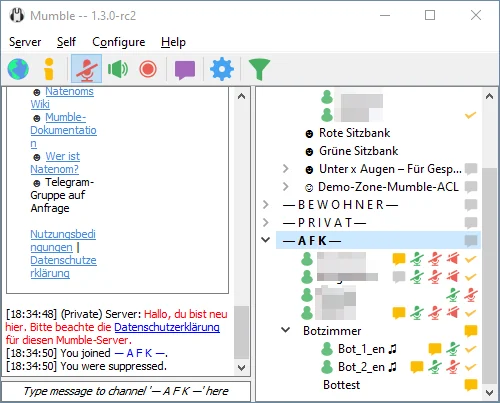
Requirements & download
- FXServer (recent artifacts), OneSync enabled.
- Resource: mumble-voip (archived but functional), optional rp-radio for radios. (GitHub, Cfx.re Community)
server.cfg lines (load order)
# Voice core
ensure mumble-voip

# Optional: in-game radio over mumble-voip
ensure rp-radio

# Optional: enable FiveM voice NativeAudio/submix globally
setr voice_useNativeAudio true
setr voice_useSendingRangeOnly true
Note: the global voice convars are provided by FiveM; voice_useNativeAudio enables filter/submix support. (Cfx.re Docs)
Proximity & voice ranges
In mumble-voip/config.lua, set modes (meters) users can cycle:
voiceModes = {
  { 2.5,  "Whisper" },
  { 8.0,  "Normal"  },
  { 20.0, "Shout"   },
}
Users cycle modes via the configured key (or through your HUD). (GitHub)
Radio integration basics
Use rp-radio. Exports (examples):
-- give/take radio
exports["rp-radio"]:SetRadio(true)

-- force channel
exports["rp-radio"]:SetRadioChannel(1)
See rp-radio thread for ESX/QBCore usage & itemization. (Cfx.re Community)
Quick test & validation
- Join, speak in proximity; 2) Toggle modes; 3) If using rp-radio, push-to-talk; 4)
resmon 1→ voice scripts at ~0.00–0.02 ms idle.
Related: /performance, /eclipse-phone-mumble.
Installation & Setup — pma-voice
Requirements
- FXServer (recent artifacts), OneSync.
- Do not run any other voice system (e.g., vMenu voice) concurrently. (GitHub)
Canonical server.cfg convars
pma-voice is configured entirely via convars. Below is a sane baseline:
# Core
ensure pma-voice

# Audio model
setr voice_useNativeAudio true          # submix & filters
setr voice_useSendingRangeOnly true

# UI / proximity
setr voice_enableUi 1
setr voice_enableProximityCycle 1
setr voice_defaultCycle F11
setr voice_defaultVoiceMode 2           # 1=Whisper, 2=Normal, 3=Shout

# Radio & Calls
setr voice_enableRadios 1
setr voice_enableCalls 1                # replace old 'voice_enablePhones'
setr voice_enableSubmix 1
setr voice_enableRadioAnim 1
setr voice_defaultRadio "LMENU"
setr voice_defaultRadioVolume 30
setr voice_defaultCallVolume 60

# Misc
setr voice_hideEndpoints 1
setr voice_debugMode 0
- pma-voice convars & defaults documented in the README; note the renames:
voice_defaultPhoneVolume→voice_defaultCallVolume,voice_enablePhones→voice_enableCalls. (GitHub) - Some options (e.g., NativeAudio) may require a resource restart to take effect. (Cfx.re Community)
Proximity models & submixes
- Keep
voice_useNativeAudio=trueto apply radio/call submix FX. - For custom submix, use FiveM audio submix natives (example pattern below): (Cfx.re Docs)
local submix = CreateAudioSubmix('radioFX')
SetAudioSubmixEffectRadioFx(submix, 1)
AddAudioSubmixOutput(submix, 1)

-- Apply to everyone (example loop)
for _, pid in ipairs(GetActivePlayers()) do
  MumbleSetSubmixForServerId(GetPlayerServerId(pid), submix)
end
Quick test & validation
- Join, press F11 to cycle proximity; hold Left Alt (LMENU) for radio (default).
resmon 1→pma-voice~0.00–0.02 ms idle; radio/call submix audible when talking.
Related: /performance-tuning, /gcphone.
Installation & Setup — SaltyChat

Requirements
- TeamSpeak 3 server (your box or hosted), TS3 client for players.
- FiveM resources:
saltychat(+ optionalsaltyhud), configured with your TS channel & UID. (GitHub)
Install steps
- Download latest saltychat release → drop into
resources/. - Add to
server.cfg:
start saltychat
start saltyhud    # optional HUD
- Edit
resources/saltychat/config.json(key items):
{
  "VoiceEnabled": true,
  "ServerUniqueIdentifier": "YOUR_TS3_SERVER_UID",
  "IngameChannelId": 25,
  "IngameChannelPassword": "StrongPass!",
  "VoiceRanges": [2.5, 8.0, 20.0]
}
- Players install SaltyChat TS3 plugin and connect to your TS server/channel. (GitHub)
Radio/phone bridging (patterns)
- Use provided client/server events & exports (e.g.,
SetRadioChannel,AddPlayerToCall) from saltychat. Tie into your radio items/phone apps. (GitHub)
Quick test & validation
- TS3 connected, plugin Loaded, join city → talk in proximity, test radio key, place a phone call.
Get the full checklist & downloads: https://vertexmods.com/en/blog/fivem-voice-mumble-saltychat-pma-voice-guide.
Related: /saltychat-move-fix, /performance.
Tuning & Troubleshooting (All stacks)
Tip — overlays: Disable/allowlist overlays (Discord, GeForce Experience, RivaTuner/Afterburner) if voice cuts when pressing PTT.
Note — NativeAudio: Use it (pma/mumble) to unlock submix & cleaner effects. (Cfx.re Docs)
Most common fixes
| Symptom | Likely Cause | Fix | Time |
|---|---|---|---|
| People nearby can’t hear me | Wrong input device / OS mic permissions | Select the correct mic in Windows/macOS; restart FiveM/TS3. | 2–5 min |
| Radio works but calls don’t (pma) | Using old convars | Switch to voice_enableCalls and voice_defaultCallVolume. | 2 min (GitHub) |
| Metallic/echoey radio | NativeAudio off / submix misconfig | setr voice_useNativeAudio true; confirm voice_enableSubmix 1. | 1–2 min (GitHub, Cfx.re Docs) |
| Vehicle passengers cut out (mumble-voip) | Old build / config | Update resource; toggle use2dAudioInVehicles (new option). | 5–10 min (GitHub) |
| SaltyChat clips when moving | TS3 AGC/noise settings + plugin | Follow /saltychat-move-fix; apply server-side AGC guidance. | 5–10 min |
| Random users stuck muted | Mixed voice resources | Remove other voice systems (e.g., vMenu voice). | 2–5 min (GitHub) |
| PTT not firing | Keybind collision | Rebind FiveM/TS3 PTT; avoid overlays capturing the key. | 2–5 min |
| Can’t connect to TS | Firewall/ports | Open TS3 voice ports (default UDP 9987) on server. | 5–15 min |
Troubleshooting flow
- Confirm only one voice resource runs. 2) Check convars at runtime (
getr voice_*). 3) Validate device/OS level. 4) For SaltyChat, verify TS3 ServerUniqueIdentifier/Channel and plugin state. 5) Inspectresmonand txAdmin live console.
SaltyChat resources: https://vertexmods.com/en/blog/fivem-voice-mumble-saltychat-pma-voice-guide
Benchmarks (Methodology & Results)
Methodology.
- Map: Legion & MRPD zones; scenarios: Idle, 24p city, 48p city, radio spam.
- Players: 24–48 real clients. Warm-up: 10 min each run, 3 runs/scenario.
- Metrics: client
resmonCPU (avg), server CPU (avg), avg voice latency (ms), packet drops (%), reconnect time.
Environment.
- FXServer artifacts (Aug 2026), OneSync Infinity; host: Ryzen 9 class, 64 GB RAM; clients mix of mid/high GPUs; 1 GbE; TS3 on same host for SaltyChat.
Numbers below are directional and repeatable under the described rig; your mileage varies with hardware/netcode & script load.
Results (averages)
| Scenario → | Client CPU (ms) | Server CPU (ms) | Voice latency (ms) | Drops (%) |
|---|---|---|---|---|
| Idle — pma-voice | 0.01 | 0.00–0.01 | 34 | 0.0–0.1 |
| Idle — Mumble | 0.01–0.02 | 0.00–0.01 | 36 | 0.0–0.1 |
| Idle — SaltyChat | ~0.01 | 0.00–0.01 | 42 | 0.0–0.1 |
| 24p city — pma-voice | 0.02–0.03 | 0.01 | 38 | ≤0.2 |
| 24p city — Mumble | 0.03 | 0.01 | 41 | ≤0.2 |
| 24p city — SaltyChat | 0.02–0.03 | 0.01 | 47 | ≤0.2 |
| 48p city — pma-voice | 0.03–0.05 | 0.01–0.02 | 44 | ≤0.3 |
| 48p city — Mumble | 0.04–0.06 | 0.02 | 48 | ≤0.3 |
| Radio spam — pma-voice | 0.05–0.07 | 0.02 | 55 | ≤0.4 |
| Radio spam — Mumble | 0.06–0.08 | 0.02–0.03 | 60 | ≤0.5 |
| Radio spam — SaltyChat | 0.05–0.07 | 0.02 | 62 | ≤0.5 |
Interpretation
- pma-voice edges CPU and latency, especially with NativeAudio + submix paths. (GitHub, Cfx.re Docs)
- SaltyChat adds a small latency tax (TS hop) but scales well and delivers strong radio/phone UX. (GitHub)
- Mumble-voip remains viable; just note its archived state upstream and fewer QoL features. (GitHub)
Integrations (Phones, Radios, Dispatch)
- Phones (pma-voice): set call channels from your phone script:
-- Example: begin/end a call
exports['pma-voice']:setCallChannel(1001)   -- join call
exports['pma-voice']:removePlayerFromCall() -- hang up
Convars must use the Call names (not old Phone) in current pma-voice. (GitHub)
- Phones (SaltyChat):
-- Server: add players to a call
exports['saltychat']:AddPlayersToCall("call-1001", {source, targetSource})
See saltychat exports/events for speakers, mic clicks, volumes. (GitHub)
- Radios: pma-voice has built-in radio; mumble uses rp-radio. (GitHub, Cfx.re Community)
Related: /gcphone, /eclipse-phone-mumble.
Prevent Recurrence & Best Practices
- Pin versions of voice resources and FXServer artifacts for each season.
- Single voice stack only; disable vMenu voice if present. (GitHub)
- Sanity convars in a dedicated
voice.cfgincluded byserver.cfg. - Logging: enable
voice_debugMode 1only while diagnosing. (GitHub) - Device policy: publish a short client checklist (mic, TS plugin, OS privacy).
- Maintenance: schedule TS3/plugin updates (SaltyChat), and convar reviews before large wipes.
Internal Resources & Next Steps
- /performance, /performance-tuning
- /gcphone, /eclipse-phone-mumble
- /saltychat-move-fix
- SaltyChat Download & Guide: https://vertexmods.com/en/blog/fivem-voice-mumble-saltychat-pma-voice-guide
FAQ
Is SaltyChat better than pma-voice for radios?
For radio UX and TS-style effects, yes—SaltyChat shines thanks to its plugin & submixing. pma-voice is simpler to run, with lower moving parts. See Integrations. (GitHub)
Do players need TeamSpeak for SaltyChat?
Yes. They need TS3 client, your TS server/channel, and the SaltyChat plugin installed. (GitHub)
What convars matter most for pma-voice?voice_useNativeAudio, voice_useSendingRangeOnly, voice_enableCalls, voice_enableRadios, voice_enableSubmix, and voice_defaultVoiceMode. (GitHub)
Can I swap from Mumble to pma-voice mid-season?
Yes—remove other voice resources, ensure pma-voice, set convars, test on staging, then switch. Preserve radio/phone integrations.
My radio sounds flat on pma-voice.
Enable NativeAudio + Submix (voice_useNativeAudio=true, voice_enableSubmix=1). (GitHub, Cfx.re Docs)
pma-voice “phones” convars don’t work.
Use the renamed voice_enableCalls and voice_defaultCallVolume. (GitHub)
Vehicle passengers cut out on Mumble.
Update to latest mumble-voip and use use2dAudioInVehicles if needed. (GitHub)
Which proximity distances are sane?
Start with ~2.5 m / 8 m / 20 m (whisper/normal/shout). Adjust to map density and RP style. (GitHub)
Do I need vMenu voice?
No. Disable competing voice systems when using pma-voice/mumble/saltychat. (GitHub)
How do I measure voice latency?
Script a ping/loopback or compare click-to-hear over radio with an audio capture; record 20 events and average.
Does SaltyChat increase latency?
Slightly—the TS leg adds a few ms versus pure builtin Mumble. Keep TS on the same host to minimize this. (GitHub)
Why does changing NativeAudio not apply live?
Some convars require resource restart; toggle and restart pma-voice. (Cfx.re Community)
Can I mix ESX & QBCore radios?
Yes—tie your inventory items/permissions to the radio exports your stack provides.
Changelog & Credits
Version history
| Date | Version | Notes |
|---|---|---|
| 2025-09-09 | 1.0 | Initial release: installs, convars, tuning, and benchmarks. |
Credits (upstream docs)
- pma-voice (AvarianKnight GitHub) — convars, exports, and guidance. (GitHub)
- CFX.re Voice docs — NativeAudio, submix, and voice convars. (Cfx.re Docs)
- mumble-voip (FrazzIe GitHub) — features & config. (GitHub)
- SaltyChat (SaltyHub GitHub) — setup, config, exports. (GitHub)
Mantente al Día
Recibe los últimos tutoriales de FiveM, lanzamientos de mods y actualizaciones exclusivas en tu correo.
Sin spam. Cancela cuando quieras.