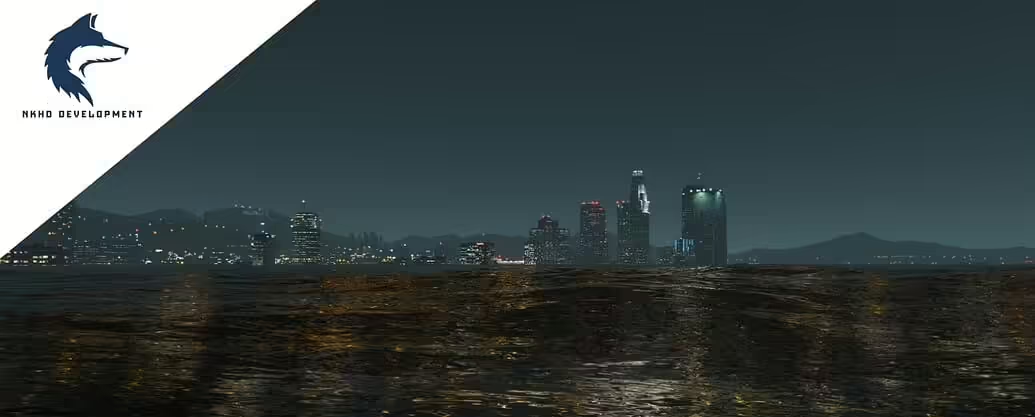
Tsunami Mod
Unleashing the Power of a Tsunami in FiveM
The Tsunami Mod is rapidly becoming a staple for FiveM server owners who want to deliver a truly unforgettable event. By combining stunning realism with effortless control, this package lets anyone craft a massive wave scenario that arrests the attention of every player in real time. Whether you’re looking to challenge a single group or shock your entire community, the mod’s built‑in tools bring the Pacific’s mighty tide right to your virtual world.
---
How the Tsunami Mod Works
Intuitive Tsunami Menu
At the heart of the mod is a sleek, user‑friendly menu that lives in the game’s native interface. With just a few clicks you can:
Initiate a full‑scale tsunami that can be set to “Generate Wave” at any coastline.
Adjust Influence Radius, allowing the wave to affect specific zones or the entire map.
Tweak Wave Height for dramatic rises or more subtle surges.
Decide the Speed, from a gentle set‑back to a roaring, almost free‑falling wave.
All these options are accessible with a single in‑game command, meaning your crew can swing from calm to chaos without any technical fuss. The menu also provides visual previews, so you’ll know exactly how the wave will look before you send it out the window.
Real‑Time Synchronization
One of the standout features of the Tsunami Mod is its flawless sync. While many mods may only affect the current session, this device keeps every player’s experience aligned. Whenever a wave is sent off:
Current Players see the surge ripple across their screen instantly.
Newly Joined Players are not left in the dark – the wave continues seamlessly as soon as they log in, without the need for a victim’s prompt to start the ambulance.
This synchronization hinges on an efficient network layer that transmits wave parameters once, then calculates the wave effect on each client locally.
---
What Makes the Tsunami Mod a Game‑Changer?
Immersive Cinematics
The tsunami animation is not merely a graphical exaggeration. The mod uses physics‑based wave modeling, ensuring that the water behaves like it should under gravity, wind, and the sound of distant thunder. As the crest rolls, it interacts with coastlines and existing vehicles, causing debris to splash and cars to bob, all things that bring your server’s world to life.
Customizability at Every Turn
The mod doesn’t lock you into a single preset. Every aspect—height, speed, direction, even the glittering spray—is flexible. Want to simulate a tsunamic wave that slowly climbs a beachfront resort? Or a sudden slide that blasts a rogue tanker? Pick and choose from the menu and let your imagination run.
Built‑for‑FiveM Architecture
Because it is specifically tailored to the FiveM platform, the mod makes maximum use of the framework’s event system. Server scripts trigger wave events, and client scripts render them using Lua’s built‑in effects scripting. No external patches or add‑ons required; everything runs smoothly in your existing environment.
Community Feedback Loop
The developers encourage community involvement. Environments and asset packs can be customized so that the wave makes sense in your place. For example, the mod can be tweaked to affect only certain assets: ports, bridges, or even just the sea bed. This flexibility lets you keep the realism intact while catering to the unique style of each server.
---
Steps to Install and Use the Tsunami Mod
1. Download the latest zip file from the official repository:
```bash
https://example.com/downloads/tsunami_mod.zip
```
2. Extract the folder to your FiveM server’s `resources` directory.
3. Add the mod to your server configuration by adding the following line to `server.cfg`:
```conf
ensure tsunami_mod
```
4. Restart your FiveM server.
5. Activate the wave through the in‑game console or chat with the slash command `/tsunami start`.
6. Use the optional configuration script to fine‑tune wave parameters based on your server’s map layout.
---
Tips for a Successful Tsunami Event
Time It Right
Choose a low‑traffic window if you want to catch a large group of players for a coordinated release. Typically evenings and weekends yield the highest player counts in many server communities.
Build Anticipation
Send out a notification a few minutes before the wave. Create a sense of dread and excitement, making the wave a highlight rather than a random glitch.
Offer Safe Zones
If your server includes a traveling party of a large group, consider giving them a “safe zone” near the coast that can’t be overtaken by the wave. This encourages them to plan a strategy rather than just flee.
Post-Event Content
After the tsunami, include a “clean‑up” event. A droughty wreckage sweep team could be a singleplayer or a collaborative, role‑play event, giving everyone a sense of closure.
---
Why the Tsunami Mod Is Your Ultimate FiveM Tool
The Tsunami Mod takes the awe and thrill of a massive wave from imagination and places it in your hands. Its real‑time sync, deep customization, and natural feel mean that every crash into the ocean is a breathtaking spectacle. And because it’s lightweight, adding it to an existing server is as simple as a few clicks. No more waiting for daily downtime or breaking your server code.
With this mod, you’re not just throwing a wave at random; you’re shaping an event that will linger in your player’s memory. Whether you enjoy delivering a single source of sensational play‑thru daily or orchestrating a surprise mega‑event that will be replayed for weeks, the Tsunami Mod gives you full dominion over the tidal symphony.
Get the Tsunami Mod today, and let your FiveM server become the place where the ocean itself roars in the middle of town.