ToZ Notifications
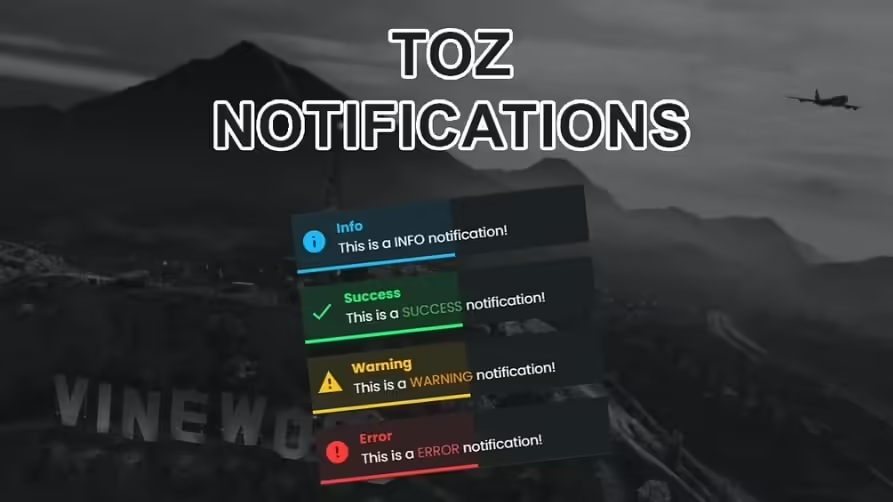
Description
Overview
Introduction
We’re excited to present a must-have addition for your FiveM server – the Free Notification Script, toz-notifications. This simple yet powerful script allows you to add custom notifications, enhancing the user experience on your server.
Features
- Simple Integration: Easy to install and integrate with your existing FiveM server.
- Customizable Notifications: Fully customizable notifications to suit your server’s needs.
- Lightweight: Designed to be efficient and have minimal impact on server performance.
- Open Source: Free to use and modify according to your preferences.
Video Preview
Requirements
To use the Free Notification Script, ensure your server meets the following requirements:
- a FiveM server – How To Create a FiveM Server
- ESX Framework or QBCore Framework (optional for additional features)
Installation Instructions
Follow these simple steps to install the Notification Script on your FiveM server:
- Download the Script: Download toz-notifications
- Unzip the Files: Extract the downloaded files to a known location.
- Add to Server Resources: Copy the extracted
toz-notificationsfolder to your server’sresourcesdirectory. - Modify Server Config: Add
start toz-notificationsto your server.cfg file to ensure the resource starts with your server. - Customize Notifications: Open the configuration file within the mod’s folder to customize the notifications as needed.
- Restart Server: Restart your FiveM server to apply the changes.
Download here
Usage
Once installed, the Notification Script will allow you to send custom notifications to players. These notifications can be used for various purposes, such as alerting players about server events, rules, or important updates.