FiveM Lambda Menu
Free
FiveM Lambda Menu
Description
The Lambda Menu for FiveM is a versatile and feature-rich mod that enhances your gameplay in GTA V. This menu offers a wide array of functionalities, including player options, vehicle spawns, and world customization. With the Lambda Menu, players can tailor their FiveM experience to their liking, making it an essential tool for any serious GTA V enthusiast.
Options
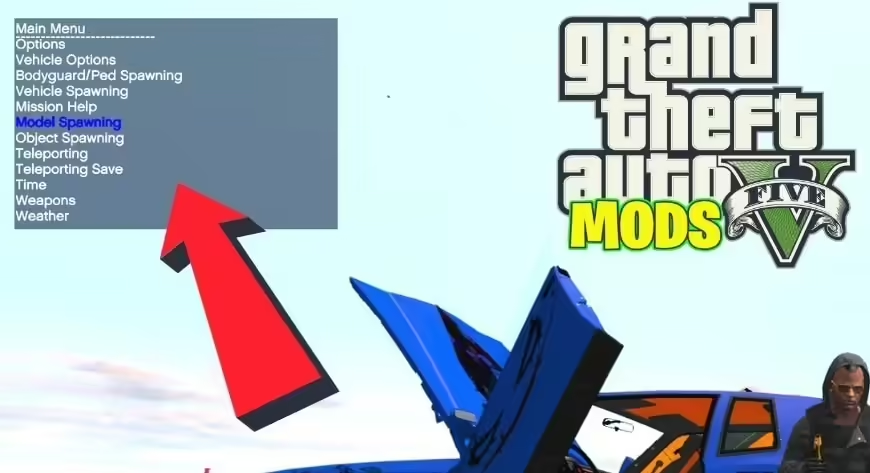
The Lambda Menu is visually intuitive and easy to navigate.
- Player Options
- Vehicle Spawner
- World Editor
These previews show the depth and flexibility the Lambda Menu adds to your FiveM server.
About the Mod
The Lambda Menu mod is primarily designed to bring additional functionality and customization to the GTA V multiplayer experience on FiveM servers. Key features include:
- Player Options: Customize player appearance, abilities, and stats. This includes setting health, armor, and wanted levels.
- Vehicle Spawns: Instantly spawn any vehicle from the game. Perfect for role-playing scenarios or just exploring the world in your favorite rides.
- World Customization: Modify the weather, time cycle, and other environmental settings to create the perfect ambiance.
- Admin Tools: Easily manage your server with kick, ban, and teleport options, making it easier to maintain a smooth and fair gaming experience.
The Lambda Menu stands out due to its user-friendly interface and extensive feature set, empowering players to create unique gameplay scenarios and manage their servers effectively.
Installation Instructions
Prerequisites: You must have FiveM installed.
To install the Lambda Menu, follow these step-by-step instructions:
- Download the Mod: Go to the download link and get the latest version of the Lambda Menu.
- Open AppData Folder: Press
WIN + Rand type%appdata%into the small window that appears, then press Enter. - Navigate to FiveM Folder: Go into the “Local” folder, and then into the “FiveM” folder. The path might look something like this:
C:\Users\YOUR_USER\AppData\Local\FiveM. - Open Application Data Folder: Double-click on “FiveM Application Data”.
- Create Plugins Folder: Create a new folder named “plugins”.
- Move Files: Move the downloaded
LambdaMenu.asiandlm-config.xmlfiles into the “plugins” folder.
If you have any questions, feel free to ask in the comments section. Enjoy your game!
Compatibility
The Lambda Menu is compatible with the latest versions of FiveM. It is constantly updated to ensure it works seamlessly with the newest game and server updates.
Support and Updates
For support and the latest updates, you can visit the official Lambda Menu release page. Additionally, keep an eye on our Free FiveM Mods section for more great mods and tools to enhance your FiveM server. If you need any help or have questions, feel free to reach out on our community forum.