-
Angebot
Product on sale
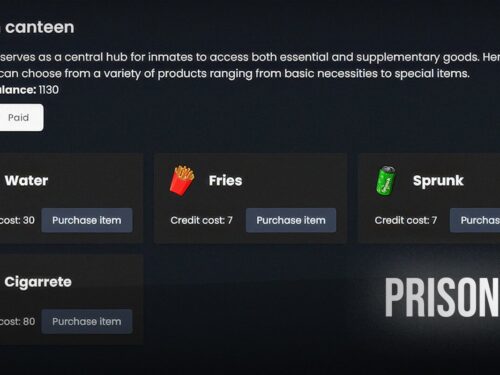
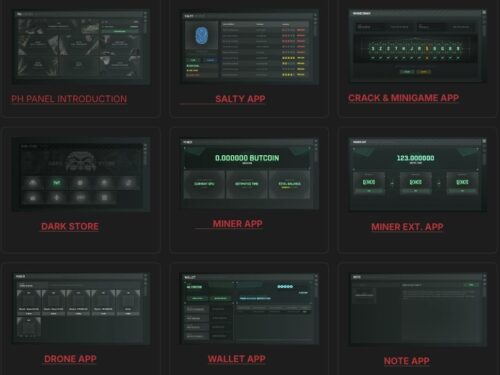
Prison all-in-one system
$55.00 Ursprünglicher Preis war: $55.00$32.00Aktueller Preis ist: $32.00.

-
Angebot
Product on sale
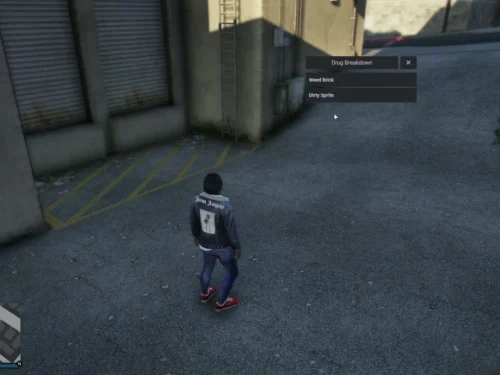
DevM Drug Script
$12.00 Ursprünglicher Preis war: $12.00$8.00Aktueller Preis ist: $8.00.
-
Angebot
Product on sale
Devm | Snatchables
$30.00 Ursprünglicher Preis war: $30.00$17.00Aktueller Preis ist: $17.00.
-
Angebot
Product on sale
FiveM Torture System
$39.00 Ursprünglicher Preis war: $39.00$24.00Aktueller Preis ist: $24.00.
-
Angebot
Product on sale
Drugs Creator
$75.00 Ursprünglicher Preis war: $75.00$50.00Aktueller Preis ist: $50.00.
-
Angebot
Product on sale
Robbery Creator
$105.00 Ursprünglicher Preis war: $105.00$65.00Aktueller Preis ist: $65.00.
-
Angebot
Product on sale
Gangs – Territory, Wars & Tribute Zones
$83.00 Ursprünglicher Preis war: $83.00$40.00Aktueller Preis ist: $40.00.
-
Angebot
Product on sale
Weed Laboratory (QB)
$70.00 Ursprünglicher Preis war: $70.00$30.00Aktueller Preis ist: $30.00.
-
Angebot
Product on sale
0R-WEAPON DRAW: 7 DIFFERENT DRAW ANIMATIONS
$22.00 Ursprünglicher Preis war: $22.00$14.00Aktueller Preis ist: $14.00.
-
Angebot
Product on sale
Underground Operations: Criminal Enterprise & Mining
$62.00 Ursprünglicher Preis war: $62.00$29.00Aktueller Preis ist: $29.00.
-
Angebot
Product on sale
G4 Addiction
$41.00 Ursprünglicher Preis war: $41.00$23.00Aktueller Preis ist: $23.00.
-
Angebot
Product on sale
Kelly Park – Gang Hood MLO
$23.00 Ursprünglicher Preis war: $23.00$14.00Aktueller Preis ist: $14.00.
-
Angebot
Product on sale
South Hoods – Gang MLO
$17.00 Ursprünglicher Preis war: $17.00$13.00Aktueller Preis ist: $13.00.
-
Angebot
Product on sale
Strawberry Gang Block
$22.00 Ursprünglicher Preis war: $22.00$14.00Aktueller Preis ist: $14.00.
-
Angebot
Product on sale
Mirror Park Hood
$17.00 Ursprünglicher Preis war: $17.00$8.00Aktueller Preis ist: $8.00.
-
Angebot
Product on sale
AC Target
$23.00 Ursprünglicher Preis war: $23.00$15.00Aktueller Preis ist: $15.00.
-
Angebot
Product on sale
Drug System
$32.00 Ursprünglicher Preis war: $32.00$23.00Aktueller Preis ist: $23.00.
-
Angebot
Product on sale
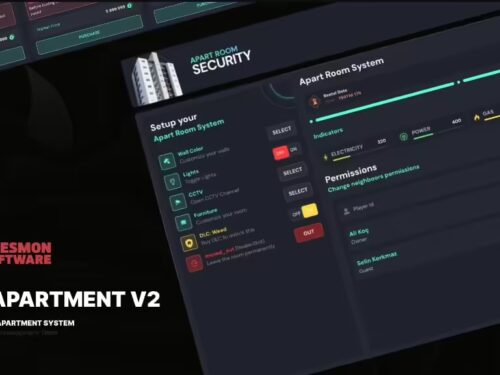
0r Apartment V2
$126.00 Ursprünglicher Preis war: $126.00$90.00Aktueller Preis ist: $90.00.
Advanced Teleport Menu – Free Download for FiveM Servers
Managing player movement efficiently across large FiveM maps can be challenging for server administrators and roleplayers alike. The Advanced Teleport Menu solves this problem by providing a sleek, intuitive interface that allows authorized players to instantly travel to pre-configured locations. Whether you’re running a strict roleplay server where admins need quick map access, or a casual server where donors get teleport perks, this script delivers the flexibility and control you need.
Built with both ESX and QBCore frameworks in mind, this free resource offers permission-based access control through jobs and Steam IDs, ensuring only authorized players can use teleportation features. The menu integrates seamlessly with your existing server setup and can be customized extensively through a simple config file.
What’s Included
The Advanced Teleport Menu comes as a complete package ready to drop into your server. You’ll receive the core script files, pre-configured location coordinates for popular Los Santos landmarks, comprehensive permission management systems, and full documentation for setup and customization. The resource is lightweight, optimized for performance, and designed to work out of the box with minimal configuration.
Key Features
- Dual Framework Support – Works perfectly with both ESX and QBCore frameworks, selectable via config file
- Pre-Configured Locations – Ships with teleport points for police stations, hospitals, mechanic shops, popular businesses, and key landmarks
- Permission Management – Control access by job (police, ambulance, admin), Steam ID, or global permission system
- Multiple Menu Systems – Supports qb-menu for QBCore and default ESX menu for ESX servers
- Customizable Notifications – Fully editable success and error messages to match your server’s style
- Easy Location Management – Add, remove, or modify teleport locations directly in config.lua without touching code
- Discord Logging – Optional webhook integration to track all teleportation actions for server monitoring
- Zero Performance Impact – Minimal resource usage with idle consumption of 0.00ms
- Secure & Fair – Permission checks prevent abuse and maintain roleplay integrity
- Player-Friendly UI – Clean, organized menu interface with location categories and descriptions
Perfect For
- Roleplay servers needing admin quick-travel tools
- Servers offering teleportation as a VIP/donor perk
- Community servers wanting convenient player transportation
- Development servers where builders need fast map access
- Event servers requiring quick player repositioning
- Training servers for new player orientation tours
Framework Compatibility
- ✅ ESX – Legacy and 1.10.x+ (uses default ESX menu)
- ✅ QBCore – Latest versions (uses qb-menu)
- ❌ Standalone – Requires ESX or QBCore framework
Installation Guide
- Download the Advanced Teleport Menu from the link below
- Extract the ZIP file and rename the folder to
qb-teleport or esx-teleport
- Place the folder in your server’s
resources directory
- Open
config.lua and select your framework (ESX or QBCore)
- Configure permissions: add authorized job names or Steam IDs
- Customize teleport locations or use the default pre-configured spots
- Add
ensure qb-teleport (or your folder name) to your server.cfg
- Restart your server and test with
/teleport command
- (Optional) Configure Discord webhook for teleport logging
Configuration Options
The config.lua file gives you complete control over the teleport system. You can set which framework to use, define unlimited teleport locations with custom names and coordinates, specify which jobs have access (like “police”, “ambulance”, “admin”), whitelist specific Steam IDs for individual player access, customize notification messages, and enable or disable Discord logging with webhook URLs.
Common Issues & Solutions
Issue: Menu doesn’t open when using /teleport command
Solution: Check that you’ve selected the correct framework in config.lua. ESX servers must use “ESX” and QBCore servers must use “QBCORE”. Also verify that your player has permission through job or Steam ID whitelist.
Issue: Getting “You don’t have permission” message
Solution: Add your job name to the Config.AllowedJobs table in config.lua, or add your Steam ID to the Config.AllowedSteamIDs table. Remember to use the format “steam:110000xxxxxxxxx” for Steam IDs.
Issue: Teleport locations not showing in menu
Solution: Ensure your locations are properly formatted in the Config.Locations table with valid coordinates (x, y, z, heading). Check the console for any Lua errors that might indicate formatting issues.
Issue: Script not loading on server start
Solution: Verify the resource name in server.cfg matches your folder name exactly. Check that all required files (client.lua, server.lua, config.lua, fxmanifest.lua) are present in the resource folder.
FAQ
Q: Does this work with both ESX and QBCore on the same server?
A: No, you must choose one framework in the config file. The script is designed to work with either ESX or QBCore, not both simultaneously. However, switching between them is as simple as changing one line in config.lua.
Q: Can I add custom teleport locations?
A: Yes! Simply edit the Config.Locations table in config.lua. Add new entries with a label (display name), coordinates (x, y, z), and heading. You can add unlimited locations.
Q: How do I restrict teleportation to specific jobs only?
A: Edit the Config.AllowedJobs table in config.lua and add job names like “police”, “ambulance”, “admin”. Only players with these jobs will be able to use the teleport menu.
Q: Can I give teleport access to individual players?
A: Yes, use the Config.AllowedSteamIDs table to whitelist specific Steam IDs. This is perfect for donators or VIP members who should have teleport access regardless of their job.
Q: Will this cause lag or performance issues?
A: No, the script is highly optimized with 0.00ms idle resource usage. It only activates when players open the menu, making it extremely lightweight.
Q: Can I change the command to open the teleport menu?
A: Yes, edit the command registration in client.lua or server.lua (depending on where it’s defined). Change "/teleport" to any command you prefer.
Q: Does this support multiple languages?
A: The notification messages can be customized in config.lua, so you can translate them to any language. However, the menu UI will display in the language set by your framework’s menu system.
Q: Is Discord logging required?
A: No, Discord logging is completely optional. If you want to track who is using teleports and when, you can enable it by adding a webhook URL in config.lua. Otherwise, leave it disabled.
Q: Can players teleport anywhere on the map?
A: No, players can only teleport to pre-defined locations that you configure in config.lua. This prevents abuse and maintains server balance.
Q: Will this conflict with other teleport scripts?
A: It might if both scripts use the same command name. Make sure to use unique command names, or remove other teleport scripts before installing this one.
Download
Ready to simplify navigation on your FiveM server? Click the button below to download the Advanced Teleport Menu and give your authorized players instant access to key locations across Los Santos.
Download Advanced Teleport Menu
Related Resources