PVP HUD
PVP HUD mit Standalone-Kompatibilität - Funktioniert nahtlos auf jedem Server ohne zusätzliche Framework-Anforderungen.
Sicherer Checkout
256-Bit-SSL-Verschlüsselung
Geld-zurück-Garantie
7-Tage-Rückgaberecht
Sofortiger Zugang
Sofortiger Download nach dem Kauf
Lebenslange Updates
Kostenlose Updates für immer inklusive
Beschreibung
PVP HUD - Kampf-Schnittstelle für wettbewerbsorientierte FiveM-Server
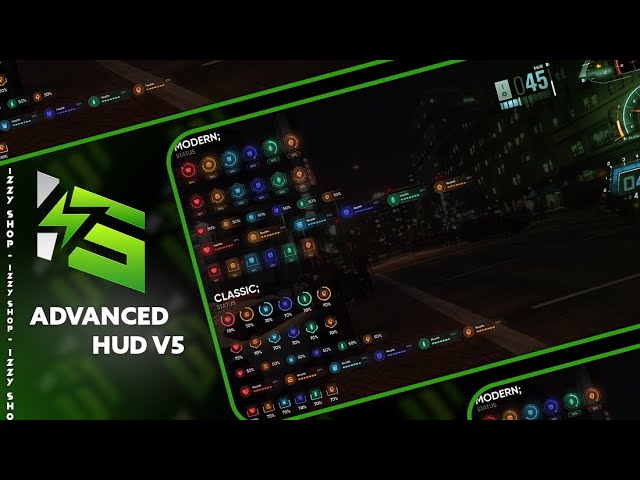
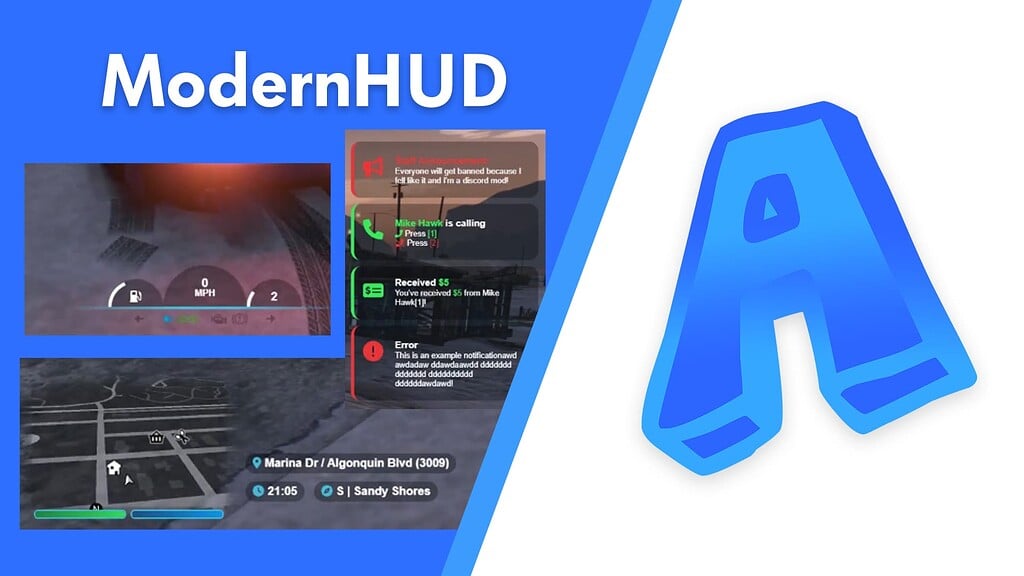
Verbessere das Kampf-Erlebnis deines FiveM-Servers mit diesem speziell für den Wettbewerb konzipierten PVP-HUD. Egal ob du eine Deathmatch-Arena, eine Battle-Royale-Zone, ein Gang-Kriegs-Territorium betreibst oder einfach bessere Kampf-Rückmeldungen während intensiver Schusswechsel möchtest, dieses HUD liefert alle wichtigen Informationen auf einen Blick. Im Gegensatz zu standardmäßigen, fahrzeugfokussierten HUDs priorisiert dieses Interface Kampf-Statistiken - Gesundheit, Rüstung, Waffen-Informationen, Munitionszähler und Kill-Streak-Verfolgung - alles in einem sauberen, performance-optimierten Design, das den Bildschirm während kritischer Momente nicht überflutet.
Inhalt
Du erhältst ein vollständiges Kampf-Interface-System mit dynamischen Gesundheits- und Rüstungsanzeigen, Echtzeit-Waffen- und Munitionsverfolgung, Kill-Streak-Zähler mit anpassbaren Belohnungen und ein vollständig konfigurierbares Design-System. Die standalone-Architektur bedeutet, dass es sofort auf jedem FiveM-Server funktioniert, unabhängig vom Framework - keine Abhängigkeiten müssen installiert werden, keine Konflikte mit bestehenden Ressourcen, keine Kompatibilitätsprobleme. Alles wird über eine ausführliche Konfigurationsdatei gesteuert, in der du Farben, Positionen, Größen, Symbole, Animationen und Anzeigeauslöser anpassen kannst, um das visuelle Erscheinungsbild deines Servers und deinen Spielstil zu entsprechen.
Warum Kampf eine dedizierte HUD benötigt
Standard-FiveM-HUDs sind für die allgemeine Rollenspiel-Gameplay-Statistiken ausgelegt - zeigen Fahrzeug-Statistiken, Hunger, Durst und andere Überlebensmechaniken. Während PVP-Situationen benötigen Spieler sofortigen Zugriff auf kampfkritische Informationen, ohne durch Menüs zu graben oder winzige Symbole zu betrachten. Dieses HUD bringt genau das, was in Schusswechseln wichtig ist: aktuellen Gesundheitsprozentsatz, Rüstungsstatus, aktive Waffe, verbleibende Munition im Magazin und im Reserve, sowie Leistungsverfolgung durch Kill-Streaks. Die dynamische Benutzeroberfläche passt sich basierend auf deinen Aktionen an - sie verschwindet während friedlicher Momente, um die Immersion zu maximieren, und erscheint glatt, sobald du eine Waffe ziehst oder Schaden nimmst.
Schlüsselmerkmale und Fähigkeiten
- True Standalone-Kompatibilität - Keine Framework-Anforderungen; einfaches Einrichten und Konfigurieren für sofortige Funktionalität auf QBCore, ESX oder vollständig individuellen Servern
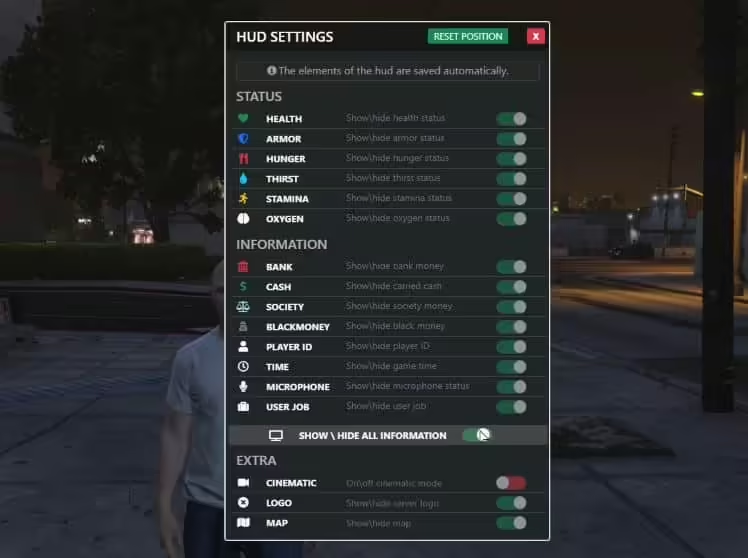
- Vollständig anpassbare Konfiguration - Jedes visuelle Element, Timing, Auslösebedingung und Anzeigeoption in der Konfiguration freigegeben für totale Anpassung
- Dynamische kontextbezogene Anzeige - HUD-Elemente erscheinen und verschwinden basierend auf Spieleraktionen; zeigt nur dann, wenn relevant, um den Bildschirm zu entlasten
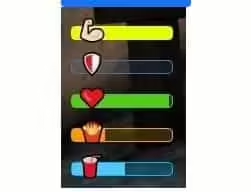
- Präzise Gesundheitsverfolgung - Echtzeit-Gesundheitsprozentsatz mit farbcodierten Indikatoren für kritische, Warn- und gesunde Statuslevel
- Rüstungsstatusanzeige - Getrennte Rüstungsindikator mit prozentualer Verfolgung und eigenständiges visuelles Design von der Gesundheitsleiste
- Anzeige der aktiven Waffe - Zeigt die aktuell ausgerüstete Waffe mit Unterstützung für benutzerdefinierte Symbole und Waffenkategorieklassifikation
- Munitionszähler - Doppelte Anzeige, die sowohl Magazinmunition als auch totale Reservemunition für die aktive Waffe zeigt
- Kill-Streak-System - Verfolge aufeinanderfolgende Kills ohne Tode; anpassbare Schwellenwerte für visuelle Rückmeldung und serverseitige Belohnungsauslöser
- Kill-Streak-Belohnungsintegration - Fire server events bei konfigurierbaren Kill-Zahlen (3, 5, 10, 15, 25) für individuelle Belohnungen, Ankündigungen oder spezielle Fähigkeiten
- Farbcodierte Statusindikatoren - Gesundheits- und Rüstungsleisten ändern die Farbe basierend auf prozentualen Schwellenwerten für sofortige Statuserkennung
- Glatte Animationen - Anpassbare Ein-/Ausblend-Zeitsteuerung, Gleitübergänge und Aktualisierungsanimationen für professionelles Feeling
- Positionsanpassung - Platziere HUD-Elemente an jeder Stelle auf dem Bildschirm mit Pixel-genauer Positionierung und Ankerpunktkontrolle
- Mehrere Anzeigemodi - Wähle zwischen immer-an, waffenbasiert, kampfbasiert oder vollständig dynamischen Anzeigeauslösern
- Bibliothekssupport für Symbole - Verwende standardmäßige Waffensymbole oder integriere benutzerdefinierte Symbolpacks für Waffen, Gesundheit, Rüstung und Streaks
- Performance-optimiert - Effizienter Rendering-Loop mit bedingten Aktualisierungen; minimale FPS-Belastung sogar während intensiver Kämpfe
- Safe-Zone-bewusst - Option, HUD in festgelegten sicheren Zonen oder spezifischen Koordinaten für Rollenspielserver zu verstecken
- Multi-Sprachbereit - String-Lokalisierungssystem für Textelemente; übersetze Interface-Elemente einfach
Perfekt für
- PVP-Arena-Server - Verleihe Deathmatch- und Team-Deathmatch-Modi ein professionelles wettbewerbsfähiges UI
- Battle-Royale-Modi - Essentielles Kampf-Feedback für Überlebensgameplay mit Kill-Verfolgung und Statusüberwachung
- Gang-Kriegs-Territorien - Zeige Kampf-Statistiken während Territory-Kriege und Fraktionskonflikte auf Rollenspielservern
- Wettbewerbsveranstaltungen - Turnierreihen und Event-Organisatoren erhalten ein beobachterfreundliches UI mit Kill-Streak-Ankündigungen
- Hybride RP/PVP-Server - Dynamische Anzeigeauslöser bedeuten, dass das HUD nur während des Kampfes erscheint und ansonsten die RP-Immersion bewahrt
- Zombie-Überlebens-Server - Verfolge Kills gegen NPCs mit demselben Kampf-Interface, das Spieler gegeneinander verwenden
Kill-Streak-System im Detail
Das integrierte Kill-Streak-Zählsystem tut mehr als nur Zahlen anzuzeigen - es schafft Gameplay-Momente. Wenn Spieler aufeinanderfolgende Kills ohne Tod aufweisen, bietet das HUD visuelle Rückmeldung durch Farbänderungen, Größenänderungen oder benutzerdefinierte Animationen (alles anpassbar). Wichtiger ist jedoch, dass das System serverseitige Events bei deinen definierten Schwellenwerten auslöst. Richte Belohnungstufen ein wie z.B.: 3 Kills = Bargeldbonus, 5 Kills = temporärer Schadensboost, 10 Kills = Server-weite Ankündigung, 15 Kills = spezielle Waffensperre, 25 Kills = einzigartiges Fahrzeug-Spawn. Der Streak setzt beim Tod zurück, was natürliche Spannung und Risiko-Belohnungs-Entscheidungen darüber schafft, ob man für die nächste Stufe drängen oder sicher spielen soll, um den aktuellen Fortschritt zu bewahren.
Anpassungsoptionen
Jede Aspect des HUDs wird über die Konfigurationsdatei gesteuert, kein Coding erforderlich. Passe Leistenbreiten, -höhen, -radius, -Padding und -Margins an. Setze benutzerdefinierte RGB-Farben für Gesundheit, Rüstung, Hintergrund, Ränder und Text bei verschiedenen Status-Schwellenwerten. Steuere, wann Elemente erscheinen - nur mit gezogener Waffe, nur wenn beschädigt, nur während des Kampfes (kürzlich zugefügter oder empfangener Schaden) oder immer sichtbar. Steuere Animationsgeschwindigkeiten, Ein-/Ausblend-Zeitsteuerung und Übergangseffekte. Definiere deine eigenen Kill-Streak-Meilensteine und verbinde sie mit bestehenden Server-Belohnungssystemen. Ändere Symbolgrößen, aktiviere/deaktiviere spezifische Elemente, positioniere das gesamte HUD neu oder erstelle mehrere Profile für verschiedene Game-Modi.
Installationsübersicht
- Ressource extrahieren - Entpacke in den Ressourcenordner deines Servers (keine anderen Abhängigkeiten erforderlich)
- Add to server.cfg - Einzeiler: sicher [resource-name]
- Einstellungen konfigurieren - Bearbeite config.lua, um deinen Serverstil und Gameplay-Bedürfnisse zu entsprechen
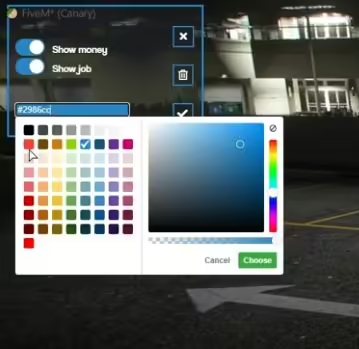
- Farben anpassen - Setze RGB-Werte für Gesundheit/Rüstung, Hintergrund und Textelemente
- Elemente positionieren - Passe X/Y-Koordinaten und Ankerpunkte für die Bildschirmplatzierung an
- Anzeigeauslöser einstellen - Wähle, wann das HUD erscheint (immer, Waffe gezogen, im Kampf, etc.)
- Kill-Streaks konfigurieren - Definiere Belohnungsschwellenwerte und verbinde Server-Events
- Testen und verfeinern - Tritt in den Server ein, teste Kampf-Szenarien, passe die Konfiguration an, bis sie perfekt ist
Framework-Kompatibilität
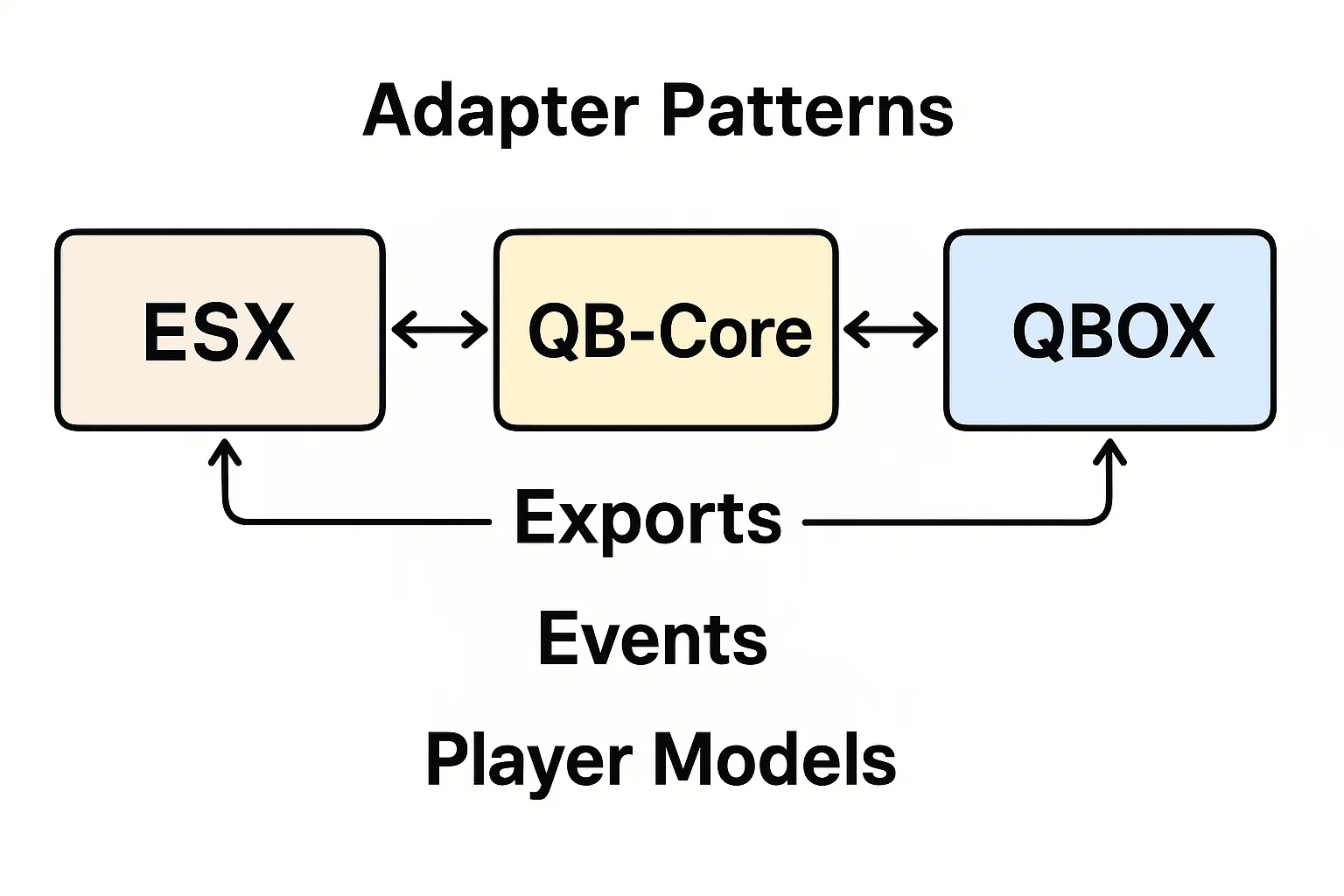
- ✅ Standalone - Keine Framework-Abhängigkeit; funktioniert auf jedem FiveM-Server aus der Box
- ✅ QBCore - Volle Kompatibilität; kann mit dem QBCore-Event-System für Belohnungen integriert werden
- ✅ ESX - Volle Kompatibilität; kann mit dem ESX-Event-System für Belohnungen integriert werden
- ✅ Benutzerdefinierte Frameworks - Event-basierte Architektur funktioniert mit jedem Framework-Event-System
- ✅ vRP - Kompatibel; kann vRP-Funktionen für Kill-Streak-Belohnungen auslösen
Was macht es einzigartig
Die meisten Kampf-HUDs sind entweder zu einfach (nur Gesundheit/Rüstung) oder zu überfüllt (zeigen irrelevante Rollenspiel-Statistiken während Kämpfe). Dieses schlägt den perfekten Balanceakt - umfassende Kampf-Informationen ohne visuelle Überladung. Das dynamische Anzeigesystem ist besonders clever: auf Rollenspiel-Servern verschwindet das HUD während friedlicher Aktivitäten vollständig, um die Immersion zu bewahren. Sobald ein Spieler eine Waffe zieht oder in den Kampf eintritt, erscheint es glatt mit allen relevanten Informationen. Das Kill-Streak-Integrationssystem transformiert es von einem einfachen Informationsdisplay zu einem eigentlichen Gameplay-System, das memorable Momente schafft und talentierten Spielern für ihre Leistung Anerkennung gibt.
Anzeigeauslöser-Modi
Konfiguriere genau, wann das HUD basierend auf den Bedürfnissen deines Servers erscheint:
- Immer aktiv - Permanente Anzeige für reine PVP-Server, wo der Kampf ständig ist
- Waffe gezogen - Zeigt, wenn der Spieler eine Waffe hat, versteckt, wenn unbewaffnet
- Kampfmodus - Erscheint, wenn der Spieler Schaden nimmt oder verursacht, verblasst nach konfigurierter Abklingzeit
- Dynamisch intelligent - Kombiniert Waffe und Kampf-Auslöser; erscheint für jede Bedingung
- Safe-Zone-bewusst - Versteckt in festgelegten Koordinaten/Zonen sogar mit gezogener Waffe
- Fahrzeug-Override - Optionale Einstellung, um in Fahrzeugen getrennt von auf dem Boden versteckt/zu zeigen
Performance-Details
Mit Effizienz im Sinn von Grund auf gebaut. Das HUD verwendet bedingtes Rendering - Elemente aktualisieren sich nur, wenn Werte sich tatsächlich ändern, nicht jeden Frame. Intelligente Auslösesysteme verhindern unnötige Berechnungen, wenn das HUD versteckt ist. Optimierte Draw-Calls minimieren die GPU-Belastung sogar mit vollen Animationen aktiviert. Typische Performance: 0,01-0,03ms aktiv, 0,00ms versteckt. Getestet auf Servern mit 128+ gleichzeitigen Spielern in aktiven Kampfzonen ohne messbare FPS-Belastung auf Client oder Server.
Integrationsmöglichkeiten
Obwohl es vollständig funktionsfähig standalone ist, ermöglicht die event-basierte Architektur eine leichte Integration mit anderen Systemen:
- Belohnungssysteme - Verbinde Kill-Streak-Events mit Wirtschaft, Item- oder XP-Belohnungen
- Leaderboards - Verfolge höchste Kill-Streaks und zeige sie auf Scoreboards
- Server-Ankündigungen - Sende Nachrichten, wenn Spieler wichtige Meilensteine erreichen
- Spezielle Fähigkeiten - Gewähre temporäre Buffs bei bestimmten Kill-Streak-Schwellenwerten
- Statistik-Tracking - Logge Kill-Streak-Daten in externe Datenbanken für Spielerprofile
- Discord-Integration - Sende Webhook-Benachrichtigungen für beeindruckende Kill-Streaks
Anforderungen
- FiveM-Server (jede Version)
- Keine Framework-Abhängigkeiten
- Keine externen Ressourcen erforderlich
- Client-seitig nur (keine Datenbank erforderlich)
- Funktioniert mit jedem Game-Modus oder Framework
Server-Belastung: 0,00-0,03ms client-seitig, null serverseitige Performance-Belastung. Reiner Client-seitiger Rendering mit optionalen Server-Events für Kill-Streak-Belohnungen.