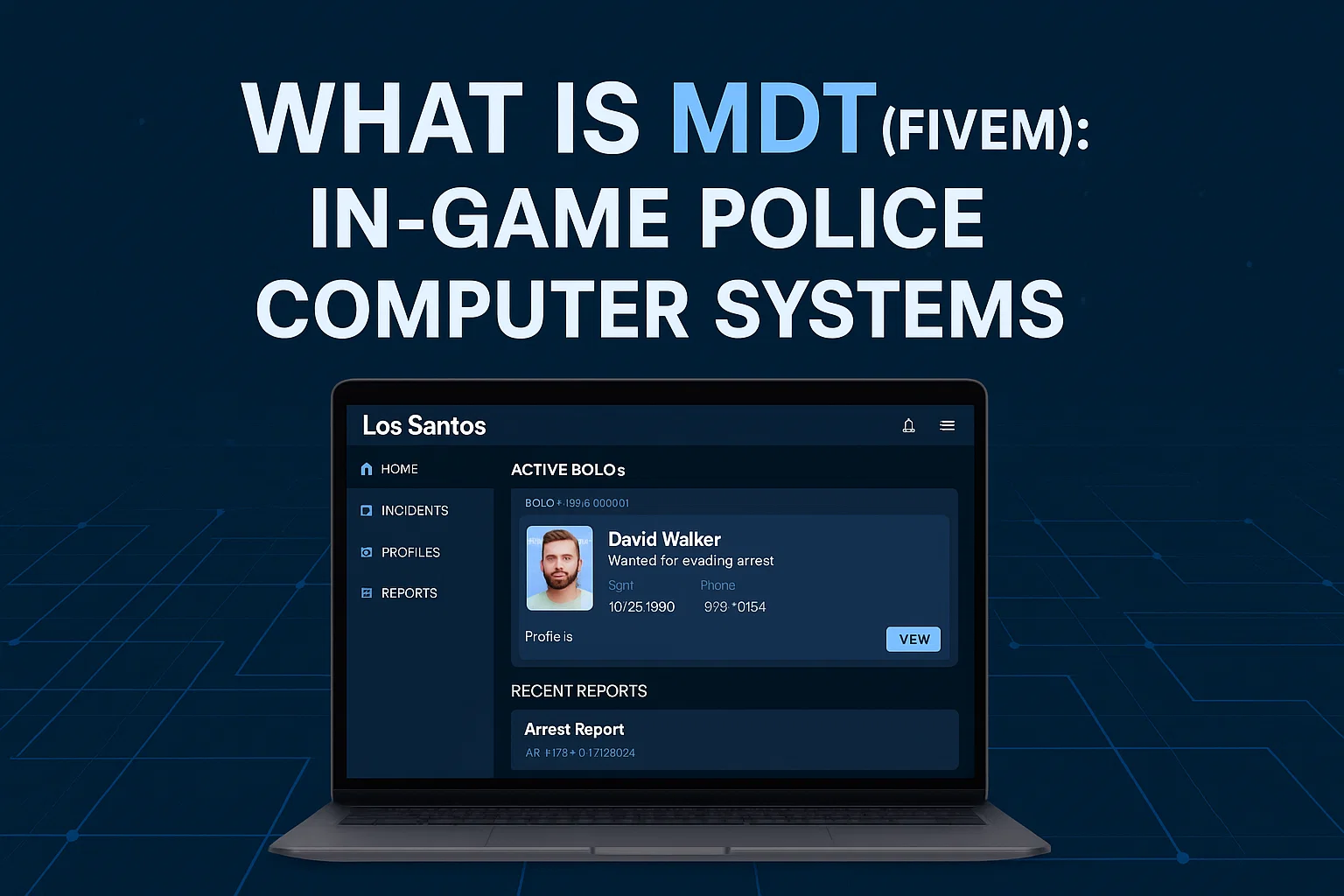
What is an MDT in FiveM? Police Computer Systems Explained
Everything you need to know about MDT (Mobile Data Terminal) systems in FiveM, from basic features to technical implementation for Police RP.

If you have ever watched a popular Grand Theft Auto roleplay stream, you have likely seen law enforcement pull up a sleek, high-tech interface to run a suspect's license plate or file a report. This system is known as an MDT (Mobile Data Terminal) or CAD (Computer-Aided Dispatch).
MDT systems are arguably the most critical piece of infrastructure for any Law Enforcement (LEO) or Emergency Medical Services (EMS) faction on a FiveM server. This guide breaks down exactly what an MDT is, why your server needs one, and how they function on a technical level.
What is a Mobile Data Terminal (MDT)?
In the real world, an MDT is the computerized system mounted in the center console of a police cruiser. It connects personnel in the field to a centralized dispatch database, allowing them to communicate, run records, and file reports without tying up voice radio channels.
In FiveM, an MDT script replicates this exact functionality. It provides an immersive, interactive interface (usually triggered by a command like /mdt or using an item) where personnel can access server-wide databases, interact with other emergency responders, and document roleplay scenarios natively within the game.
Why Do You Need an MDT for Roleplay?
While smaller or less serious servers might rely on external tools like Discord channels or Google Sheets to track incidents, a dedicated MDT script elevates the roleplay experience significantly for several reasons:
Immersion and Breaking the Fourth Wall
Instead of alt-tabbing out of the game to check a spreadsheet, personnel use an in-game animated tablet or laptop prop. This keeps players engaged in the world and prevents the immersion breaks associated with external record-keeping.
Centralized Records
An MDT acts as a permanent, server-side memory bank. When a stop occurs, they can look up a character name to see:
- Previous infractions and records.
- Active driver's licenses or permits.
- Known affiliations or notes.
Real-Time Dispatch and GPS Tracking
Modern MDTs integrate directly with FiveM Police Scripts to provide a live map of all active LEO and EMS units, alongside active calls.
Core Features of a High-Quality FiveM MDT
If you are a server owner looking to purchase or configure an MDT, these are the essential features to look for:
1. Citizen Database
The core of any MDT. It queries your framework's database (like ESX or QBCore) to display every registered character. You can attach mugshots, update addresses, and revoke licenses directly from this page.
2. Vehicle Registration System
When a vehicle is purchased by a player, the MDT registers the license plate to that owner. If a car is reported stolen, users can flag the plate in the MDT so that ALPR (Automated License Plate Reader) systems can alert them later.
3. Incident Reports
After a major scenario, LEOs need to document the event. Advanced MDTs allow them to:
- Tag multiple individuals in a single incident.
- Upload photos of evidence (via Discord webhooks or Imgur links).
- Automatically calculate fines and times based on a built-in Penal Code.
4. Warrants and BOLO Systems
If an individual escapes a chase, an officer can issue a BOLO (Be On The Look Out) or an active warrant. The next time that suspect interaction occurs, the MDT flashes a high-priority alert.
Technical Implementation of MDTs
For developers, understanding how MDTs work under the hood is vital. MDTs typically use one of three implementation approaches:
NUI (CEF) Based β Most Common
Most FiveM MDTs are built using FiveM's NUI (Native UI) implementation, which runs a Chromium browser within the game. Developers build the interface using modern web frameworks like React, Vue, or Svelte.
Here is a simplified example of how an MDT is opened via the client:
-- Client-side NUI trigger example
RegisterCommand('mdt', function()
SetNuiFocus(true, true)
SendNUIMessage({
type = 'openMDT',
officerName = GetPlayerName(PlayerId()),
badgeNumber = GetPlayerServerId(PlayerId())
})
end)
And the server-side logic handles the heavy database querying to prevent client manipulation:
-- Server-side database query
RegisterServerEvent('mdt:searchPerson')
AddEventHandler('mdt:searchPerson', function(firstname, lastname)
local src = source
MySQL.Async.fetchAll('SELECT * FROM users WHERE firstname = @first AND lastname = @last', {
['@first'] = firstname,
['@last'] = lastname
}, function(result)
TriggerClientEvent('mdt:returnSearch', src, result)
end)
end)
External Web Applications
Some premium MDT systems (like Sonoran CAD) operate completely outside of the game on a standard web browser. While this requires players to have a second monitor or use alt-tab, it saves significant server performance and allows dispatchers to play without even launching Grand Theft Auto.
Framework Integration (ESX / QBCore / Qbox)
An MDT is useless if it cannot read your player database. Ensure the MDT you choose natively supports your server's framework. It needs to know which SQL tables to query for characters (users vs players). If you are migrating, check out our ESX to QBCore Migration Guide.
Connecting MDTs to Other Scripts
To truly unlock an MDT's potential, it should interconnect with other scripts:
- Dispatch / 911 Scripts: Calls should feed directly into the MDT's board.
- Confinement Scripts: When a report is submitted, pressing "Submit" should physically teleport the target player into the processing area.
- Phone Scripts: Players should be able to view their own records or pay citations via apps built into their FiveM Phone.
Summary
An MDT is the beating heart of law enforcement roleplay. Without it, factions cannot establish history, track repeat offenders, or organize large-scale departments. Whether you opt for a free open-source solution or a high-end paid CAD system, implementing a robust MDT will drastically improve the quality of your emergency services factions.


