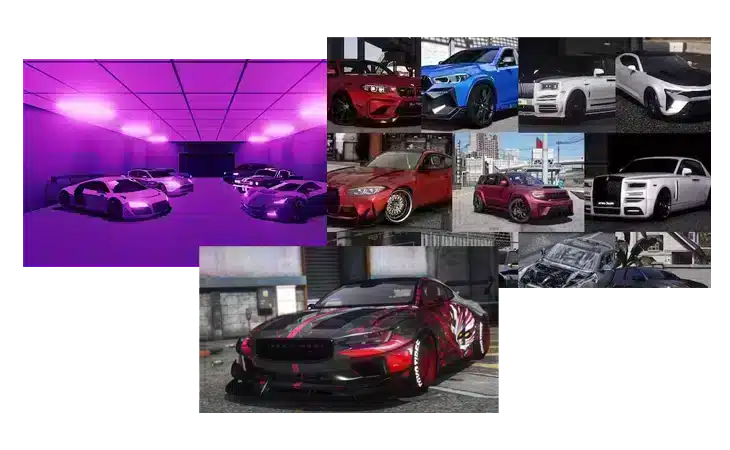
How to Install FiveM Addon Cars
Introduction to Adding new vehicles to your FiveM server can
Adding new vehicles to your FiveM server can significantly enhance the gameplay experience. There are two main types of vehicles you can add: Addon vehicles and Replacement vehicles.
Addon Vehicles vs. Replacement Vehicles
Addon Vehicles: These do not replace any existing GTA 5 vehicles. They are recommended for adding multiple cars to your server without affecting the default vehicles.
Replacement Vehicles: These replace existing GTA 5 vehicles with new ones. While less common, some players prefer this method for specific purposes.
How to Add an Addon Vehicle
Step-by-Step Instructions
- Find and Download the Vehicle Pack
- Locate a vehicle or vehicle pack you wish to add (e.g., LSPD Mega Pack 229).
- Download the pack, ensuring you choose the latest ADDON version if given an option.
- Prepare Your Server Directory
- Decide where to place the vehicles in your server directory. A common practice is to use a
[cars]folder within the FiveM directory. - Add the Vehicle Files
- Drag and drop the main folder containing the
streamfolder andfxmanifest.luainto your chosen directory. - If the pack uses
__resource.luainstead offxmanifest.lua, you may need to create anfxmanifest.lua. Use the example below as a template:
- Drag and drop the main folder containing the
- Decide where to place the vehicles in your server directory. A common practice is to use a
- Update Your Server Configuration
- Navigate to your
server.cfgfile and add the following lines to ensure the vehicle pack is loaded:
- Navigate to your
Example server.cfg
How to Add a Replacement Vehicle
Step-by-Step Instructions
- Find and Download the Vehicle Pack
- Locate a vehicle or vehicle pack you wish to add (e.g., LSPD Legacy Pack 81).
- Download the pack, ensuring you choose the latest REPLACEMENT version if given an option.
- Prepare Your Server Directory
- Decide where to place the vehicles in your server directory. A common practice is to use a
[cars]folder within the FiveM directory. - Add the Vehicle Files
- Drag and drop the main folder containing the
streamfolder andfxmanifest.luainto your chosen directory. - If the pack uses
__resource.luainstead offxmanifest.lua, you may need to create anfxmanifest.lua. Use the example below as a template:
- Drag and drop the main folder containing the
- Decide where to place the vehicles in your server directory. A common practice is to use a
- Update Your Server Configuration
- Navigate to your
server.cfgfile and add the following lines to ensure the vehicle pack is loaded:
- Navigate to your
Example server.cfg
Why Use a [cars] Folder?
Using a [cars] folder simplifies server management
Using a [cars] folder simplifies server management. When you ensure a folder with brackets via server.cfg, everything within that folder is automatically started on server startup. This method is more efficient and organized, especially when adding multiple vehicles.
Additional Notes
- Extra Files: Some vehicle packs may contain additional files. Always check the README.txt or README.md files within the downloaded zip for specific instructions.
- Need Help? If you encounter any issues or need further assistance, feel free to seek help by replying to community posts or joining relevant forums.
Stay in the Loop
Get the latest FiveM tutorials, mod releases, and exclusive updates delivered to your inbox.
No spam. Unsubscribe anytime.